
Table of Contents
Quick Answer
Short on time? Here’s the quick answer.
| Need | Best Tool |
|---|---|
| Complete AI Brand Kit | Looka |
| Best AI Logo Quality | Brandmark |
| Best Free Option | Canva |
| Best for Commercial Use | Adobe Firefly |
| Best for Startups | Looka |
| Best for Content Creators | Canva |
| Best for Shopify Stores | Looka |
| Best Budget Option | Hatchful |
If you’re building a new business, I recommend starting with Looka for your complete brand identity and Canva for ongoing design work. This combination gives most startups everything they need without hiring a branding agency.
Can AI Really Create a Professional Brand Identity?
Yes—but only if you use the right workflow. Today’s AI branding tools can generate logos, color palettes, typography systems, social media templates, and brand guidelines within minutes. However, AI is most effective when you treat it as a creative assistant rather than letting it make every decision. The strongest brands still rely on human judgment to choose the best concepts, refine the visuals, and keep the identity consistent across websites, packaging, and social media.
Why Every Small Business Needs an AI Brand Identity Generator in 2026
Hiring a professional branding agency used to cost $3,000–$15,000 for a complete brand identity. An AI brand identity generator brings that to near zero producing logos, color palettes, typography, and style guides that are genuinely professional and ready to use across every platform.
Let me tell you something I hear from founders constantly.
They’re building something real. A product, a service, a side project they’ve poured genuine time into. And then they hit the branding wall the moment they realize they need a logo, a color scheme, a visual identity that holds together across a website, social media, business cards, and packaging.
The traditional path: hire a designer. Wait two weeks. Pay $2,000 minimum. Get three concepts. Revise. Pay more. Wait more.
The 2026 path: open an AI brand identity generator, answer a few questions about your business and style preferences, and walk out with a complete brand system in twenty minutes.
What surprised me most while testing today’s AI branding tools wasn’t how quickly they generated logos—it was how much time they saved after the logo was finished. Modern AI branding platforms now create matching color palettes, typography recommendations, social media templates, business card layouts, and basic brand guidelines in one workflow. Instead of starting from a blank canvas every time, you begin with a consistent visual system that can be refined as your business grows.
Branding is just one piece of what AI can handle for a content creator or small business owner in 2026 — if you want to see the full picture of every AI tool worth knowing right now, my guide to the best AI tools for content creators in 2026 puts it all in context alongside branding, image generation, and video creation.
According to Canva’s 2025 design trends report, over 70% of small business owners now use AI tools as part of their brand creation process — up from under 20% just two years ago. The shift is happening whether the design industry acknowledges it or not.
What Are the Best AI Brand Identity Generator Tools in 2026?
| Tool | Free Plan | Logo | Brand Kit | Commercial Use | Best For |
|---|---|---|---|---|---|
| Looka | Limited | ✅ | ✅ | ✅ | Complete Branding |
| Brandmark | Preview | ✅ | Partial | ✅ | Premium Logos |
| Canva | Yes | ✅ | ✅ | Depends on assets | Content Creators |
| Adobe Firefly | Limited | Partial | No | ✅ | Commercial Projects |
| Wix Logo Maker | Preview | ✅ | Partial | ✅ | Beginners |
| Hatchful | Yes | ✅ | No | ✅ | Budget Startups |
The best AI brand identity generator tools in 2026 are:
Looka (best all-in-one brand kit)
Brandmark (best logo quality)
Adobe Firefly (best for commercial safety)
Canva (best for ongoing brand management)
Wix Logo Maker (best free starting point)
Each covers a different part of the branding workflow.
After testing these tools across different business types — food brands, tech startups, service businesses, content creators — here’s what actually matters:
Is Looka the Best All-in-One AI Brand Kit Generator?
Yes, for most users. Looka goes further than just a logo — it generates your full brand kit from a single workflow. You enter your business name, industry, and style preferences, and Looka produces a logo, color palette, typography pairing, business card mockups, social media templates, and a brand style guide. Everything in one package.
The AI logo quality is strong. The style guide output saves hours of manual work. And the brand kit subscription around $96/year gives you ongoing access to branded assets across formats. For a small business that needs everything handled cleanly, Looka is the closest thing to a one-stop AI brand identity generator that actually delivers.
Is Brandmark the Best AI Logo Generator for Visual Quality?
For pure logo quality, yes. Brandmark produces more visually refined logos than most competitors — cleaner typography pairings, more thoughtful icon design, better color relationships. It uses machine learning trained on professional design portfolios, and the difference in output quality compared to template-heavy generators is visible.
The tradeoff: Brandmark generates logos only, not a full brand system. You’ll need to pair it with Canva or another tool to build out the complete identity. But if the logo itself needs to look genuinely professional, Brandmark is the right AI brand identity generator to start with.
Should You Use Adobe Firefly for Brand Assets?
For brands that need commercial safety above everything else — Adobe Firefly is the only AI brand identity generator tool where every output is explicitly licensed for commercial use. The brand mark and logo elements you create are yours to use without copyright uncertainty.
Firefly’s integration into Adobe Illustrator means you can take AI-generated brand elements directly into professional vector editing — which is how you go from “AI concept” to “production-ready brand asset.” For brands going into print, packaging, or licensed merchandise, this workflow is non-negotiable and if you want a full comparison of Firefly against every other major AI image generator for creative work beyond branding, my guide to the best AI image generation tools for creators in 2026 covers all of them in depth.
How Do You Generate a Complete Brand Identity With AI?
Start in Looka or Brandmark for your logo and color palette, import into Canva to build social media and marketing templates, use Adobe Firefly for any commercial-critical assets, and document everything in a brand style guide — either Looka’s built-in guide or a Canva-built document. Total time for a first complete brand: two to four hours.
Here’s the workflow I’ve refined across several brand projects:
Step 1 — Define your brand personality first
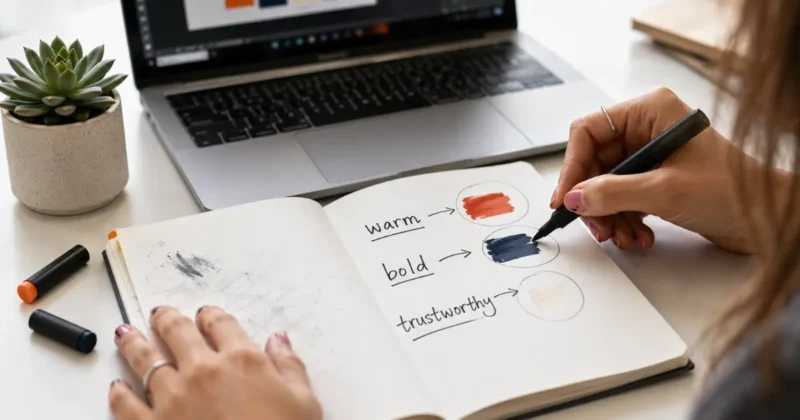
Before touching any AI brand identity generator, write three words that describe how you want your brand to feel. Not what you do — how you want people to feel when they encounter your brand. Warm and approachable. Bold and technical. Minimal and luxurious. These three words become your filter for every AI output — keep what fits, regenerate what doesn’t.
Step 2 — Generate your logo and color palette
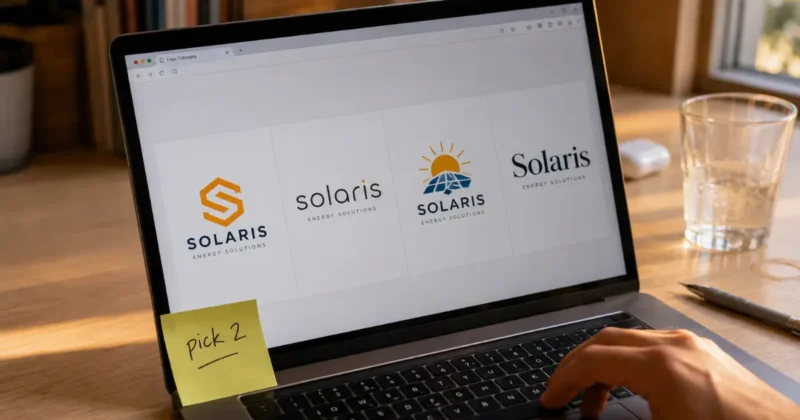
Open Looka or Brandmark. Enter your business name and industry. Select style references that match your three words. Generate twenty to thirty variations. Don’t pick the first one you like — scroll through all of them and shortlist five. Then narrow to one. This process takes longer than most people expect, and that’s correct — your logo is the foundation of everything else.
Step 3 — Build your typography system
Most AI brand identity generators suggest a font pairing automatically. Test it by typing your business name, a headline, and a paragraph of body text in those fonts. If it reads clearly and feels consistent with your three words, keep it. If not, try Google Fonts for alternative pairings — every font there is free for commercial use.
Step 4 — Create templates in Canva
Import your logo, colors, and fonts into Canva’s Brand Kit. Build master templates for Instagram posts, LinkedIn graphics, email headers, and presentation slides. This is how your brand stays consistent across every touchpoint without manual effort on every new piece of content.
If you’re not yet familiar with Canva’s full AI toolkit — including Magic Media for generating brand visuals, Magic Eraser, and background removal — my complete guide on how to use Canva Magic Media for social media graphics walks through every feature you’ll use inside this step.
Step 5 — Document your style guide
A brand style guide isn’t optional — it’s the document that keeps your brand consistent when you’re tired, when you’re outsourcing, and when you’re scaling. Include your logo variations, color hex codes, font names and sizes, spacing guidelines, and usage rules. Looka generates a basic version automatically. Expand it in Canva or Notion as your brand evolves.
What Is the Best Free AI Logo Generator in 2026?
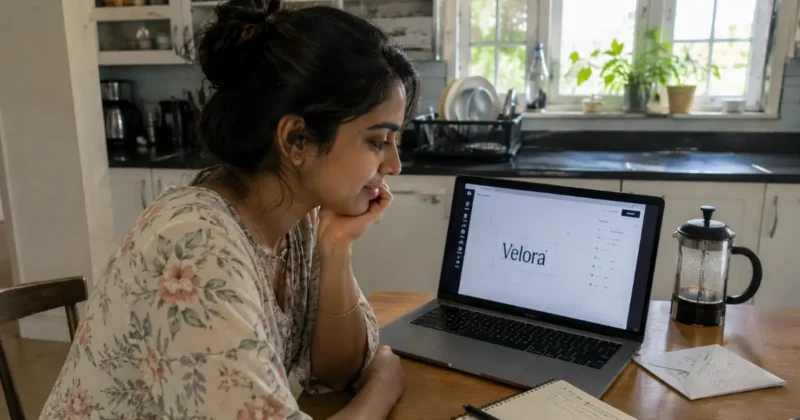
The best free AI logo generator options in 2026 are:
Canva’s logo maker (generous free tier, hundreds of customizable templates)
Wix Logo Maker (free preview, pay only to download)
Hatchful by Shopify (completely free, no account required)
Looka’s free exploration mode
For startups testing multiple brand concepts, Hatchful is the cleanest zero-cost starting point.
Free logo tools have improved dramatically and most founders don’t need to pay for a logo at the concept stage.
Hatchful by Shopify is completely free with no catches — no watermarks, no forced account creation for basic downloads. It’s template-based rather than fully AI-generative, but the output quality for simple wordmarks and icon-based logos is solid. For a new business testing whether a brand direction feels right before committing, Hatchful is the right starting point.
Canva’s free logo maker gives you access to hundreds of customizable logo templates with full font and color control. The free plan covers basic PNG export. If you need an SVG vector file — which you will for any print application — that requires Canva Pro. For digital-only early-stage brands, the free PNG export covers most needs.
Wix Logo Maker lets you design completely for free and only charges when you want to download the final files. This makes it genuinely useful for exploration — you can test ten different logo directions for free and only pay when you’re confident in the final direction.
How Do You Create an AI Brand Kit That Actually Looks Professional?
A professional AI brand kit requires five elements working together — a scalable vector logo, a 3–5 color palette with hex codes, a typography system with two complementary fonts, consistent spacing and layout rules, and a library of branded templates. AI brand identity generator tools handle the first three automatically. The last two require thirty minutes of intentional setup in Canva or Figma.
Most AI-generated brand kits look amateur for one reason: they stop at the logo.
A logo is not a brand. A brand is a system — a set of visual rules that make every piece of content feel like it came from the same place. That system requires more than a mark and a color.
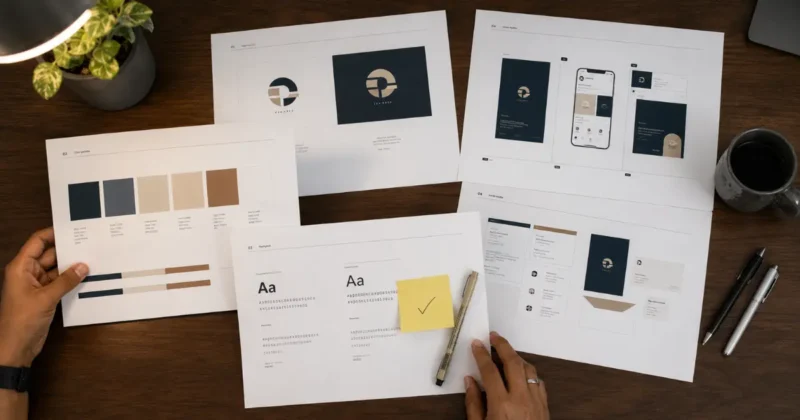
Here’s what a complete brand kit actually needs:
Logo variations: Your primary logo, a horizontal version, a stacked version, and an icon-only version. You need all four because different contexts require different formats — a square icon for a social media avatar, a horizontal version for email headers, the full logo for presentations. Looka generates all four automatically. Brandmark generates the primary and you adapt the rest.
One thing most brand guides skip: every logo variation should be exported as a transparent PNG for proper use on different background colors. My guide to the best AI PNG generator tools for transparent backgrounds covers exactly how to get clean transparent exports from any AI-generated logo file.
Color system: Three to five colors with hex codes. One primary brand color. One secondary. One accent. One light neutral. One dark neutral. Adobe Color is the most useful free tool for checking that your AI-suggested palette has sufficient contrast for accessibility — which matters for your website and any digital advertising.
Typography hierarchy: One display font for headlines. One body font for paragraphs. Define the exact sizes for H1, H2, H3, and body text. Consistent typography is the single element most responsible for making a brand look polished rather than assembled.
Branded templates: At minimum — one social post template, one email header template, one presentation slide template. Build these in Canva using your Brand Kit and you have a reusable system that produces consistent content without starting from scratch every time.
What AI Tools Work Best for Startups and Small Businesses?
For startups with zero budget, the best AI logo generator for startups combination is Hatchful (free logo) plus Canva free (templates and brand management). For small businesses with a small budget, Looka’s brand kit at $96/year covers everything in one tool. For brands needing commercial asset safety, Adobe Firefly plus Illustrator is the professional route.
The tool decision should follow the budget and use-case reality:
Zero budget, early stage: Hatchful for the logo. Canva free for templates. Google Fonts for typography. Adobe Color for palette testing. This combination costs nothing and produces a brand system that’s genuinely usable.
Small budget, serious brand: Looka’s brand kit subscription handles logo, colors, typography, templates, and style guide in one place for around $8/month. For a business that needs consistency across multiple channels, this is the highest-value investment in this category.
Commercial-grade brand work: Adobe Firefly plus Illustrator for logo and brand mark creation. Canva Pro for template management. This is the route for brands going into packaging, merchandise, licensing, or professional print production where IP clarity and vector quality matter.
One thing I tell every startup founder: don’t let perfect be the enemy of launched. An AI-generated brand that’s consistent and intentional will outperform a delayed “professional” brand every time.

And once your brand identity is ready, the next visual challenge for most product-based businesses is photography — getting product images that match the quality of your brand. My guide on product photography with AI covers how to create studio-quality product shots that stay consistent with the brand system you’ve just built, without a photographer or a studio budget. You can always refine the brand later. You can’t launch with no brand.
What Are the Biggest Mistakes in AI Branding?
The five biggest AI branding mistakes are: using a rasterized PNG logo instead of requesting an SVG vector file, skipping the style guide and losing brand consistency, choosing a logo that looks great large but disappears at small sizes, ignoring typography and letting the AI pick a default font, and failing to check whether your logo colors work on both light and dark backgrounds.
Using PNG instead of SVG is the most expensive mistake long-term. PNG logos become pixelated when printed on merchandise, signage, or large-format materials. Always request your logo in SVG format — every professional AI brand identity generator tool offers this. If yours doesn’t, export the PNG and use Vector Magic to convert it.
Skipping the style guide is why most AI-generated brands look inconsistent six months after launch. The logo stays consistent. Everything else drifts — slightly different shades of the brand color, different fonts in different contexts, spacing that feels off. Document the rules from day one.
Choosing a logo that doesn’t work small. Test every logo at 32×32 pixels — the size it appears as a browser favicon and a social media icon. Complex logos with thin lines or intricate details become unreadable at that size. Simple, bold marks read clearly at every size.
Ignoring color accessibility. WebAIM’s contrast checker is free and takes thirty seconds. If your brand text color on your brand background color doesn’t meet WCAG AA contrast ratio, your brand is inaccessible to a significant percentage of your potential audience — and your website will fail basic accessibility audits.
FAQs
What is the best AI brand identity generator in 2026?
Looka is the best all-in-one AI brand identity generator for small businesses — it produces a complete logo, color palette, typography system, and style guide in one workflow. Brandmark leads for pure logo visual quality. Adobe Firefly is best when commercial licensing safety is the priority.
Is there a free AI brand identity generator?
Yes — Hatchful by Shopify is completely free with no watermarks. Canva’s free logo maker and Wix Logo Maker let you design for free and pay only to download final files. These free AI brand identity generator tools are solid for early-stage testing before committing to a paid brand kit.
Can AI generate a complete brand style guide?
Yes — Looka automatically generates a basic brand style guide including logo variations, color codes, and typography recommendations. For a more detailed guide, use Canva to build a branded template document expanding on the AI-generated foundations with spacing rules, usage guidelines, and template examples.
Which AI logo generator works best for startups?
For zero-budget startups, Hatchful by Shopify is the best free AI logo generator — completely free, no watermarks, straightforward to use. For startups ready to invest in a complete brand system, Looka’s brand kit at around $96/year is the best value all-in-one AI brand identity generator for startup branding.
How do I make sure my AI-generated logo looks professional?
Always download your logo as an SVG vector file, not just PNG. Test it at 32×32 pixels for small-size readability. Check color contrast with WebAIM’s free tool. Build a minimum three-piece template system in Canva using your brand colors and fonts. Consistency across touchpoints is what makes any brand look professional — AI or otherwise.
Final Thoughts: Is an AI Brand Identity Generator Good Enough?

After building multiple brand identities with AI tools, the honest answer is: for most small businesses, startups, and content creators — yes, an AI brand identity generator is good enough to launch with and grow with.
The brands that come out of Looka, Brandmark, and Canva when used with intentional prompting and careful curation are visually competitive with brands designed by mid-level freelance designers. They’re not at the level of a senior brand strategist at a top agency. But they’re well past “obviously AI-generated” for anyone who uses the tools deliberately.
The qualifier that matters: AI generates options. You make the decisions. The founder who goes through thirty logo variations, tests their color palette for accessibility, builds proper templates, and writes a style guide will produce a better brand than one who accepts the first AI suggestion and calls it done.
Use AI to generate the raw material. Apply your own judgment to shape it into something that actually represents what you’re building.
If your brand work also involves generating custom imagery — hero images, social media visuals, campaign graphics — knowing which AI image generator to use for which task matters. My comparison of Midjourney vs DALL-E 3 vs Stable Diffusion breaks down exactly which tool fits which creative use case, with honest quality and pricing comparisons for each.
Try Looka’s free exploration mode today. Generate twenty logo variations for your business name. See what the AI surfaces before you spend anything. The process itself teaches you what your brand actually needs — which is worth something regardless of which tool you end up using.
What kind of business are you branding? Drop it in the comments — I’m happy to give specific tool recommendations based on your industry and budget.