
Table of Contents
Why Do Creators Need the Best AI PNG Generator in 2026?
Short answer: Transparent PNGs are the most versatile visual asset a content creator owns logos, icons, overlays, watermarks, and product mockups all require clean transparent backgrounds. The best AI PNG generator handles this in seconds, replacing what used to take hours of manual Photoshop work.
I used to spend entire afternoons with the magnetic lasso tool in Photoshop — zoomed in at 400%, tweaking edges pixel by pixel just to get one clean transparent PNG.
That workflow is completely outdated now.
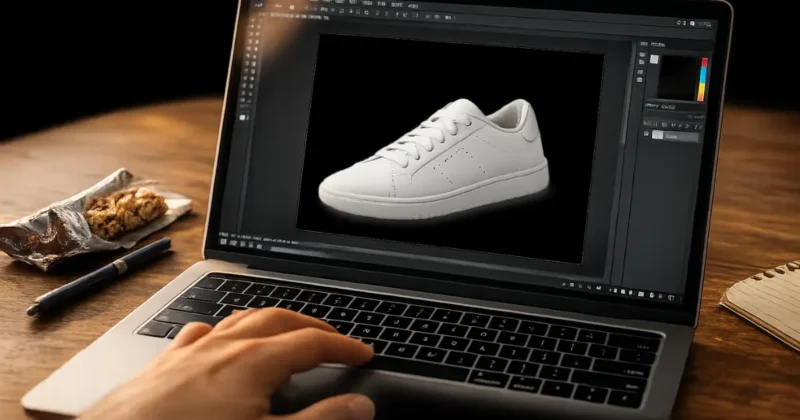
The best AI PNG generator tools in 2026 produce cleaner cuts, faster results, and better edge quality than manual editing. Whether you need a transparent logo, an icon set, or a product shot with the background removed — AI handles it without the headache.
And if you’re also looking to generate original images before stripping their backgrounds, my full guide to the best AI image generation tools for creators in 2026 covers every major generator worth knowing — it pairs directly with everything in this post.
Can AI Generate Transparent PNG Images Automatically?
Short answer: Yes — modern AI PNG generator tools can both create images from prompts and remove backgrounds automatically to produce clean transparent PNG files. Adobe Firefly 4, Remove.bg, and Stable Diffusion with LayerDiffuse all handle this end-to-end with no manual masking required.
There are two workflows that both fall under the best AI PNG generator umbrella:
Workflow 1 — Generate then strip:
Create your image with DALL-E 4 or Midjourney, then run it through an AI transparent background generator like Remove.bg. Two steps, beginner-friendly, works with any image tool you already use.
If you’re still deciding between Midjourney, DALL-E, and Stable Diffusion for that first generation step, I’ve compared all three head-to-head in my Midjourney vs DALL-E 3 vs Stable Diffusion breakdown — worth reading before you commit to one.
Workflow 2 — Generate with transparency built in:
Adobe Firefly 4 and Stable Diffusion with LayerDiffuse output transparent PNG files directly from a text prompt — no removal step needed. Faster, but requires slightly more setup.
For most creators, Workflow 1 is the easiest starting point. Workflow 2 is the most powerful once you’re comfortable.
What Is the Best AI PNG Generator for Transparent Backgrounds?
Short answer: Adobe Firefly 4 is the best AI PNG generator for professional transparent background work — commercially safe, integrates into Photoshop, and produces the cleanest edge quality available. For quick free work, Remove.bg delivers transparent PNGs in about three seconds with no account required.
After testing a dozen tools extensively, here’s what actually matters:
Adobe Firefly 4 is the most reliable best AI PNG generator for professional use. Generate an image, remove the background in one click inside Photoshop, and export a clean transparent PNG — all inside Adobe Creative Cloud. Commercial licensing is solid since Firefly trains only on licensed content.
Remove.bg is the fastest standalone AI transparent background generator. Upload any image, receive a clean transparent PNG in three seconds. The free plan covers standard resolution — more than enough for web and social media use.
Canva’s BG Remover lives inside your design workspace, making it the most convenient best free AI PNG generator for creators already building in Canva. Click “Edit Image” then “BG Remover” — done. Available on the free plan with monthly credit limits.
If you want to go deeper into Canva’s full AI suite — Magic Media, Magic Write, Magic Eraser, and more — I’ve covered the entire workflow in my guide on how to use Canva Magic Media for social media graphics.
Stable Diffusion with LayerDiffuse is the most powerful best AI PNG generator for technical creators — generating images with native alpha transparency, producing transparent PNGs directly from prompt, completely free to run locally.
Which Free AI PNG Generator Is Actually Worth Using?
Short answer: The best free AI PNG generator options in 2026 are Remove.bg (unlimited standard resolution), Canva’s BG Remover (free with credits), PhotoRoom (free tier with small watermark), and Microsoft Designer (free, no watermarks, DALL-E 4 powered). All produce usable transparent PNGs without any software installation.
Remove.bg’s free tier gives unlimited standard-resolution transparent PNG outputs — sufficient for blog graphics, icons, and web assets.
Microsoft Designer, powered by DALL-E 4, is the strongest completely free AI PNG generator for creating images from scratch. No watermarks, no download required, clean results that work for most social and web use cases.
If you’re building a full content creation toolkit beyond just PNG work, my roundup of the best AI tools for content creators in 2026 shows how image generation, background removal, and design tools all fit together in a single efficient workflow.
What Is the Best AI Icon Generator in 2026?
Recraft AI is the best AI icon generator purpose-built for icon and vector-style outputs — it produces consistent icon sets and exports as SVG and transparent PNG. Adobe Firefly is best for commercially safe icon creation. Microsoft Designer is the strongest completely free AI icon generator available.
Recraft AI is the standout best AI icon generator for this specific use case. It’s built for vector and icon outputs, generates consistent related icon sets in one session, and exports in SVG and transparent PNG. If you’re building an icon set for a product or brand, start here.
Adobe Firefly produces commercially clean icon outputs and integrates into Illustrator for refinement. For icon work going into paid client deliverables, Firefly’s licensing is the safest choice.
Midjourney v7 creates beautiful icons when prompted precisely. Use flat icon, minimal, white background, vector style --no shading --no gradient and outputs rival professional icon sets. Run through Remove.bg afterward for transparency.
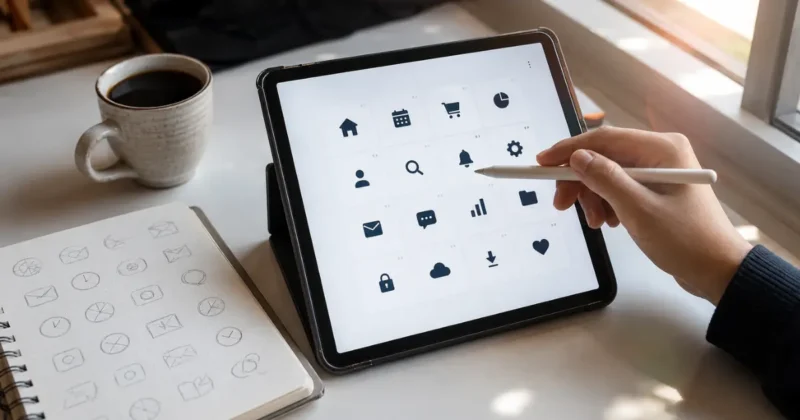
How Do I Create PNG Icons With AI? (Step by Step)
Use Recraft AI or Adobe Firefly with an icon-specific prompt, generate on a solid white background, run through Remove.bg for transparency, then export as PNG and check edges at 200% zoom before final use. The full workflow takes under three minutes.
Here’s the exact workflow I use:
Step 1: Open your best AI icon generator — Recraft AI or Adobe Firefly for best results.
Step 2: Write an icon-specific prompt: “flat vector icon, minimalist line art, single color, white background, simple geometric shapes, clean edges, no shadows.” The word “simple” is critical — overly detailed icons don’t read at small sizes.
Step 3: Generate four to six variations. Pick the one with the sharpest, cleanest edges and simplest composition.
Step 4: Upload to Remove.bg. Download the transparent PNG.
Step 5: Zoom to 200% and check edges before using. Fix any fringe pixels in Canva’s eraser or Photoshop’s Refine Edge.
The most common mistake with any best AI PNG generator for icons: generating too much detail. Explicit prompting for “minimal” and “clean” immediately improves your outputs.
How Do You Get Cleaner Edges From Any AI PNG Generator?
Short answer: Cleaner transparent PNG edges come from generating on a solid white background, upscaling before background removal, and using Remove.bg rather than Canva’s remover for complex edges like hair or fine text. Checking at 200% zoom before export catches any remaining artifacts.
Generate on solid white. The cleaner your original background color, the cleaner the AI transparent background generator’s cut will be. Pure white gives the algorithm an easy job. Complex backgrounds create complex edge artifacts every time.
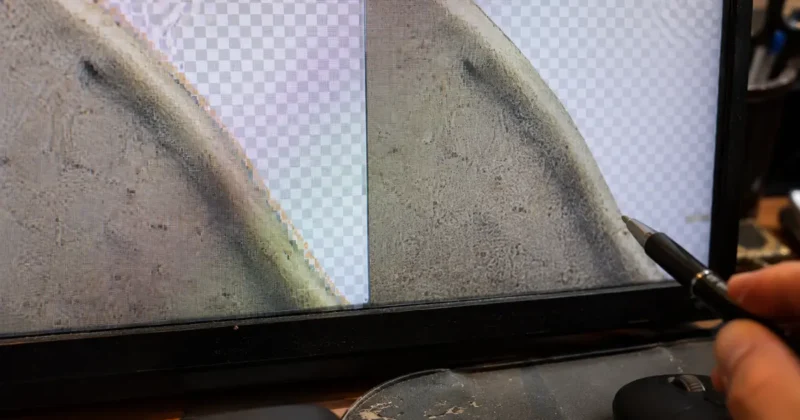
Upscale before removing background. Run your generated image through Canva’s free Image Enhancer or Topaz Gigapixel before stripping the background. More pixels give the removal algorithm more edge data to work with.
Use Remove.bg for fine edges. Canva’s BG Remover is convenient, but Remove.bg handles hair, fur, fine text, and transparent objects significantly better. For anything where edge quality matters — logos, product shots, character icons — Remove.bg is the right best free AI PNG generator choice.
FAQs – Best AI PNG Generator
Q1: What is the best AI PNG generator for transparent backgrounds?
Adobe Firefly 4 is the best AI PNG generator overall for professional transparent PNG work. For free, Remove.bg and Canva’s BG Remover are the most reliable — both produce clean transparent PNGs in seconds with no technical setup required.
Q2: Which free AI PNG generator doesn’t add watermarks?
Remove.bg’s free tier and Microsoft Designer both produce watermark-free transparent PNGs. Canva’s free BG Remover also outputs clean transparent PNGs without watermarks, though monthly credit limits apply on the free plan.
Q3: Can AI generate transparent PNG images directly from a text prompt?
Yes — Adobe Firefly 4 and Stable Diffusion with LayerDiffuse generate transparent PNG images natively from text prompts. Other best AI PNG generator tools use a two-step process: generate the image first, then remove the background separately using a tool like Remove.bg.
Q4: What is the best AI icon generator for creating icon sets in 2026?
Recraft AI is the best AI icon generator built specifically for icon sets — consistent vector-style outputs, SVG and transparent PNG exports. Adobe Firefly is the best choice for commercially licensed icon creation for client work.
Q5: How do I create a PNG icon with AI for free?
Use Microsoft Designer or Canva’s free AI image generator to create your icon on a white background, run it through Remove.bg for transparency, then export as PNG. The best free AI PNG generator workflow for icons takes under two minutes from prompt to finished transparent file.
Final Thoughts: Which AI PNG Generator Should You Start With?
The right best AI PNG generator for you depends entirely on where you’re starting:
Beginners: Start with Remove.bg for background removal and Microsoft Designer for icon generation. Both are free, require no setup, and produce usable transparent PNGs immediately.
Professional creators doing client work: Adobe Firefly 4 is the non-negotiable choice — commercially safe outputs, Photoshop integration, and the cleanest edge quality of any best AI PNG generator available.
Technical creators wanting full control: Set up Stable Diffusion with LayerDiffuse locally for the most powerful free AI PNG generator pipeline — generating transparent PNGs natively from prompt with zero background removal needed.
The best AI PNG generator isn’t the most expensive one. It’s the one that fits your workflow and produces clean edges on the first try.
One specific use case worth mentioning: if you’re running a faceless YouTube channel, transparent PNG logos and custom icon sets are essential for branded lower thirds, end screens, and thumbnail overlays. My guide on building a faceless AI YouTube channel to 100K in 2026 covers exactly where these PNG assets fit into that production workflow.
Start with Remove.bg today — upload one image, get a transparent PNG in three seconds, and see immediately what the best free AI PNG generator workflow actually feels like.
What are you creating transparent PNGs for — logos, icons, social overlays? Drop it in the comments. I read every single one.