

The Part of Script Writing That Wastes the Most Time
I make tech review and tool breakdown videos on YouTube.
Filming takes maybe 45 minutes. Editing takes an hour. But structuring the script? That used to eat up the better part of an entire afternoon.
Not writing — structuring. Figuring out where to open, how to build the middle, when to introduce the counterargument, and how to close without sounding like I was wrapping up a school essay.
When I started using AI tools for YouTube content creation, the first thing that improved wasn’t speed. It was my hook quality. I didn’t expect that. I thought I’d just finish scripts faster. Instead, I started the video better — and everything downstream improved with it.
That’s what this guide is actually about. Not a list of tools. A tested workflow, built around real tech-creator use cases, with honest notes on what each tool gets wrong.
If you’re building a complete AI content system beyond just script writing — covering design, video, research, and writing tools together — our hands-on guide to the Best AI Tools for Content Creators in 2026 covers every category with the same tested-in-real-workflows approach.
Table of Contents
Why YouTube Script Structure Is More Important Than Ever in 2026
YouTube’s algorithm in 2026 is not measuring views. It’s measuring watch time, average view duration, and click-through rate — and every one of those numbers traces back to your script.
YouTube’s own Creator Academy confirms that average view duration and click-through rate are the two most heavily weighted signals in the recommendation algorithm — both of which are directly shaped by how well your script is structured before you ever press record.
A weak hook loses viewers before the 30-second mark. A poorly structured middle section causes drop-off around 40% watch time — exactly where YouTube decides whether to push your video or stop recommending it.
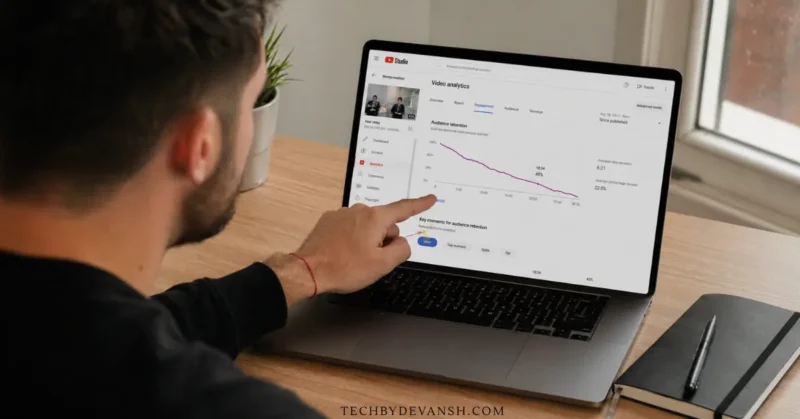
The creators cutting through that noise aren’t just more talented. They’re using the right ai tools for youtube content production — and they’re using them strategically, not just for speed.
The creators growing consistently are the ones with better scripts — not better cameras.
That’s exactly why ai tools for youtube script writing have moved from optional to essential — not just for saving time, but for structuring content that actually holds viewer attention past the 40% drop-off point.
How to Use AI Tools for YouTube Script Writing — The Real Workflow
Most guides list tools. This one shows you how to actually use them together.
This is the 4-step workflow I use for every tech review video. Each step uses a different tool for a specific reason.
Step 1 — Research with Perplexity AI
Never start in Claude or ChatGPT. Both can hallucinate product details, misremember specs, and confidently cite outdated data.
Perplexity pulls from live, cited sources. For tech tool breakdowns where pricing and features change constantly, this matters enormously.
The prompt that works best: “What are the most common real-world criticisms of [tool name] from users in 2025–2026? Include community discussions.”
If generating angles and video ideas consistently is the bottleneck before you even reach the research stage, we covered exactly that in our guide on the AI tool that writes 100 content ideas in under an hour — the same ideation system works just as well for YouTube video concepts as it does for blog posts.
Those criticisms become your script’s tension — the moments that make a tech review feel honest rather than promotional.
Step 2 — Structure with Claude AI
Take your Perplexity research notes and paste them into Claude with this prompt:
“Write a YouTube script for a [X minute] tech review. Audience: [describe]. Style: conversational, direct, opinionated. Write in spoken dialogue — not essay format. Include section breaks but no formal transitions.”
The instruction “spoken dialogue, not essay format” is the single most important line in any AI script writing prompt. Without it, every tool defaults to written prose that sounds unnatural the moment you say it out loud.
Step 3 — Sharpen hooks with ChatGPT
Claude thinks long and structured. ChatGPT thinks fast and punchy.
Ask ChatGPT for 7 hook variations in different formats — bold opinion, surprising stat, contrarian take, relatable problem, short story setup. Pick the strongest one and replace Claude’s opener with it.
Then ask ChatGPT: “Which of these hooks would feel overused to a tech-creator audience?” It identifies its own clichés and helps you eliminate them.
Step 4 — Read it out loud and edit the AI voice out
This is the step nobody talks about.
Every AI tool makes scripts too formal. Too polished. Too structured in a way that reads well but sounds like a lecture when you actually say it on camera.
Read the full script aloud before you film. Rewrite every sentence that makes you stumble or pause. That pass takes 20–30 minutes and makes the difference between a video that retains viewers and one that technically covers the topic.
Best AI Tools for YouTube Script Writing in 2026
1. Claude AI — Best for Long-Form Script Structure
Claude is the best ai tool for youtube video script structuring — specifically for tech content that runs 10–15 minutes.
Claude Opus 4.7 released April 2026 is the version worth knowing about for script writing specifically. It handles multi-step, long-horizon tasks with significantly more reliability than earlier versions — which matters when you’re asking it to maintain a consistent tone, argument structure, and pacing across a 12-minute script. The model is also noticeably more precise than GPT-5.5 on tasks where a wrong claim carries real cost — like tech reviews where product details need to be accurate.
The Claude Opus 4.7 vs GPT-5.5 choice for scripts: GPT-5.5 writes prose that adapts to tone instructions faster and produces punchier output. Claude Opus 4.7 produces more accurate, structured, coherent long-form scripts where getting facts right matters more than sounding casual. For tech review scripts specifically — Claude. For hook brainstorming and rapid variation — GPT-5.5.
For creators specifically looking for an ai youtube script generator that sounds human on camera, the Claude Opus 4.7 + manual voice edit combination produces the most natural-sounding result — the AI handles structure, you handle the delivery.
It thinks in whole documents, not individual paragraphs. The transitions feel earned rather than mechanical. And it maintains logical coherence across long scripts in a way that ChatGPT still doesn’t match for this specific use case.
The practical difference shows up mid-video. Claude-structured scripts keep viewers engaged through the dense information sections that tech content always includes. That directly improves average view duration — the metric YouTube weights most heavily.
The voice document trick: Paste 3 paragraphs from your best-performing video transcript into Claude and say “this is how I naturally speak — match this tone in everything you write for me.” Save that as a reusable prompt prefix. Scripts drift less from your natural voice, which means less manual editing time.
Honest limitation: Claude’s hooks are too measured. Replace them every time.
- Free tier: Yes — Claude Sonnet 4.6 available free
- Paid: $20/month includes Opus 4.7 access.
- Best for: Long-form tech scripts, 10+ minute structured breakdowns
- Main keyword fit: Best ai tool for youtube video script — strongest fit in this category
2. ChatGPT — Best for Hooks and Script Ideation
Among the best ai tools for youtube script generation, ChatGPT earns its place not for full drafts but for one specific thing: punchy, high-variation hook writing.
The hook is the most leveraged moment in any YouTube script. Nail the first 30 seconds and your retention curve stays high. Miss it and even a perfectly structured 15-minute video will have a 40% drop-off before the first minute ends.
ChatGPT generates more emotionally direct, pattern-interrupt hooks than any other tool. The trade-off is consistency — it drifts toward generic tech-YouTuber voice if you don’t actively push back with every prompt.
The underused feature: Custom instructions. Set your channel tone, audience age, content style, and a list of phrases you never use. Every script generation session inherits those constraints without you re-explaining your voice every time.
Honest limitation: Full scripts from ChatGPT often sound like a competent version of every tech YouTube channel — not your specific channel.
- Free tier: Yes — GPT-4o available free
- Paid: $20/month Plus includes GPT-5.5 Thinking.
- Best for: Hook writing, rapid ideation, script angle variations
3. Subscribr — Best YouTube-Native Script Tool
Subscribr is the most underrated tool in the entire ai tools for youtube script generation category — and almost no mainstream guide covers it properly.
It was built exclusively for YouTube creators, trained on high-performing YouTube transcripts rather than general internet text. That gives it a fundamentally different instinct for pacing, chapter structure, and storytelling rhythm compared to general-purpose AI writers.
When you connect your YouTube channel, Subscribr analyzes your existing videos, learns your tone and brand voice, and generates scripts that actually sound like your channel — not a generic AI interpretation of what your channel should sound like.
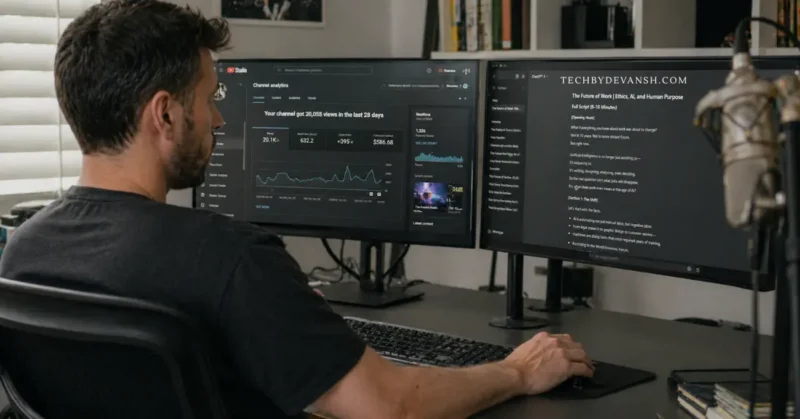
Subscribr is also the strongest ai tool to write youtube scripts without showing face — it generates fully narrated script structures that work for faceless channels where the script carries the entire viewing experience without a presenter on camera.
The Research Assistant pulls data from YouTube transcripts and web sources, then builds a research brief before scripting. This research-first approach is what separates it from every other tool that generates scripts from a single-line prompt.
Where Subscribr wins specifically: Educational tech breakdowns where you need to keep non-expert viewers engaged through dense information. It handles pacing and storytelling in ways that pure writing tools don’t.
Honest limitation: The interface feels clunky when navigating between research and draft stages. Expect a short learning curve before the workflow clicks.
- Free tier: Trial available
- Paid: Starts at $20/month
- Best for: YouTube-native storytelling, channel-voice matching, educational tech content
4. VidIQ — Best for Algorithm-Aligned Script Generation
Among all ai tools for youtube creators, VidIQ is the only one that combines script generation with live YouTube algorithm data in the same platform.
When you generate a script inside VidIQ, it produces the script alongside titles, thumbnail prompts, descriptions, and tags simultaneously. One input, complete content package. For solo tech creators managing the full upload workflow alone, that saves meaningful time at every single video.
The algorithm-awareness is what sets it apart from pure writing tools. VidIQ builds scripts around what YouTube currently rewards — strong chapter markers, natural verbal CTAs at optimal timestamps, and hook structures aligned with current retention patterns.
The AI Coach feature: Connect your channel analytics — average view duration, best-performing topics, CTR benchmarks — and VidIQ adjusts recommendations based on what has actually worked on your specific channel. That level of personalization is something Claude and ChatGPT can only approximate with manual prompting.
Honest limitation: VidIQ scripts are optimized for mechanics but lack personality. They need editing to feel like a specific creator rather than a well-optimized YouTube video.
- Free tier: Yes — limited AI features
- Paid: From $16.58/month
- Best for: Algorithm-optimized scripting, topic strategy, full content packages
OverseerOS — Best for Channel Voice Matching + Script Systems
OverseerOS is the tool serious YouTube creators are using in 2026 that almost no roundup covers. It’s not just a script generator — it’s a complete script system built around your specific channel.
The standout feature is Creator DNA: you feed OverseerOS your existing video transcripts and it builds a tone profile of how you specifically talk — your pacing, your vocabulary, your storytelling instincts. Every script it generates after that sounds like you, not a generic YouTuber template.
For the best ai for writing faceless youtube channel scripts specifically, OverseerOS’s Creator DNA feature is the most valuable — it learns the tone and pacing of your existing content and applies it to faceless video scripts that don’t need a personality on camera to hold attention.
Script ReSpark is the other feature worth knowing about. You feed it an existing video of yours that underperformed, and it rewrites the script using your Creator DNA profile while restructuring for better retention. For creators with older videos sitting at 200 views that deserved more — this is the highest-ROI use case in the entire AI script writing category.
The Trend-to-Script feature takes a trending topic in your niche and generates a script angle that’s niche-specific rather than generic — which means you’re covering the trend through your channel’s specific lens rather than sounding identical to the 50 other creators who made the same video.
Honest limitation: Pricing at $299/year makes this the most expensive tool on this list. Worth it for creators publishing 3+ videos per week with an established channel. Too steep for beginners.
- Free tier: No
- Paid: $299/year
- Best for: Established creators, high-volume publishers, channel voice consistency
- Standout: Creator DNA tone profiles + Script ReSpark for underperforming videos
5. Perplexity AI — Best Research Foundation for Scripts
This isn’t a script writer. It’s the foundation that makes every script you write more credible.
No tech review script written in 2026 should rely on ChatGPT or Claude for research. Both tools can confuse product versions, misstate pricing, and cite outdated comparisons with complete confidence.
Perplexity pulls from live, cited sources with verifiable links. For ai tools for youtube content creation workflows that involve tech reviews, that accuracy gap is the difference between a video that builds trust and one that gets called out in the comments for being wrong.
And once your script is written and ready to film, the next production decision is how your video will sound — especially if you create faceless content or want a professional AI voiceover. Our tested guide on the best AI voice generators in 2026 that sound shockingly real covers exactly which tools handle long-form YouTube scripts best without losing natural delivery across minutes of continuous audio.
Perplexity AI differentiates itself from every other AI research tool by attaching live, verifiable citations to every answer it generates — which is why it’s the only AI research tool I trust for tech product details that change frequently throughout the year.
The “Related Questions” feature inside Perplexity generates 8–10 additional angles on any topic — which directly feeds your hook brainstorming and section planning before you write a single line.
- Free tier: Yes — unlimited searches
- Paid: $20/month Pro
- Best for: Research accuracy, live data, finding authentic user perspectives before scripting
Comparison Table: Best AI Tools for YouTube Script Writing 2026
Here’s the honest breakdown of every major ai tool for youtube script writing in 2026 — what each one does well, where it falls short, and which creator type it fits best.
| Tool | Free Tier | Best For | YouTube-Specific | Script Quality |
|---|---|---|---|---|
| Claude Opus 4.7 | Yes | Long-form structure | No | Excellent |
| ChatGPT (GPT-5.3/5.5) | Yes | Hooks + ideation | No | Very Good |
| Subscribr | Trial | YouTube storytelling | Yes | Very Good |
| VidIQ | Limited | Algorithm-aligned scripts | Yes | Good |
| Perplexity AI | Yes | Research foundation | No | N/A |
The Mistake That Kills Most AI-Generated YouTube Script
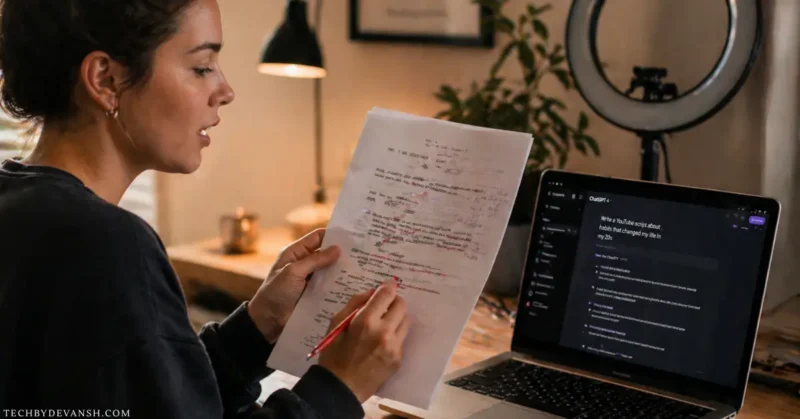
Every single ai tool for youtube script writing makes scripts too formal. This is the most common problem and the least-discussed one in any guide.
AI writing tools are trained on written text. YouTube is spoken content. Those are fundamentally different registers of language.
Written text uses complete sentences, formal transitions, and structured paragraphs. Spoken YouTube content uses fragments, mid-sentence pivots, and the informal rhythm that makes you feel like you’re having a conversation rather than attending a lecture.
When you read an unedited AI script on camera, viewers feel the mismatch even when they can’t identify it. The information is fine. The delivery feels off. And they click away.
The fix is simple but non-negotiable: read every AI script out loud before filming. Rewrite any sentence that makes you pause, stumble, or feel unnatural. The AI gave you the architecture. You provide the voice.
Pro Tips From Real YouTube Script Sessions

Tip 1 — Give Claude a messy first draft, not a blank prompt. Write 200 words of unstructured thoughts about your topic. Paste that into Claude and say “structure this into a YouTube script.” The output sounds more like you than starting from a blank prompt because your ideas are already in there.
Tip 2 — Use the “devil’s advocate” prompt for tech reviews. Before scripting, ask ChatGPT: “What would a careful buyer object to about [tool name]? Give me 5 honest criticisms.” Those objections become the most trusted moments in your video — where you acknowledge the problem and address it directly.
Tip 3 — Stack VidIQ for topic selection, Claude for scripting. The most effective ai tools for youtube creators use aren’t single platforms — they’re combinations. VidIQ for topic selection and algorithm alignment. Claude Opus 4.7 for script structure. ChatGPT for hooks. Each tool does one job well. Trying to find one tool that does all three adequately is why most creators end up with generic output.
Tip 4 — Never start a script with AI. Write your single main point in one sentence first — the one thing you want the viewer to think differently after watching. Then hand that to AI for structure. Scripts that start from your genuine opinion retain viewers because the perspective is real throughout.
Starting with your own angle means you need a reliable system for generating strong video ideas consistently — not just occasionally. Our guide on AI tools for content ideas and research shows the exact research workflow that top creators use to make sure they never sit down to a blank screen wondering what to make next.
Tip 5 — Use Subscribr’s research-first workflow for dense topics. For technical content with a lot of information to cover, let Subscribr’s Research Assistant build your content brief before any scripting begins. The research layer is what keeps educational tech breakdowns from feeling like a Wikipedia read-through.
What’s Changing in AI YouTube Script Tools by End of 2026
The most important shift happening right now is from AI as a writing assistant to AI as a channel-aware creative partner.
HubSpot’s latest video marketing statistics report shows that short and long-form video content now delivers the highest ROI of any content format for the fourth consecutive year — reinforcing why investing in better AI script tools directly translates into measurable channel growth, not just faster production.
Tools like Subscribr and VidIQ are building toward persistent channel memory — AI that knows your last 50 videos, your retention curves, your audience demographics, and adjusts every new script recommendation based on your specific performance history.
The next feature to watch: real-time retention prediction. Upload your draft script and get a prediction of where viewers will drop off before you ever film. VidIQ’s AI Coach is the early version of this. Expect it to become standard across all YouTube-native tools within 12 months.
If YouTube Shorts is part of your content mix alongside long-form videos — and for most channels in 2026 it should be — the scripting approach is fundamentally different from what works in long-form. We tested one specific AI workflow that consistently pushes Shorts into the viral feed, and the results were genuinely surprising — here’s exactly how the AI trick for YouTube Shorts works and why it performs differently than standard script generation.
For creators in the ai tools for youtube creators space specifically: the channels growing fastest in 2026 are combining AI script structure with genuine first-hand product experience. AI can write what a tool does. It cannot write what it feels like to use something for three weeks when something breaks.
That first-hand experience is your competitive advantage over every creator treating AI as a replacement.
Best AI Tool Stack by Creator Type
The right ai youtube script tools look completely different depending on where you are in your creator journey — here’s how to stack them based on your actual situation.
New YouTube creators (zero budget): Perplexity (research) + ChatGPT free tier (hooks + outline) + Claude free tier (structure). Total cost: $0. This free stack covers 80% of what paid tools offer.
Growing tech reviewers: Perplexity + Claude Pro ($20) + VidIQ Boost ($16.58). Total: ~$37/month. Best balance of script quality and algorithm awareness.
High-volume creators (3+ videos/week): Perplexity + Subscribr ($20) + VidIQ ($16.58). Total: ~$37/month. Subscribr’s channel voice matching saves the most editing time at high publishing volume.
And if your content strategy runs across both YouTube and Instagram simultaneously — which most growing creators do in 2026 — the workflow for Reels is completely different from long-form scripting. Our step-by-step guide on AI tools for Instagram Reels that actually go viral maps the exact production stack for short-form content so you’re not trying to force a YouTube script workflow into a 30-second vertical format.
FAQs – AI Tools For YouTube Script Writing
What is the best AI tool for YouTube script writing in 2026?
There is no single best tool — effective script writing uses a 2–3 tool stack. Claude AI handles long-form structure and logical flow best. ChatGPT generates stronger hook variations. VidIQ adds YouTube algorithm awareness. For tech creators, Perplexity AI as a research foundation before scripting significantly improves script accuracy and credibility.
What are the best AI tools for YouTube script generation for beginners?
The best free stack for beginners is Perplexity AI for research (fully free), ChatGPT free tier for hooks and outlines (GPT-4o free), and Claude AI free tier for structure. These three tools together cover the full script writing workflow at zero cost and produce results good enough to grow a new channel.
How do AI tools for YouTube content creation improve watch time?
AI tools improve watch time by helping creators structure scripts around proven retention patterns — strong hooks in the first 30 seconds, clear chapter breaks that prevent drop-off, and CTAs placed at optimal timestamps. Tools like VidIQ are specifically trained on YouTube performance data, which means their scripting instincts reflect what the algorithm currently rewards.
Can AI tools write YouTube scripts that sound natural on camera?
Yes — but only after manual editing. Every AI tool for YouTube script writing produces output that is too formal for spoken content by default. The fix is reading the script out loud before filming and rewriting any sentence that doesn’t sound like your natural speech. Budget 20–30 minutes of editing on top of AI generation time.
How to use ChatGPT to write YouTube scripts step by step?
Step 1: Set your custom instructions with channel tone, audience age, and phrases you never use. Step 2: Ask for 7 hook variations on your topic in different formats. Step 3: Pick the strongest hook. Step 4: Ask ChatGPT to write a full script outline — not the full script — using that hook. Step 5: Pass the outline to Claude Opus 4.7 for the full script draft. Step 6: Read out loud and rewrite anything that doesn’t sound natural. This two-model approach consistently outperforms using ChatGPT alone for the full script.
Conclusion – AI YouTube Script Tools
The best ai tools for youtube script writing in 2026 don’t write your videos. They handle the structural work that was eating your most productive hours so you can spend that time on the parts only you can contribute.
That complete stack is what the best ai tools for youtube script writing workflow actually looks like in practice — not one tool doing everything, but each tool doing one job exceptionally well.
If you publish more than twice a week, add Subscribr for its channel voice matching.
That stack costs under $40/month combined and produces scripts that are better organized, faster to write, and more algorithm-aware than anything I was producing manually.
The one thing no stack can do: sound like you.
That part still takes 20–30 minutes of reading out loud and rewriting what doesn’t feel natural. Don’t skip it. It’s the step that makes everything else worth doing.
2 thoughts on “AI Tools That Write Better YouTube Scripts Than You Do”