
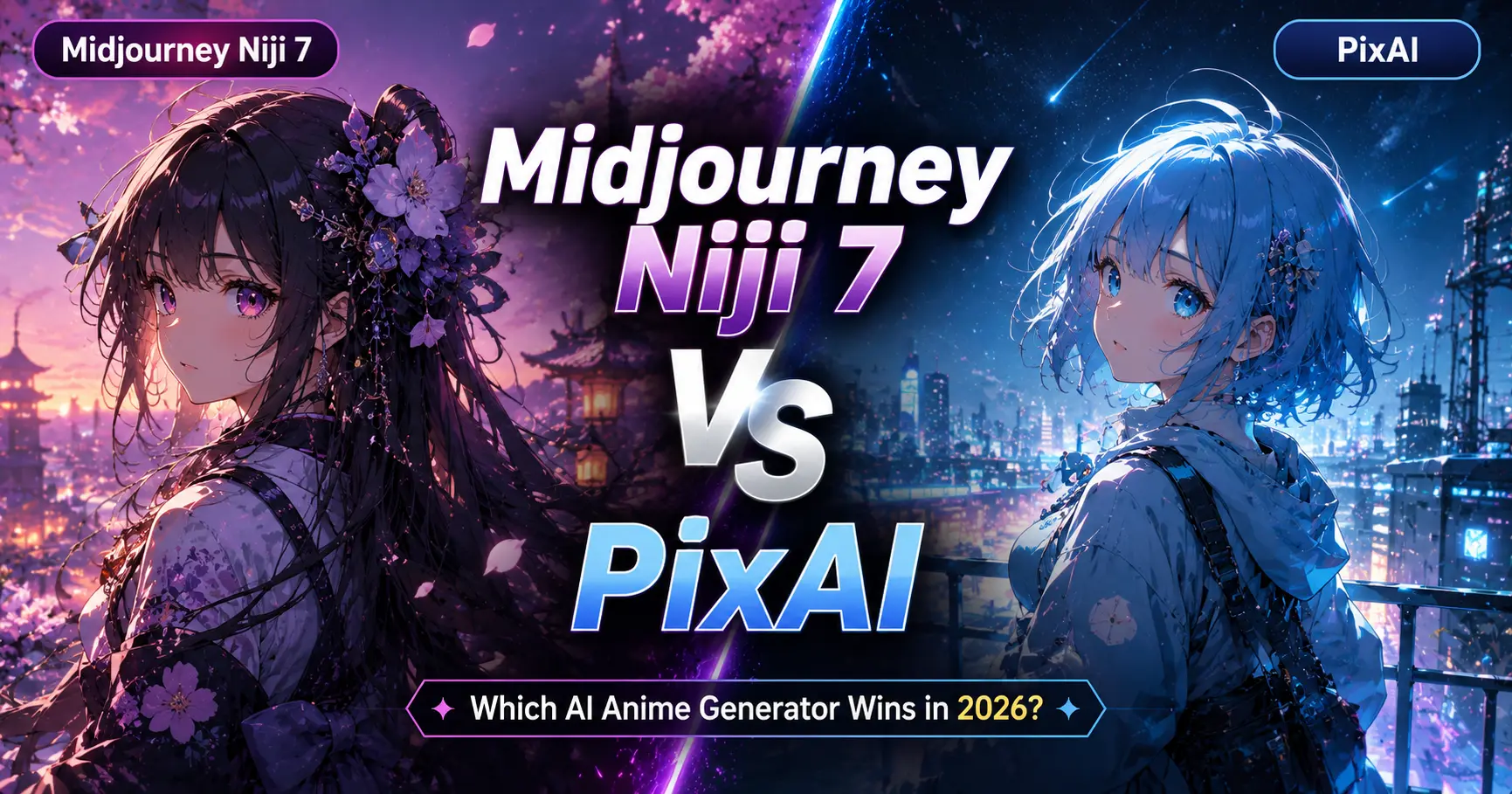
If you search for the best AI anime generator today, you’ll probably see the same names over and over again—Midjourney Niji 7 and PixAI.
At first glance, they seem to do the same thing. Both can create stunning anime artwork from a simple text prompt. But after spending time testing them for character design, YouTube thumbnails, manga concepts, wallpapers, and social media illustrations, I realized they serve very different types of creators.
One tool focuses on delivering polished, cinematic artwork with minimal effort. The other gives you far more control, model choices, and flexibility to experiment without spending a fortune.
So, which one should you actually use?
Instead of repeating feature lists copied from official websites, I compared Midjourney Niji 7 vs PixAI from a creator’s perspective. I looked at image quality, prompt accuracy, workflow, pricing, character consistency, commercial use, and overall value to help you choose the right tool for your projects.
Whether you’re a professional illustrator, YouTuber, VTuber, game artist, or someone who simply loves creating anime art, this comparison will save you time and help you avoid choosing the wrong platform.
If you’re still exploring different AI anime generators instead of choosing between these two, I recommend reading my guide on Best AI Anime Art Generators (2026): Features, Pricing, Character Consistency & Commercial Use Compared. It compares the top anime AI tools side by side, including their strengths, pricing, commercial licensing, and ideal use cases, making it easier to find the right tool before diving into detailed comparisons like this one.
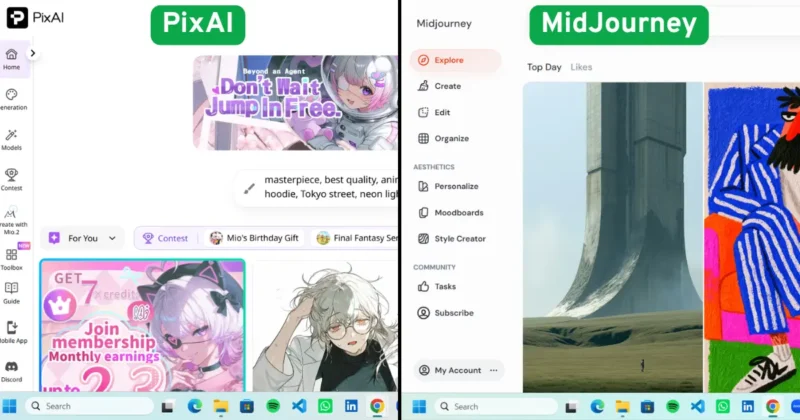
Table of Contents
Why You Can Trust This Comparison
I’ve seen plenty of comparison articles where the author simply lists features from product pages without actually discussing how those tools perform in real creative work.
That isn’t very helpful when you’re deciding where to invest your time or money.
For this comparison, I focused on the things creators genuinely care about:
- Image quality
- Prompt accuracy
- Character consistency
- Speed
- Workflow
- Pricing
- Commercial usability
- Ease of learning
I also considered different creator types because someone designing manga characters has very different needs from someone creating YouTube thumbnails or Pinterest graphics.
Midjourney Niji 7 vs PixAI at a Glance
| Feature | Midjourney Niji 7 | PixAI |
|---|---|---|
| Best For | Professional anime illustrations | Everyday anime creation |
| Free Plan | No | Yes |
| Learning Curve | Medium | Beginner Friendly |
| Prompt Understanding | Excellent | Very Good |
| Character Consistency | Excellent | Good |
| Community Models | Limited | Extensive |
| Style Variety | High | Extremely High |
| Commercial Projects | Strong option (review current licensing) | Depends on model and licensing terms |
| Overall Winner | Professional artists | Beginners & experimentation |
If I had to explain the difference in one sentence, I’d say this:
Midjourney Niji 7 focuses on creating beautiful artwork, while PixAI focuses on giving creators more creative freedom.
What Is Midjourney Niji 7?
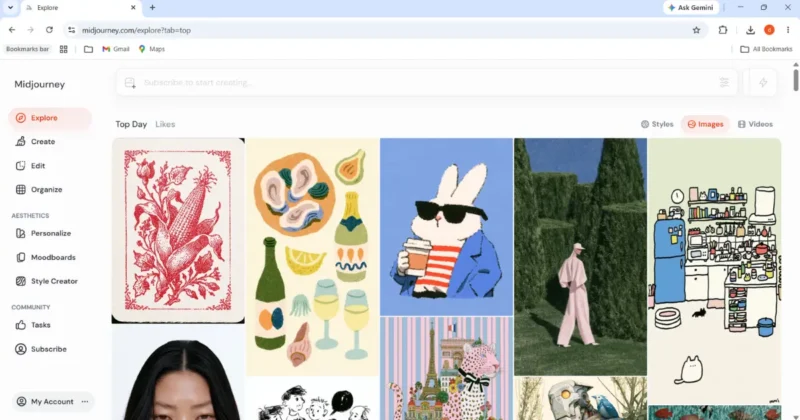
If you’ve used Midjourney before, you probably already know how impressive its image quality can be.
If you’re new to the platform or want to explore the latest image models, prompt features, and subscription plans, you can visit the official Midjourney website.
Midjourney Niji 7 is the latest anime-focused model created in collaboration with Spellbrush. Instead of producing generic anime images, it understands anime composition, expressive characters, dramatic lighting, and stylized environments much more effectively than standard image models.
Midjourney regularly updates its image models, so it’s worth checking the official Midjourney documentation for the latest version history and feature updates.
One thing I immediately noticed is how natural the final illustrations feel.
Characters blend into their surroundings instead of looking artificially placed. Facial expressions are more believable, clothing folds appear cleaner, and lighting adds depth rather than simply making the image brighter.
Another advantage is prompt understanding.
Unlike many AI generators that require extremely detailed prompts, Midjourney often delivers impressive results with surprisingly simple descriptions.
For example:
anime swordsman, rainy Tokyo street, cinematic lighting, dramatic atmosphere
Even a short prompt like this can produce artwork that feels ready for a portfolio.
That’s one reason why many professionals continue using Midjourney Niji mode for concept art, book covers, posters, and high-quality digital illustrations.
What Makes PixAI Different?
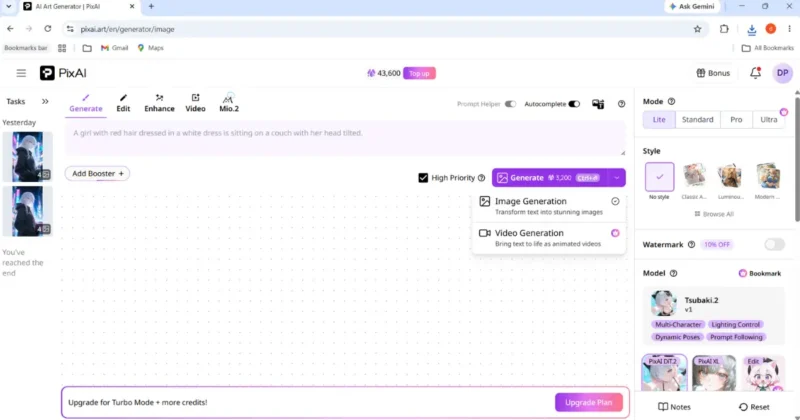
PixAI takes a very different approach.
You can explore community models, create images, and check the latest features on the official PixAI website.
Instead of trying to create one perfect image every time, PixAI Art Generator gives you a huge collection of community-trained models, LoRAs, styles, and customization options.
If you’re the kind of creator who enjoys experimenting, PixAI becomes incredibly fun to use.
Within minutes you can switch between:
- Fantasy anime
- Retro manga
- Chibi illustrations
- Cyberpunk art
- Watercolor anime
- Dark fantasy characters
- Modern webtoon styles
This flexibility makes PixAI Art especially attractive for creators who publish regularly on YouTube, Instagram, TikTok, Pinterest, or Discord.
Another benefit is accessibility.
Since PixAI includes a free plan, beginners can start experimenting immediately without committing to a monthly subscription.
That makes it one of the easiest ways to learn prompt writing and explore different anime styles before investing in premium AI tools.
Image Quality Comparison
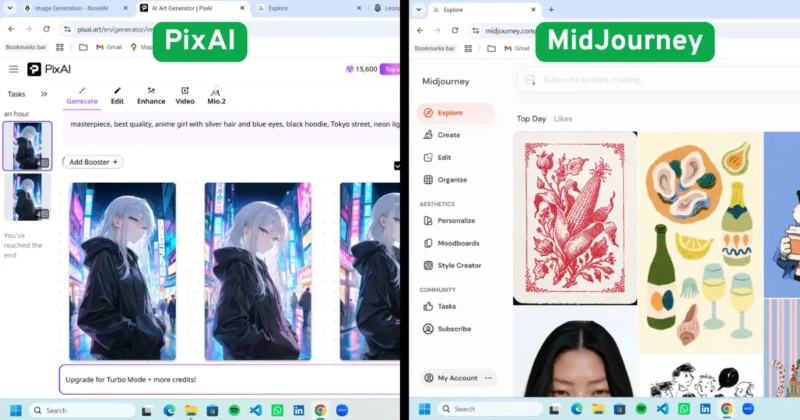
Image quality is where these two platforms begin to separate.
I tested similar prompt styles across portraits, action scenes, fantasy artwork, and cinematic illustrations.
Midjourney consistently produced stronger compositions.
The lighting looked more natural.
Backgrounds contained richer details.
Characters felt more expressive.
Even when using relatively short prompts, the images looked polished enough to share without much editing.
PixAI also produced attractive artwork, but its results depended more heavily on choosing the right community model.
When I selected a model that matched my desired style, the output improved significantly.
That’s why many experienced PixAI users spend time finding the best model before writing a prompt.
If you’re looking for quick, premium-looking artwork, Midjourney usually reaches that point faster.
If you’re comparing Midjourney with more general-purpose AI image generators instead of anime-focused tools, check out my detailed comparison of Midjourney vs. DALL·E 3 vs. Stable Diffusion: Which Is Best for Creators?
If you enjoy experimenting until you find the perfect style, PixAI offers far more creative possibilities.
Prompt Accuracy Test
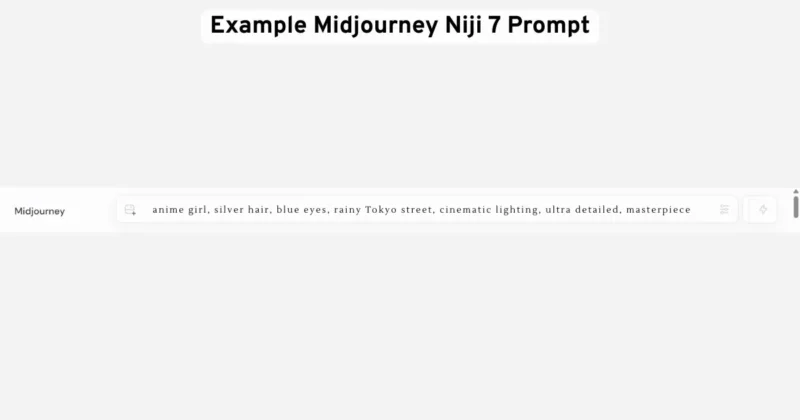
One area many reviews overlook is prompt interpretation.
This matters because the quality of your prompt directly affects how much editing you’ll need later.
With Midjourney Niji 7, I noticed that concise prompts generally worked best.
Instead of writing long paragraphs filled with unnecessary details, I achieved stronger results by describing only the most important creative elements.
For example:
anime warrior, silver armor, sunrise battlefield, cinematic lighting, ultra detailed
The composition remained balanced, and the atmosphere matched the prompt naturally.
PixAI behaves differently.
Detailed prompts often produce better results because they work alongside the selected model.
Adding camera angles, clothing descriptions, color palettes, lighting styles, and negative prompts gives you greater control over the final image.
This is one reason many Stable Diffusion users feel comfortable switching to PixAI.
Character Consistency Test
If there’s one area that separates casual AI image generators from tools professionals actually rely on, it’s character consistency.
Creating one beautiful anime image is easy. Creating the same character across different poses, outfits, camera angles, and expressions is much harder.
To compare Midjourney Niji 7 vs PixAI, I used similar prompts while changing only the pose and scene. My goal wasn’t to see which tool made the prettiest image—it was to see which one could preserve the character’s identity.
Midjourney Niji 7 impressed me with facial consistency. Hair shape, eye color, clothing style, and overall proportions remained surprisingly stable across multiple generations. Even when I changed the background from a rainy Tokyo street to a fantasy castle, the character still looked recognizable.
PixAI performed well too, especially when using the same community model and similar prompt structure. However, changing models between generations often produced noticeable differences in facial features, clothing, or art style. That’s not necessarily a weakness—it simply reflects PixAI’s flexibility. The more models you experiment with, the more variation you’ll naturally see.
For creators building original manga characters, visual novels, comics, or VTuber designs, consistent identity matters more than artistic variety. In that situation, I found Midjourney Niji 7 to be the more dependable choice.
Generation Speed Comparison
People often ask which tool is faster, but I think that’s the wrong question.
The better question is:
Which tool gets you to your final image faster?
Raw generation time only tells part of the story.
Midjourney usually produced a polished result in fewer attempts. I rarely needed to keep regenerating the same prompt because the first few outputs were already close to what I wanted.
PixAI generated images quickly as well, but because it offers so many models and settings, I spent more time experimenting before settling on a final version.
That’s actually one of PixAI’s biggest strengths.
Instead of accepting the first result, you can easily explore different anime styles until you find one that perfectly matches your project.
If you’re designing client artwork with a deadline, Midjourney’s faster workflow can save valuable time.
If you’re brainstorming dozens of creative ideas, PixAI’s flexibility becomes an advantage.
Midjourney Niji 7 vs PixAI – Pricing Comparison
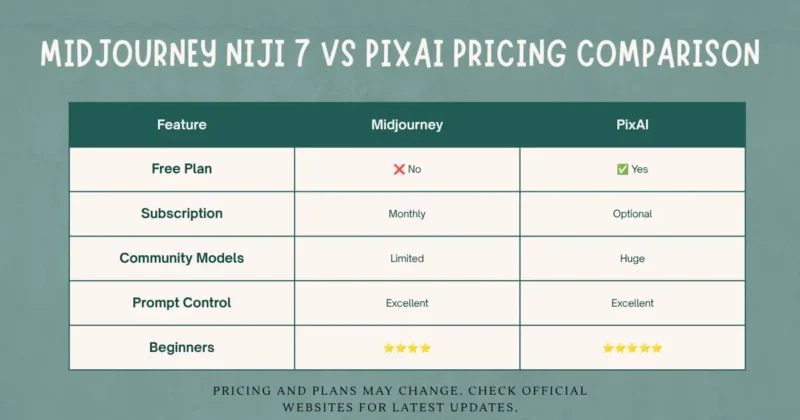
Pricing is another area where these platforms target different audiences.
One thing I appreciate about PixAI is that beginners can start without immediately paying for a subscription.
Since free credits and premium plans occasionally change, it’s a good idea to review the latest details on the PixAI pricing page before choosing a plan.
That makes it much easier to learn prompt writing, test different anime styles, and understand how AI image generation works before investing money.
Midjourney requires a subscription, which may seem expensive at first.
You can compare the latest subscription tiers directly on the official Midjourney pricing page before subscribing.
However, if you’re regularly creating artwork for clients, YouTube channels, games, or digital products, the time saved by producing high-quality images more consistently can easily justify the cost.
Commercial Licensing: Don’t Ignore This
This is probably the most overlooked part of any AI image generator comparison.
Many creators assume that if an AI tool generates an image, they’re automatically free to sell it.
That’s not always true.
Commercial rights depend on the platform’s current licensing policy, subscription plan, and sometimes even the model being used.
Before selling AI-generated artwork, always review the latest Midjourney Terms of Service to understand commercial usage rights.
Before using AI-generated artwork for:
- Client projects
- Merchandise
- Print-on-demand
- Book covers
- Marketing campaigns
- Digital products
always review the latest licensing information on the platform’s official website.
Spending two minutes checking the licensing terms can save you from much bigger problems later.
Best Midjourney Niji 7 Prompts
One lesson I learned quickly is that Midjourney Niji prompts don’t need to be overly complicated.
Clear artistic direction usually works better than stuffing dozens of keywords into a single sentence.
Cinematic Portrait
anime girl, silver hair, blue eyes, rainy Tokyo street, cinematic lighting, dramatic atmosphere, ultra detailedFantasy Character
anime knight, glowing sword, ancient castle, golden sunset, masterpiece, detailed armor, fantasy illustrationCyberpunk Style
anime hacker, neon city, holographic screens, futuristic Tokyo, vibrant colors, cinematic perspectiveManga Cover
young samurai, cherry blossom petals, emotional expression, ink illustration style, dramatic compositionInstead of constantly making prompts longer, focus on improving your subject, mood, lighting, and composition.
PixAI Workflow Tips That Save Time
Most tutorials only explain how to generate images.
They rarely explain how to generate better images.
Here are a few habits that genuinely improved my results:
- Stick with one model until you understand its strengths.
- Save prompts that produce successful results instead of rewriting them every time.
- Use negative prompts when the output contains unwanted details.
- Keep seed values when trying to refine the same character.
- Explore community models before writing complex prompts from scratch.
If you’re interested in understanding how different anime models and LoRAs are trained, browsing the community on Civitai can provide useful inspiration and prompt ideas.
These small workflow improvements made a much bigger difference than changing dozens of prompt keywords.
Hidden Features Most Creators Miss
After testing both platforms, I noticed something many comparison articles never mention.
Professional artists rarely judge an AI tool based on one beautiful image.
They judge it based on whether they can repeat that quality consistently.
Midjourney excels at producing polished artwork with less effort.
PixAI excels at creative exploration through its huge collection of community-trained models.
That’s why many experienced creators actually use both tools together.
A common workflow looks like this:
- Generate polished concept art in Midjourney Niji 7.
- Use PixAI to experiment with alternate styles, expressions, or outfits.
- Finish the artwork in Photoshop or Canva before publishing.
Using each platform for what it does best often produces better results than relying on a single AI tool.
FAQs – Midjourney Niji 7 vs PixAI
Is Midjourney Niji 7 better than PixAI?
For professional-quality anime illustrations, Midjourney Niji 7 generally produces stronger compositions, lighting, and storytelling. PixAI is better suited for experimentation, customization, and creators who want access to a large library of community models.
Is PixAI free?
Yes. PixAI offers a free plan, while additional features and higher generation limits are available through premium credits or subscription options.
Which AI tool is better for beginners?
PixAI is generally easier for beginners because of its free plan, user-friendly interface, and wide variety of ready-to-use anime models.
Which tool creates more consistent anime characters?
In my testing, Midjourney Niji 7 delivered more consistent character identity across multiple prompts, while PixAI offered greater flexibility through different models and customization options.
Can I use Midjourney or PixAI for commercial projects?
Both platforms can support commercial workflows, but you should always review their latest licensing terms and subscription policies before selling AI-generated artwork or using it in client projects.
Final Verdict
After comparing Midjourney Niji 7 vs PixAI, I don’t think there’s one universal winner.
If you’re creating premium illustrations, portfolio artwork, cinematic anime scenes, or client projects, Midjourney Niji 7 is my recommendation. Its composition, lighting, and prompt understanding consistently deliver professional-looking results with fewer generations.
If you’re just getting started with AI anime art or enjoy experimenting with different models, PixAI offers outstanding value. The free plan, extensive community model library, and flexible workflow make it one of the most enjoyable platforms for learning and creative exploration.
Of course, creating anime artwork is only one part of a modern creator’s workflow. If you’re looking for AI tools for writing, video editing, voice generation, presentations, and productivity, don’t miss my guide to Best AI Tools for Content Creators in 2026 (Tested by Real Use Cases), where I cover the AI tools I actually recommend for everyday content creation.
Here’s my recommendation based on different creator needs:
| Creator Type | Recommended Tool |
|---|---|
| Professional Illustrator | Midjourney Niji 7 |
| Beginner | PixAI |
| Manga Artist | Midjourney Niji 7 |
| VTuber Creator | PixAI |
| YouTube Thumbnail Designer | Midjourney Niji 7 |
| Character Designer | PixAI |
| Daily AI Creator | PixAI |
| Portfolio Artist | Midjourney Niji 7 |
Rather than asking which tool is objectively better, think about the type of artwork you create most often. That’s usually the fastest way to choose the right platform.
If you’re interested in more than anime art, my Ultimate Guide to Best AI Image Generation Tools for Creators (2026) compares AI generators for logos, marketing, illustrations, product photography, and commercial design projects.