

I spent weeks comparing today’s most popular AI anime art generators, and one thing became obvious: most reviews only show the best-looking image, not what happens after your tenth generation.
Creating one impressive anime portrait is easy. Creating the same character in different poses, expressions, outfits, or backgrounds is where most AI tools still struggle.
That’s the part most comparison articles skip.
Some platforms promise unlimited creativity but hide their best features behind expensive subscriptions. Others advertise free image generation, only to limit you with slow queues, restrictive credit systems, or inconsistent results that force you to start over.
If you’re creating YouTube thumbnails, manga, VTuber assets, game characters, social media content, wallpapers, or print-on-demand products, choosing the wrong tool can waste hours—and a surprising amount of money.
Instead of ranking tools based on marketing claims, this guide focuses on what creators actually care about:
If you’re also exploring AI tools beyond anime artwork, check out my Ultimate Guide to Best AI Image Generation Tools for Creators, where I compare AI generators for logos, marketing, product design, social media, and professional creative workflows.
- Image quality
- Character consistency
- Prompt understanding
- Speed
- Free plan value
- Commercial licensing
- Learning curve
- Long-term usability
You’ll also learn which tools are best for beginners, professionals, content creators, manga artists, and businesses, along with practical prompt tips and workflows that help you get better results without spending months learning Stable Diffusion.
If your workflow includes blogging, YouTube, or social media, you may also find my Best AI Tools for Content Creators in 2026 guide helpful because it covers AI writing, design, editing, and productivity tools alongside image generation.
Table of Contents
Why You Can Trust This Guide
Unlike many roundups that simply repeat product descriptions, this guide is built around transparent evaluation criteria and current platform capabilities.
Each recommendation considers factors that matter in day-to-day creative work, including:
- Image quality and anime style accuracy
- Character consistency features (reference images, LoRA support, seed control)
- Ease of use for beginners
- Free tier limitations
- Pricing and overall value
- Commercial licensing policies
- Community reputation and creator feedback
- Workflow flexibility for YouTube, manga, VTubers, game art, and social media
Where opinions are included, they are presented as recommendations rather than objective facts, and platform features should always be verified on the official websites because AI tools evolve rapidly.
What Is the Best AI Anime Art Generator?
The best AI anime art generator depends on your goals. NovelAI excels at consistent anime characters, PixAI offers one of the strongest free experiences, Midjourney produces cinematic artwork, and Adobe Firefly is the safest option for commercial projects. Beginners should prioritize ease of use, while professionals should focus on consistency and licensing.
Quick Comparison
| Need | Recommended Tool |
|---|---|
| Best Overall | NovelAI |
| Best Free AI Anime Generator | PixAI |
| Best for Beginners | Microsoft Designer |
| Best Photo to Anime | SeaArt AI |
| Best Character Consistency | NovelAI |
| Best for Manga Artists | NovelAI + Tensor.Art |
| Best for VTubers | Yodayo |
| Best Commercial License | Adobe Firefly |
| Best Artistic Quality | Midjourney (Niji) |
| Best Mobile Experience | PixAI |
What Makes a Great AI Anime Art Generator?
Not every AI image generator is designed for anime.
General-purpose AI models often produce attractive illustrations, but they can struggle with anime-specific details such as expressive eyes, stylized hair, dynamic action poses, or maintaining the same character across multiple scenes.
After comparing leading platforms and reviewing creator feedback, these are the features that matter most:
1. Character Consistency
Can the tool generate the same character repeatedly without changing facial features, hairstyle, or clothing?
This is especially important for:
- Manga creators
- Webtoon artists
- VTubers
- YouTube storytellers
- Indie game developers
2. Prompt Understanding
A good AI anime art generator should understand more than simple prompts like “anime girl.”
It should accurately interpret detailed instructions about:
- Clothing
- Camera angles
- Lighting
- Expressions
- Art style
- Backgrounds
- Color palettes
The better the prompt interpretation, the fewer generations you’ll waste.
3. Speed
Generation time varies widely.
Some platforms create an image in under 10 seconds, while others may take more than a minute depending on server load and your subscription level.
If you’re creating content daily, speed has a direct impact on productivity.
4. Commercial Rights
Many creators plan to use AI-generated artwork for:
- YouTube thumbnails
- Etsy products
- Print-on-demand stores
- Blogs
- Marketing campaigns
- Client projects
Not every AI platform grants the same commercial usage rights, making licensing an important factor when choosing a tool.
5. Value for Money
The cheapest option isn’t always the best.
Some paid platforms include advanced features like:
- Character reference systems
- LoRA support
- Inpainting
- Image editing
- Upscaling
- Video generation
For professional creators, these capabilities can justify the subscription cost by saving time and improving output quality.
How We Evaluated These Tools
To keep the comparison practical, every recommendation in this guide is based on the same evaluation criteria rather than marketing claims.
Each platform is assessed across the following areas:
| Evaluation Factor | Why It Matters |
|---|---|
| Anime Style Accuracy | Determines how closely the output matches modern anime aesthetics. |
| Character Consistency | Measures how reliably a character can be recreated across multiple images. |
| Prompt Understanding | Evaluates how well the AI follows detailed instructions. |
| Speed | Considers typical image generation time and workflow efficiency. |
| Free Plan Value | Looks at daily credits, limitations, and usability without payment. |
| Commercial Licensing | Reviews whether generated images can be used for business purposes. |
| Ease of Use | Assesses how beginner-friendly the platform is. |
| Overall Value | Balances pricing, features, and creator experience. |
Best AI Anime Art Generators Reviewed (2026)
Instead of ranking these tools purely by image quality, I evaluated them based on what matters in real creative workflows: consistency, ease of use, pricing, commercial rights, customization, and long-term value.
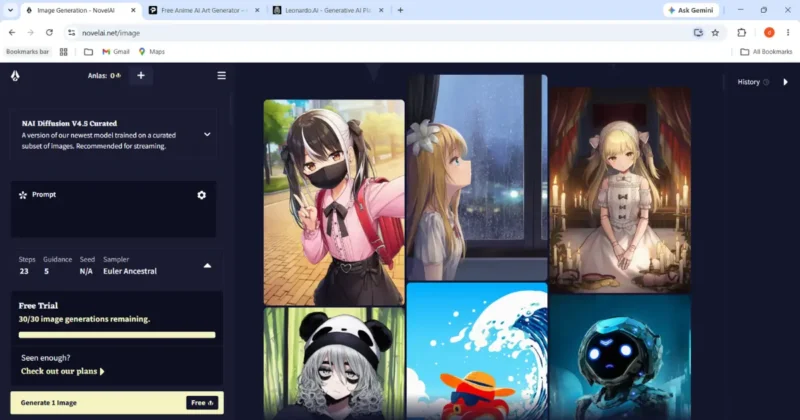
1. NovelAI – Best Overall AI Anime Art Generator
Best For
- Manga artists
- Webtoon creators
- Visual novel developers
- Character designers
- Professional anime illustrators
Overall Rating
| Category | Score |
|---|---|
| Anime Quality | 9.8/10 |
| Character Consistency | 9.7/10 |
| Prompt Understanding | 9.6/10 |
| Beginner Friendly | 7.8/10 |
| Speed | 9.1/10 |
| Commercial Use | Check current license |
Why NovelAI Stands Out
If your goal is creating consistent anime characters, NovelAI remains one of the strongest dedicated platforms.
Unlike general AI image generators, NovelAI was built with anime art in mind. It understands anime-style prompts exceptionally well and gives creators fine-grained control through tag-based prompting, reference images, and customizable generation settings.
One of its biggest strengths is maintaining a character’s identity across different poses and scenes, making it a popular choice for manga projects and recurring original characters.
Key Features
- High-quality anime-focused image models
- Character reference support
- Seed control
- Image-to-image generation
- Inpainting
- Advanced prompt customization
- Resolution upscaling
- Private image generation
Pros
- Outstanding anime aesthetics
- Excellent facial consistency
- Strong prompt accuracy
- Great for long-term character creation
- Frequent model improvements
Cons
- No generous permanent free plan
- Learning curve for advanced settings
- Beginners may need time to understand tag-based prompting
Pricing
Plans typically start around $10/month, with higher tiers providing additional image generation credits and advanced capabilities.
You can always check the latest pricing, subscription plans, and feature updates on the official NovelAI website before making a purchase.
Best Prompt Example
masterpiece,
best quality,
1girl,
silver hair,
emerald green eyes,
school uniform,
standing on a rainy Tokyo street,
cinematic lighting,
Makoto Shinkai style,
high detail,
8k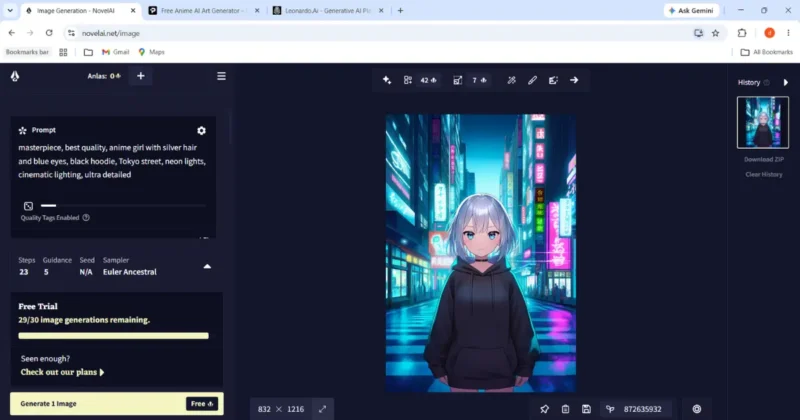
Pro Tip
Instead of writing long paragraphs, combine descriptive phrases with concise style tags. This often produces cleaner and more consistent anime artwork.
Who Should Choose NovelAI?
Choose NovelAI if:
- You want recurring original characters.
- You create manga or comics.
- You value artistic control more than simplicity.
- You don’t mind paying for premium quality.
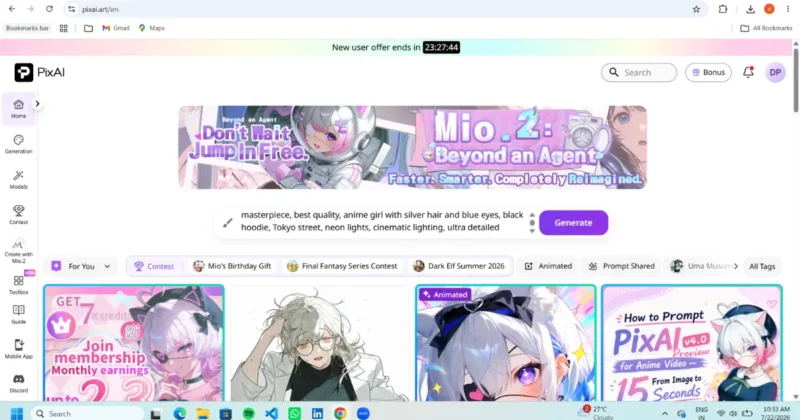
2. PixAI – Best Free AI Anime Art Generator
Best For
- Beginners
- YouTubers
- Content creators
- Pinterest creators
- Hobby artists
Overall Rating
| Category | Score |
|---|---|
| Anime Quality | 9.4/10 |
| Free Plan | 9.8/10 |
| Character Consistency | 9.2/10 |
| Ease of Use | 9.4/10 |
| Speed | 8.9/10 |
| Value | 9.8/10 |
Why PixAI Is So Popular
PixAI has become one of the easiest ways to start creating anime artwork without spending money.
The interface is clean, beginner-friendly, and packed with community-created models, styles, and workflows. Unlike many AI art platforms, it focuses heavily on anime creators rather than trying to support every art style.
Its generous free tier makes it especially attractive for students, hobbyists, and new content creators.
Features
- Text-to-image
- Image-to-image
- Pose reference
- LoRA support
- Character templates
- Community models
- AI upscaling
- Mobile support
Pros
- Excellent free plan
- Easy for beginners
- Huge anime community
- Fast image generation
- Large model library
Cons
- Some advanced models require extra credits
- Quality varies depending on the selected model
Pricing
Free plan available.
Premium plans unlock faster generation, additional credits, and advanced features.
Since PixAI frequently updates its image models and daily credit system, it’s worth checking the official PixAI website for the latest details.
Best Prompt
anime warrior,
white armor,
blue energy sword,
dramatic sunset,
dynamic pose,
ultra detailed,
high quality,
fantasy background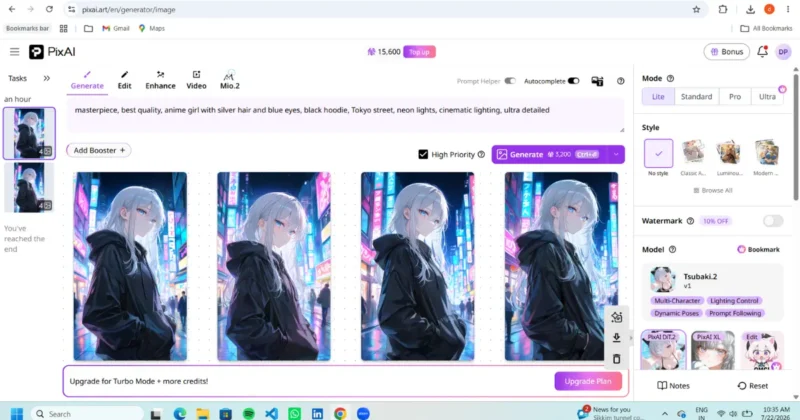
Hidden Feature
Many creators ignore community workflows.
Instead of starting from scratch, browse highly rated public workflows and adapt them to your own prompts. This can save a lot of time while helping you understand which combinations of models and settings produce the best results.
Best For
PixAI is ideal if you’re:
- Starting with AI art
- Creating YouTube thumbnails
- Designing social media content
- Making anime wallpapers
- Experimenting before investing in paid tools
3. Tensor.Art – Best for Advanced Creators
Best For
- Stable Diffusion users
- AI enthusiasts
- Advanced creators
- Model experimentation
Overall Rating
| Category | Score |
|---|---|
| Customization | 9.9/10 |
| Community Models | 10/10 |
| Ease of Use | 7.5/10 |
| Free Plan | 9.3/10 |
| Anime Quality | 9.3/10 |
Overview
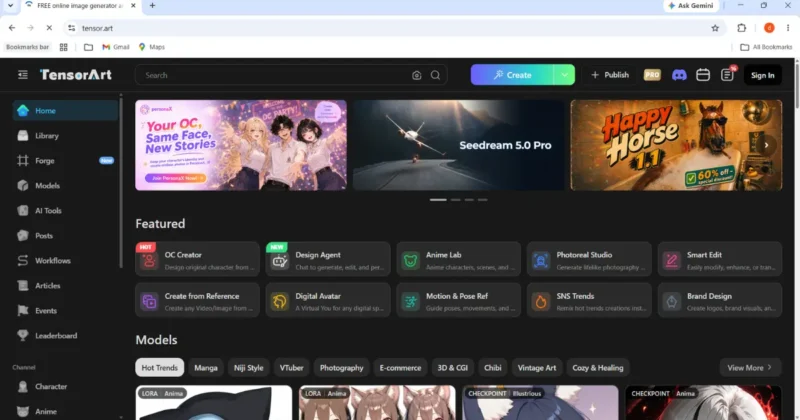
Tensor.Art feels less like a simple image generator and more like an AI creative platform.
If you enjoy experimenting with different checkpoints, LoRAs, Flux models, or Stable Diffusion workflows, Tensor.Art offers far more flexibility than most beginner-focused tools.
You can browse the latest community models, workflows, and updates directly on the Tensor.Art platform.
The trade-off is complexity. New users may feel overwhelmed by the number of available models and settings.
Standout Features
- Massive community model library
- Flux model support
- LoRA integration
- ControlNet
- Inpainting
- Outpainting
- Image editing
- Workflow sharing
Pros
- Huge selection of community models
- Excellent customization
- Strong anime output
- Frequent updates
Cons
- Steeper learning curve
- Too many choices for beginners
Best For
If you already understand Stable Diffusion basics and enjoy tweaking settings, Tensor.Art is one of the most flexible anime AI platforms available.
4. SeaArt AI – Best Photo-to-Anime Generator
Best For
- Photo transformation
- Profile pictures
- VTubers
- Cosplayers
- Social media creators
Overall Rating
| Category | Score |
|---|---|
| Photo Conversion | 9.6/10 |
| Ease of Use | 9.2/10 |
| Anime Style | 9.1/10 |
| Speed | 9.0/10 |
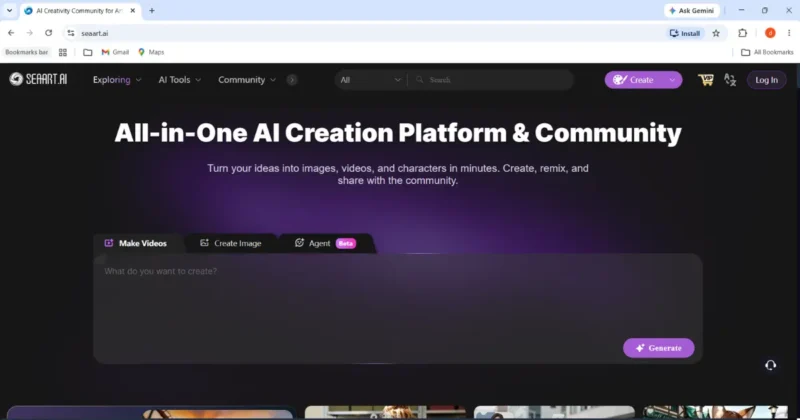
Why SeaArt Is Different
While many tools excel at generating images from text prompts, SeaArt also performs well when transforming existing photos into anime-inspired artwork.
If your original photos need cleaning or enhancement before converting them into anime art, read my guide on 7 Powerful AI Photo Restoration Tools That Actually Work to improve image quality first.
It offers both beginner-friendly options and more advanced workflows, making it suitable for users with different experience levels.
Best Features
- Photo-to-anime conversion
- Text-to-image
- Face enhancement
- AI editing
- AI upscaling
- Community templates
Pros
- Excellent image transformation
- Beginner friendly
- Fast workflow
- Good free tier
Cons
- Some advanced features are premium
- Quality depends on the chosen model and settings
Creator Tip
For better results, start with a clear, high-resolution photo that has good lighting and minimal background clutter.
5. Yodayo – Best for VTubers & Anime Communities
Best For
- VTubers
- Anime fans
- Community creators
- Character sharing
Overall Rating
| Category | Score |
|---|---|
| Community | 9.8/10 |
| Anime Quality | 9.0/10 |
| Ease of Use | 9.1/10 |
| Character Creation | 9.2/10 |
Overview
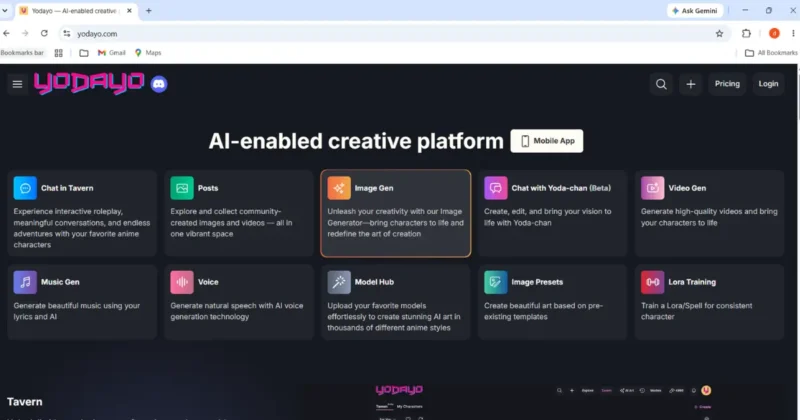
Yodayo is more than an image generator.
It combines AI image creation with a social platform where users can share prompts, discover artwork, and remix community creations.
For creators looking for inspiration or collaboration, this community aspect sets it apart from more traditional AI art tools.
Features
- AI anime generation
- Prompt sharing
- Community galleries
- Character templates
- Mobile-friendly interface
- Image enhancement
Pros
- Active creator community
- Easy prompt discovery
- Beginner friendly
- Good anime style quality
Cons
- Fewer advanced controls than dedicated Stable Diffusion platforms
- Better suited to casual creators than technical users
Who Should Use Yodayo?
If you enjoy discovering prompts, interacting with other anime creators, and quickly generating anime-style illustrations without diving into advanced settings, Yodayo is a strong option.
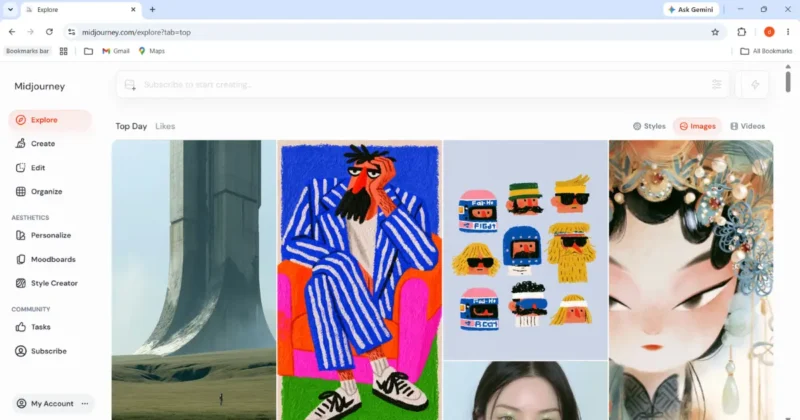
6. Midjourney (Niji Model) – Best for Cinematic Anime Artwork
Best For
- Professional artists
- YouTube thumbnails
- Book covers
- Wallpapers
- Concept art
- High-end illustrations
Overall Rating
| Category | Score |
|---|---|
| Visual Quality | 9.9/10 |
| Anime Style | 9.7/10 |
| Creativity | 10/10 |
| Character Consistency | 8.4/10 |
| Ease of Use | 8.8/10 |
Why Midjourney Is Still Popular
When creators want artwork that immediately grabs attention, Midjourney is often one of the first tools they consider.
Its dedicated Niji model is optimized for anime-inspired artwork and consistently produces dramatic lighting, expressive compositions, and polished illustrations that work well for thumbnails, posters, and social media.
For the newest features, supported commands, and release notes, visit the official Midjourney documentation.
Where it falls short is long-term character consistency. Creating the same original character across multiple scenes still requires extra effort compared with anime-focused tools like NovelAI.
If you’re specifically trying to decide between Midjourney and PixAI for professional anime artwork, I tested both platforms side by side in my detailed comparison, Midjourney Niji 7 vs PixAI, where I compare image quality, prompt accuracy, pricing, character consistency, and commercial use.
Best Features
- Niji anime model
- Style Reference
- Character Reference
- Image prompts
- Upscaling
- Image remix
- High-resolution export
- Web interface
Pros
- Outstanding artistic quality
- Beautiful lighting
- Excellent prompt understanding
- Great for posters and wallpapers
Cons
- Paid only
- Less suitable for manga production
- Character consistency still requires careful prompting
Best Prompt
Anime knight overlooking a floating kingdom,
dramatic sunset,
cinematic lighting,
Niji style,
ultra detailed,
masterpiece,
volumetric clouds,
fantasy landscape
Best For
- Professional portfolios
- YouTube creators
- Book illustrations
- Marketing graphics
- Desktop wallpapers
7. Leonardo AI – Best All-in-One AI Image Platform
Best For
- Designers
- Bloggers
- Marketing teams
- Indie game developers
Overall Rating
| Category | Score |
|---|---|
| Flexibility | 9.7/10 |
| Anime Quality | 8.9/10 |
| Ease of Use | 9.2/10 |
| Editing Tools | 9.6/10 |
Overview
Leonardo AI isn’t built exclusively for anime—but that’s exactly why many creators like it.
After generating your artwork, you can enhance it with text, layouts, and branding in Canva. My tutorial on How to Use Canva Magic Media to Create Stunning Social Media Graphics walks through the entire process.
Instead of switching between multiple platforms, you can generate anime art, fantasy illustrations, product concepts, icons, textures, and marketing graphics from one dashboard.
For creators working on multiple projects, that flexibility can be more valuable than using a dedicated anime-only tool.
Features
- AI Canvas
- Image editing
- Realtime Canvas
- Texture generation
- Character generation
- Prompt Magic
- AI Upscaler
- Background removal
Pros
- Multiple creative workflows
- Beginner friendly
- Excellent editing features
- Free plan available
Cons
- Anime models aren’t as specialized as NovelAI
- Some advanced features require premium access
Hidden Tip
Many users overlook Leonardo’s editing tools. Instead of regenerating an image from scratch, use AI editing to refine specific areas, saving time and credits.
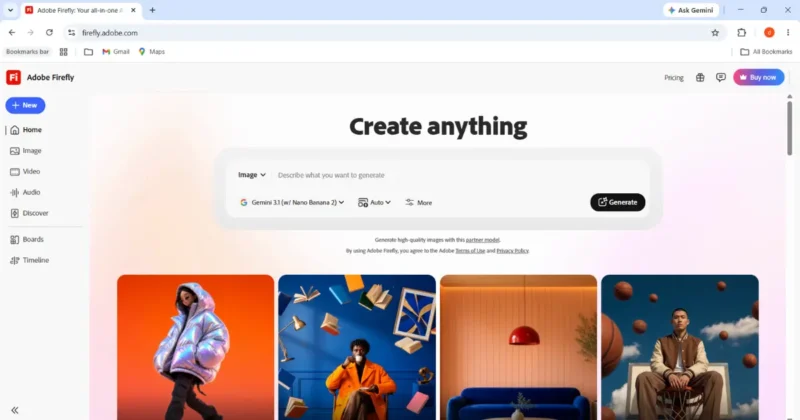
8. Adobe Firefly – Best for Commercial Use
Best For
- Businesses
- Agencies
- Client work
- Print-on-demand
- Commercial projects
Overall Rating
| Category | Score |
|---|---|
| Commercial Safety | 10/10 |
| Ease of Use | 9.4/10 |
| Editing | 9.5/10 |
| Anime Quality | 8.5/10 |
Why Firefly Is Different
If you’re creating artwork for commercial projects, licensing matters just as much as image quality.
Adobe Firefly is designed with commercially focused workflows in mind and integrates smoothly with tools like Photoshop and Illustrator.
If you plan to sell AI-generated artwork, review Adobe’s commercial usage guidelines before publishing.
While its anime style may not match dedicated anime generators, it offers peace of mind for businesses and professionals who prioritize licensing and workflow integration.
Features
- Text-to-image
- Generative Fill
- Vector generation
- Background replacement
- Photoshop integration
- Illustrator integration
Pros
- Excellent commercial workflow
- Strong editing tools
- Adobe ecosystem integration
- Beginner friendly
Cons
- Anime output isn’t as stylized as dedicated anime platforms
- Premium features require Adobe subscription
Best For
- Marketing teams
- Agencies
- Designers
- Small businesses
- Client work
9. Waifu Labs – Fastest Anime Avatar Generator
Best For
- Anime profile pictures
- Discord avatars
- VTuber concepts
- Beginners
Overall Rating
| Category | Score |
|---|---|
| Simplicity | 10/10 |
| Speed | 9.9/10 |
| Avatar Creation | 9.4/10 |
| Customization | 7.5/10 |
Overview
Waifu Labs has remained popular because of its simplicity.
Instead of writing prompts, users refine generated anime characters through guided selections, making it approachable even for people who have never used an AI image generator.
It’s not designed for professional illustration workflows, but it’s excellent for quick avatars and concept art.
Pros
- No complicated prompts
- Very beginner friendly
- Fast generation
- Free to try
Cons
- Limited customization
- Not suitable for detailed commercial artwork
- No advanced editing
Best For
- Profile pictures
- Discord
- Twitch
- VTuber inspiration
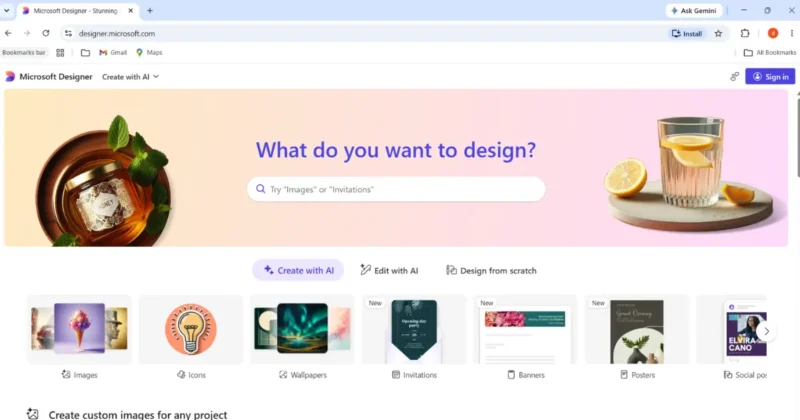
10. Microsoft Designer (Copilot) – Best Free AI Tool for Beginners
Best For
- Students
- Bloggers
- Beginners
- Casual creators
Overall Rating
| Category | Score |
|---|---|
| Ease of Use | 10/10 |
| Free Access | 9.7/10 |
| Anime Quality | 8.4/10 |
| Prompt Understanding | 9.2/10 |
Overview
Microsoft Designer makes AI image generation incredibly accessible.
You can explore Microsoft’s latest AI image creation features through Microsoft Designer.
Instead of learning technical settings, users simply describe what they want in natural language.
For beginners who only need occasional anime-style illustrations for blogs, presentations, or social media, it’s one of the easiest starting points.
Features
- Text-to-image
- AI Designer
- Social media templates
- Background editing
- Microsoft ecosystem integration
Pros
- Extremely easy to use
- Free access for many users
- Excellent prompt understanding
- Great for casual projects
Cons
- Limited creative control
- Anime style isn’t as specialized as dedicated platforms
Best For
- Blog illustrations
- Social media
- School projects
- Beginners exploring AI art
Feature Comparison Table – AI Anime Art Generator
| Tool | Best For | Free Plan | Commercial Use | Beginner Friendly |
|---|---|---|---|---|
| NovelAI | Manga & recurring characters | Trial only | Check license | ⭐⭐⭐ |
| PixAI | Free anime creation | ✅ | Check license | ⭐⭐⭐⭐⭐ |
| Tensor.Art | Advanced customization | ✅ | Varies by model | ⭐⭐⭐ |
| SeaArt AI | Photo-to-anime | ✅ | Check license | ⭐⭐⭐⭐ |
| Yodayo | Community & VTubers | ✅ | Check license | ⭐⭐⭐⭐ |
| Midjourney (Niji) | Cinematic artwork | ❌ | Check current terms | ⭐⭐⭐⭐ |
| Leonardo AI | All-purpose creation | ✅ | Available on eligible plans | ⭐⭐⭐⭐⭐ |
| Adobe Firefly | Commercial workflows | Limited | Strong commercial focus | ⭐⭐⭐⭐⭐ |
| Waifu Labs | Anime avatars | ✅ | Limited use cases | ⭐⭐⭐⭐⭐ |
| Microsoft Designer | Casual creators | ✅ | Check Microsoft terms | ⭐⭐⭐⭐⭐ |
Note: Commercial usage rights and subscription features can change. Always review the latest licensing terms on each platform’s official website before using AI-generated artwork in products, client work, or merchandise.
Which AI Anime Generator Should You Choose?
| If You Are… | Best Choice |
|---|---|
| Complete Beginner | Microsoft Designer |
| Student | PixAI |
| YouTuber | Midjourney |
| Blogger | Leonardo AI |
| Manga Artist | NovelAI |
| VTuber | Yodayo |
| Game Developer | NovelAI |
| Etsy Seller | Adobe Firefly |
| Graphic Designer | Leonardo AI |
| Anime Fan | PixAI |
Key Takeaway
There isn’t a single “best” AI anime art generator for everyone.
- NovelAI excels at consistent original characters.
- PixAI offers one of the strongest free experiences for anime creators.
- Midjourney (Niji) shines when visual impact is your priority.
- Adobe Firefly is a sensible option for commercial workflows.
- Leonardo AI is a versatile choice if you create more than just anime art.
The right tool depends on your workflow, budget, and whether you’re creating for fun, building a brand, or selling your work.
Prompt Engineering, Hidden Settings & Character Consistency
Most people think getting amazing AI anime art is all about choosing the right tool. In reality, the biggest difference comes from how you write prompts and configure the model.
I’ve seen beginners generate mediocre results with premium tools, while experienced creators produce stunning artwork using free models because they understand prompt structure, seeds, reference images, and model settings.
If you master the techniques below, you’ll get better results regardless of which AI anime art generator you use.
The Prompt Formula Most Creators Ignore
One of the biggest mistakes is writing prompts like: Anime girl in school.
The AI doesn’t know:
- What style?
- Which camera angle?
- Which lighting?
- What expression?
- Which season?
- Which anime influence?
Instead, follow this structure.
Quality

↓

Subject

↓

Appearance

↓

Pose

↓

Expression

↓

Clothing

↓

Background

↓

Lighting

↓

Camera

↓

Art Style

↓

Extra Details
Example Prompt
masterpiece,
best quality,
1girl,
18-year-old,
silver long hair,
emerald green eyes,
standing,
holding katana,
confident smile,
Japanese school uniform,
Kyoto street,
golden hour,
cinematic lighting,
depth of field,
Makoto Shinkai inspired,
highly detailed,
8k
Notice how every detail builds the image naturally.
7 Prompt Templates You Can Reuse
Fantasy Warrior
masterpiece,
anime female warrior,
silver armor,
blue magical sword,
ruined castle,
storm clouds,
dramatic lighting,
ultra detailed,
fantasy anime style
Cyberpunk
anime girl,
pink neon hair,
cyberpunk Tokyo,
rain,
holograms,
night,
glowing eyes,
cinematic lighting
Studio Style Inspiration
young traveler,
lush countryside,
warm sunset,
hand-painted look,
soft colors,
peaceful atmosphere,
inspired by classic Japanese animated films
(Avoid requesting copyrighted styles too literally if you’re publishing commercially.)
Samurai
anime samurai,
traditional armor,
mountain temple,
falling leaves,
golden sunset,
masterpiece,
high detail
VTuber
cute anime girl,
purple hair,
cat ears,
gaming room,
RGB lights,
stream setup,
cheerful,
vibrant colors
YouTube Thumbnail
anime hero,
surprised face,
explosion background,
bright colors,
dynamic composition,
bold lighting,
high contrast
Manga Cover
anime protagonist,
city rooftop,
moonlight,
dramatic pose,
black and white manga style,
high contrast,
ink illustration
Negative Prompts (Huge Difference)
Many creators never use negative prompts.
That’s why they get:
- weird hands
- extra fingers
- blurry faces
- distorted eyes
- duplicated limbs
Example
low quality,
worst quality,
blurry,
extra fingers,
extra arms,
bad anatomy,
cropped,
watermark,
text,
logo,
duplicate face,
mutation,
low resolution
Adding a strong negative prompt often improves quality without changing the main prompt.
If you’re new to writing prompts, OpenAI’s Prompt Engineering Guide explains techniques that also apply to many image-generation models.
Hidden Settings That Most Beginners Ignore
These settings are available in many Stable Diffusion–based tools, though the names and options may vary by platform.
1. CFG Scale
CFG Scale controls how closely the AI follows your prompt.
Think of it as:
Low CFG
↓
More creative
Higher variation
Higher CFG
↓
More accurate
Less creative
Recommended
| Purpose | CFG |
|---|---|
| Portraits | 6–8 |
| Anime Characters | 7–9 |
| Landscapes | 5–7 |
| Experimental Art | 4–6 |
Setting CFG extremely high can sometimes make images look overly rigid or introduce artifacts.
2. Seed
The seed is one of the most overlooked settings.
It acts like the starting point for image generation.
If you keep:
- Same Prompt
- Same Model
- Same Seed
You’ll usually get very similar results.
This is essential when building recurring characters.
Why Professionals Save Seeds
Instead of saving only the final image,
save:
Prompt
Model
Seed
Resolution
CFG
Sampler
That allows you to recreate or iterate on an image much more reliably.
3. LoRA
LoRA (Low-Rank Adaptation) lets you guide the model toward a specific character, style, outfit, or concept without retraining the entire model.
Examples include:
- Anime hairstyles
- Clothing
- Facial expressions
- Fantasy armor
- Character designs
Many platforms provide community-created LoRAs, but quality can vary, so review ratings and licensing before using them commercially.
If you’d like to understand the ecosystem behind these models, the Stability AI website provides useful background on Stable Diffusion and related technologies.
4. ControlNet
ControlNet helps preserve structure.
If you’re curious about how this technology works, the original ControlNet research paper explains the concept in detail.
Instead of letting the AI invent everything,
you can control:
- pose
- hand position
- depth
- composition
- body proportions
This is especially useful for action scenes or when you need consistent layouts.
5. Inpainting
Most people regenerate the whole image when only one area is wrong.
That’s inefficient.
Instead,
use Inpainting to fix:
- eyes
- hands
- clothing
- faces
- background objects
without changing the rest of the image.
6. Upscaling
Don’t generate extremely high resolutions immediately.
A common workflow is:
Generate at a moderate resolution → choose the best image → upscale it.
This is often faster and uses fewer credits than generating every image at maximum size.
Character Consistency Guide
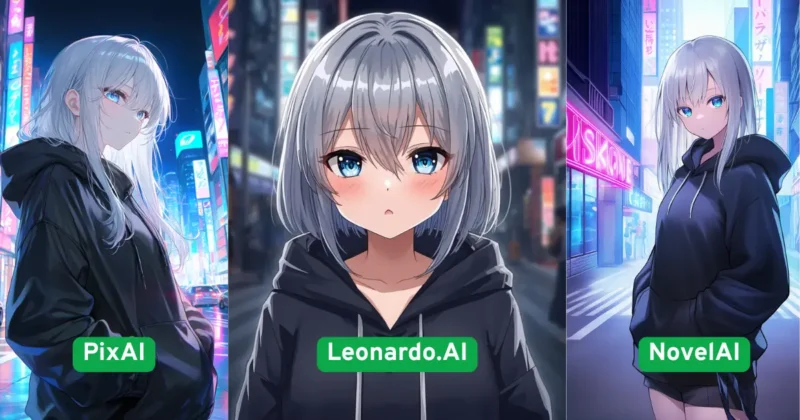
One of the biggest challenges in AI anime art is making the same character appear consistently across multiple images.
Here are practical steps that improve consistency:
Step 1
Write a fixed character description.
Example:
Female

19 years old

Silver hair

Emerald eyes

White jacket

Black skirt

Blue ribbon

Athletic build
Use this core description every time.
Step 2
Save a Reference Image
Once you generate a version you like,
don’t start over.
Use it as a reference if your chosen platform supports reference images or image-to-image generation.
Step 3
Keep the Same Seed
Changing the seed introduces more variation.
Keeping it fixed can help preserve overall composition and facial characteristics while you adjust smaller details.
Step 4
Change Only One Variable
Bad workflow:
Different hairstyle

Different clothes

Different lighting

Different background

Different pose

Different expression

Different camera
The AI has too many variables to manage.
Instead:
Same character

↓

Change pose only

↓

Generate

↓

Change outfit

↓

Generate

↓

Change background

↓

Generate
This step-by-step approach usually leads to more consistent results.
Step 5
Create a Character Sheet
Before creating story scenes,
generate:
Front View
Side View
Back View
Happy
Angry
Sad
Running
Sitting
Action Pose
These references make it easier to maintain a recognizable character across future artwork.
Common Prompt Mistakes
Avoid these frequent errors:
Writing extremely long prompts
Long prompts don’t always produce better images. Focus on the most important details.
Ignoring lighting
Lighting has a huge impact.
Examples:
- Golden Hour
- Cinematic Lighting
- Soft Studio Light
- Neon Glow
- Moonlight
- Volumetric Light
Forgetting camera angles
Specify perspectives such as:
- Close-up
- Full body
- Wide shot
- Low angle
- High angle
- Over-the-shoulder
Mixing too many styles
Combining multiple unrelated art styles in one prompt can confuse the model and produce inconsistent results.
Expecting perfect hands every time
Hands remain one of the more challenging areas for many image models. If they’re wrong, use inpainting or regenerate only that section instead of discarding the entire image.
Quick Prompt Checklist
Before clicking Generate, ask yourself:
✔ Is the subject clearly described?
✔ Did I include clothing?
✔ Did I specify lighting?
✔ Did I mention the background?
✔ Did I include camera angle?
✔ Did I use an appropriate negative prompt?
✔ Am I keeping the same seed for consistency?
✔ Am I generating at a sensible resolution?
Pricing, Commercial Licensing, Creator Workflows & 2026–2027 Trends
Choosing the right AI anime art generator isn’t just about image quality. Over the past year, creators have become much more selective about pricing, licensing, workflow integration, and long-term value.
If you’re planning to create YouTube thumbnails, manga, Etsy products, VTuber assets, game art, or social media content, these factors can save you money and prevent licensing headaches later.
AI Anime Generator Pricing Comparison
Pricing changes frequently, so check each platform’s official website before subscribing. The table below gives a general comparison of what creators can expect.
| Tool | Free Plan | Starting Paid Plan | Best Value For |
|---|---|---|---|
| NovelAI | Trial | Around $10/month | Manga & recurring characters |
| PixAI | Yes | Around $8/month | Beginners & hobbyists |
| Tensor.Art | Yes | Around $5/month | Advanced creators |
| SeaArt AI | Yes | Around $6/month | Photo-to-anime workflows |
| Yodayo | Yes | Around $10/month | Community creators |
| Midjourney | No | Around $10/month | High-quality artwork |
| Leonardo AI | Yes | Around $10/month | Designers & marketers |
| Adobe Firefly | Limited | Adobe subscription | Commercial work |
| Waifu Labs | Yes | Free | Anime avatars |
| Microsoft Designer | Yes | Included with eligible plans | Casual users |
Which Plan Offers the Best Value?
Students
PixAI and Microsoft Designer provide enough free functionality to learn AI image generation without paying immediately.
Professional Artists
NovelAI and Midjourney offer more advanced creative control and premium-quality output that can justify the subscription cost.
Businesses
Adobe Firefly is attractive because of its commercial workflow and integration with Adobe Creative Cloud.
Hobby Creators
Tensor.Art and PixAI balance free access with room to grow into more advanced workflows.
Understanding Commercial Licensing
One of the biggest misconceptions is that every AI-generated image can be sold commercially.
That’s not always true.
Licensing depends on:
- The platform
- Your subscription
- The AI model used
- Community assets (such as LoRAs or checkpoints)
- The platform’s current terms of service
Before using AI-generated artwork for client work or products, always review the platform’s Terms of Service and commercial licensing policy.
Always review the latest licensing documentation before using AI-generated artwork in products or client work.
Commercial Use Checklist
Before selling AI-generated artwork, ask:
✔ Does the platform allow commercial use?
✔ Are there restrictions based on the subscription plan?
✔ Does the community model or LoRA have its own license?
✔ Will you edit the artwork before publishing?
✔ Are you complying with marketplace rules (Etsy, Amazon, etc.)?
Which Platform Fits Your Workflow?
YouTube Creators
Creating thumbnails requires:
- expressive faces
- dramatic lighting
- vibrant colors
- readable compositions
Recommended
- Midjourney
- PixAI
- Leonardo AI
Pinterest Creators
Pinterest favors:
- bright colors
- vertical layouts
- eye-catching illustrations
Recommended
- PixAI
- Leonardo AI
- Microsoft Designer
Manga Artists
Consistency matters more than visual spectacle.
Recommended
- NovelAI
- Tensor.Art
- PixAI
VTubers
Priorities include:
- reusable character designs
- multiple expressions
- alternate outfits
Recommended
- Yodayo
- NovelAI
- PixAI
Indie Game Developers
You’ll likely need:
- NPC concepts
- environment art
- weapons
- costumes
- creature designs
Recommended
- Leonardo AI
- NovelAI
- Midjourney
Etsy Sellers
Commercial clarity matters.
Recommended
- Adobe Firefly
- Leonardo AI
- NovelAI (after reviewing current license terms)
Productivity Workflow
Instead of jumping between random tools, follow a structured workflow.
Idea

↓

ChatGPT
(Generate prompt)

↓

NovelAI / PixAI
(Create character)

↓

ControlNet / Reference
(Keep character consistent)

↓

Inpainting
(Fix face & hands)

↓

Upscaler
(Increase resolution)

↓

Photoshop / Canva
(Add text or edits)

↓

Publish

↓

Pinterest

Instagram

YouTube

Blog

Etsy
This saves time and helps maintain a consistent visual style.
If you’re building a creator brand instead of just generating artwork, my guide on AI Brand Identity Generator: Create Logos & Style Guides in 2026 explains how to create logos, colors, typography, and brand assets with AI.
Cost vs Value
Many creators focus only on subscription price.
A better question is: How many usable images do I get?
Example:
Platform A
- Cheap
But
- 40 failed generations
Platform B
- Slightly more expensive
But
- 10 excellent images
The second option often delivers better value because it reduces wasted time.
Biggest Mistakes Creators Make
Choosing Based Only on Price
Free isn’t always better.
Premium tools often save hours through better consistency and editing features.
Ignoring Prompt Quality
Even the best model can’t compensate for vague prompts.
Spend time refining prompts before switching platforms.
Skipping Reference Images
Reference images are one of the easiest ways to improve consistency, yet many creators don’t use them.
Using Every New Model
New doesn’t automatically mean better.
Master one or two reliable tools before chasing every release.
Forgetting Licensing
If you plan to sell artwork, verify licensing first.
A beautiful image isn’t useful if you can’t legally use it for your intended purpose.
2026 AI Anime Trends
Several developments are shaping the future of AI anime creation.
Many open-source AI image models are shared through the Hugging Face community, where researchers and developers publish new releases.
Better Character Memory
More platforms now include features that help preserve a character’s appearance across multiple generations.
Faster Image Generation
Hardware improvements and optimized models continue to reduce generation times.
AI Video Creation
Image-to-video tools are becoming more accessible, allowing creators to animate still illustrations into short clips.
Integrated Editing
Many platforms now combine generation, editing, inpainting, and upscaling in one workflow.
Improved Collaboration
Communities are sharing prompts, models, and workflows more openly, making it easier for beginners to learn.
What to Watch in 2027
While no one can predict the future with certainty, these trends appear likely based on current development:
- Better multi-character consistency
- Longer visual storytelling workflows
- Improved image editing directly inside AI generators
- Higher-quality anime video generation
- Faster mobile AI generation
- More transparent commercial licensing
- Greater integration with creative software
These changes could make AI tools even more practical for professional creators.
Before You Subscribe
Ask yourself these questions:
- Do I need one great image or hundreds of consistent images?
- Will I sell my artwork?
- How important is commercial licensing?
- Do I prefer simplicity or advanced controls?
- Am I willing to learn Stable Diffusion concepts?
- Will I create videos, manga, or social media content?
Your answers will help narrow the right platform more effectively than choosing based on popularity alone.
Key Takeaways
- The best AI anime art generator depends on your goals, not just image quality.
- Character consistency is often more important than creating a single impressive illustration.
- Prompt quality and workflow have a bigger impact than switching tools repeatedly.
- Review commercial licensing before using AI-generated artwork in products or client projects.
- Invest time in learning one platform deeply before experimenting with many others.
FAQs – AI Anime Art Generator
Which is the best AI anime art generator in 2026?
If your priority is creating consistent original characters, NovelAI remains one of the strongest choices. For beginners looking for a generous free option, PixAI is an excellent starting point. If you want highly cinematic artwork, Midjourney (Niji) delivers impressive visual quality.
Is there a free AI anime art generator without a watermark?
Several platforms offer free plans, but features and limitations vary over time. PixAI, Tensor.Art, SeaArt AI, and Microsoft Designer provide free access in different forms. Always check each platform’s latest terms because credit limits and watermark policies can change.
Can I sell AI-generated anime artwork?
It depends on the platform, the model you use, and the current licensing terms. Before selling artwork on marketplaces such as Etsy or using it in client work, review the platform’s commercial use policy and any licenses attached to community models or assets.
Which AI tool creates the most consistent anime characters?
Consistency is one of the hardest problems in AI image generation. Tools that support reference images, seed control, and advanced customization—such as NovelAI—generally perform better for recurring characters than general-purpose image generators.
Which AI anime art generator is best for beginners?
If you’re just getting started, PixAI and Microsoft Designer are easy to learn and require very little setup. They let you focus on writing prompts instead of managing advanced model settings.
What is the best prompt for anime art?
A strong prompt usually includes:
Subject
Appearance
Pose
Clothing
Background
Lighting
Camera angle
Art style
Quality descriptors
Combining a clear prompt with an appropriate negative prompt often improves results significantly.
Which AI anime generator is best for YouTube thumbnails?
Creators who prioritize bold compositions and eye-catching visuals often choose Midjourney (Niji), while PixAI is a practical option for those who need a free workflow.
Final Verdict
There isn’t a single AI anime art generator that’s perfect for every creator.
If I were recommending tools based on specific needs, here’s how I’d break them down:
| Goal | Best Choice |
|---|---|
| Best Overall | NovelAI |
| Best Free Tool | PixAI |
| Best Artistic Quality | Midjourney (Niji) |
| Best for Commercial Projects | Adobe Firefly |
| Best Beginner Tool | Microsoft Designer |
| Best for Advanced Users | Tensor.Art |
| Best All-in-One Platform | Leonardo AI |
| Best Photo-to-Anime | SeaArt AI |
| Best VTuber Workflow | Yodayo |
| Best Avatar Creator | Waifu Labs |
Instead of chasing every new AI tool, pick one that matches your workflow, learn its strengths, and build repeatable processes around it. Consistency and efficiency usually matter more than using the newest model.
References – AI Anime Generator
- NovelAI Official – https://novelai.net/
- PixAI – https://pixai.art/
- Tensor.Art – https://tensor.art/
- Midjourney Documentation – https://docs.midjourney.com/
- Adobe Firefly Help Center – https://helpx.adobe.com/firefly/web.html
- Microsoft Designer – https://designer.microsoft.com/
- OpenAI Prompt Engineering Guide – https://platform.openai.com/docs/guides/prompt-engineering
- Stability AI – https://stability.ai/
- Hugging Face – https://huggingface.co/
- ControlNet Research Paper – https://arxiv.org/abs/2302.05543
2 thoughts on “Best AI Anime Art Generators (2026): Features, Pricing, Character Consistency & Commercial Use Compared”