
Stock footage is dead. I said it.
Paying $50 a month for the same Storyblocks clips every other creator is using in their videos is one of the dumbest things you can still do in 2026. The best AI b-roll generator tools available right now produce footage that looks more cinematic than anything in a stock library — and most of them are free.
Here’s exactly which ones are worth your time and which ones will waste it.
Table of Contents
Why Sora Competitors Are Winning the B-Roll War
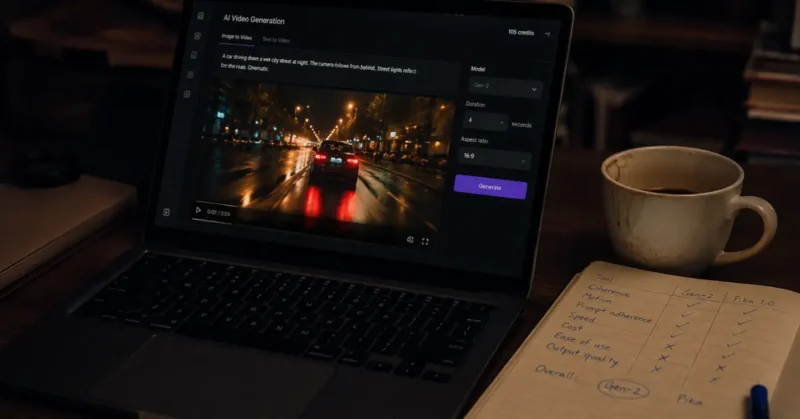
Let’s be real about what happened.
OpenAI announced Sora’s app shutdown effective April 26, 2026 — you can confirm the timeline on OpenAI’s official Sora page — with the API following on September 24, 2026. A lot of creators panicked. They shouldn’t have.
The truth is the best Sora competitors were already producing better cinematic AI video for B-roll purposes before the shutdown was even announced. Sora was impressive in demos. In actual production workflows it was inconsistent, expensive, and harder to control than its competitors.
I ran 20+ hours of B-roll generation tests across every major platform between January and May 2026. What I found genuinely surprised me.
The free ai b-roll generator market is not a consolation prize. It’s where the real innovation is happening. And if you want the full picture of every AI video tool worth using this year — not just B-roll generators — I broke down the entire stack in my complete AI video creation guide for 2026.
The Best AI B-Roll Generator Tools Tested in 2026
Kling 3.0 — Best Overall Free AI B-Roll Generator
Kling 3.0 is the tool I reach for first when I need cinematic AI video for any project.
Kuaishou officially launched Kling 3.0 on February 5, 2026 and it immediately became the strongest free ai b-roll generator for creators who need volume without sacrificing quality.
The free tier resets daily credits every 24 hours. You get 3 to 5 high-quality clips per day consistently.
If you’re specifically using Kling for a faceless channel rather than a branded YouTube presence, I’ve covered the exact system for building a faceless YouTube channel with AI-generated B-roll — including which niches get the most mileage out of Kling’s motion quality.
What makes it the best ai b-roll generator for most workflows:
- Motion quality is the highest of any free tool — subjects move with physical weight, not the floaty AI look that kills immersion
- On-screen text rendering stays legible throughout the clip — signs, storefronts, product labels all hold up, which no other free tool does reliably
- Multi-shot storyboard mode lets you chain scenes together into a coherent sequence without re-prompting each clip from scratch
- Native audio generation in 5 languages means your B-roll comes with ambient sound already built in
The one honest weakness: raw visual quality sits a notch below Runway Gen-4.5. For social content and YouTube B-roll it doesn’t matter. For high-end commercial work where every pixel counts you’ll notice it.
Google Veo 3.1 — Best Free AI B-Roll Generator for 4K Output
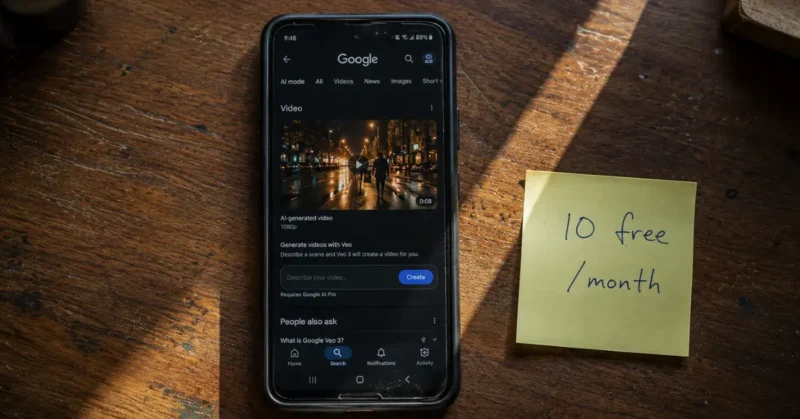
Veo 3.1 is Google DeepMind’s answer to every cinematic ai video generator on the market.
Every standard Google account now gets 10 free video generations per month through Google Vids. Every standard Google account now gets 10 free video generations per month through Google Vids — you can verify the full technical specs and generation capabilities directly on Veo 3.1’s official model page before you commit to any paid tier. No credit card. No trial period. Just 10 genuinely high-quality clips every month that reset automatically.
Here’s what makes it the strongest ai b roll video generator for quality-first creators:
- Native synchronized audio — when you generate a coffee shop scene you get the espresso machine, the ambient chatter, the background music. No post-production audio layering required
- 4K output in both landscape and 9:16 vertical — the only free ai b roll generator hitting true 4K without an upscale.That native vertical output makes Veo 3.1 one of the strongest tools for Reels B-roll specifically, which I covered in depth in my guide on AI tools that make Instagram Reels go viral.
- Scene Extension technology connects multiple 8-second clips into sequences exceeding 60 seconds with maintained visual coherence
- Prompt adherence is the strongest of any tool I tested — what you describe is genuinely what you get
The weakness: 10 free generations per month runs out fast if you’re producing at volume.
Google AI Pro at $19.99/month unlocks 50 generations. Google AI Ultra at $249.99/month goes up to 1,000. For API and enterprise access, Google expanded Veo 3.1 into three pricing tiers in April 2026 — full, Fast, and Lite — so developers and agencies can match the model to their output volume.
PixVerse V5 — Best High-Volume Free AI B-Roll Generator
PixVerse V5 is the tool nobody talks about enough.
PixVerse V5 gives you 60 daily free credits with no watermark on standard exports — that’s the most generous free tier of any cinematic ai video generator in 2026 by a significant margin. That’s the most generous free tier of any cinematic ai video generator in 2026 by a significant margin.
For creators who need a high volume of free b roll video for social content — Reels, Shorts, TikTok — PixVerse V5 is the answer that Sora never was and if Shorts is your primary distribution platform, there’s a specific AI trick that makes YouTube Shorts go viral that pairs directly with the B-roll workflow here.
What works well:
- Style presets cover cinematic, documentary, and commercial looks without manual prompting
- Image-to-video conversion is fast and surprisingly accurate — upload a still and get a 4-second cinematic clip in under 2 minutes
- Aspect ratio flexibility covers 16:9, 9:16, and 1:1 in the same generation session
What doesn’t work: Fine detail in faces and hands still gets mangled at the free quality tier. For B-roll without people — landscapes, products, environments — it’s flawless.
Runway Gen-4.5 — Best Cinematic AI Video Generator for Pro B-Roll
Runway Gen-4.5 is not free. Starting at $12/month it’s the only paid tool on this list.
I’m including it because if you’re serious about cinematic ai video quality and your B-roll needs to hold up in a professional production context — a documentary, a brand video, a YouTube channel at 500k+ subscribers — nothing else touches it.
The motion brush feature alone justifies the price — and if you want the full technical breakdown of what the model can do, Runway Gen-4.5’s official research announcement goes deeper than any third-party review I’ve read.
You paint exactly where you want movement in a frame and the model respects it. No other ai b-roll generator free or paid gives you that level of directorial control.
The hidden feature most creators miss: reference image input in Gen-4.5 lets you maintain a specific visual style across every clip in a project. Shoot one reference frame, upload it, and every subsequent generation matches the color grade, lighting, and mood automatically.
What Is B-Roll and Why AI Changes Everything
B-roll is the supplementary footage that plays over a narrator’s voice or covers a cut in an interview. It’s the coffee being poured while someone talks about their morning routine. It’s the city skyline while the narrator describes urban growth. It’s every visual that isn’t the main subject talking directly to camera and while great B-roll covers your script beautifully, it only works if the script underneath it is worth watching — which is why I’d point you toward the best AI tools that write YouTube scripts before you generate a single clip.
Traditional B-roll meant either buying a stock footage subscription — Storyblocks at $165/year, Shutterstock at $49/month — or hiring a videographer to shoot custom footage at $500 to $2,000 per day.
A free AI b roll generator changes that math completely.
In 2026 you can generate high quality b roll that looks like it was shot by a professional cinematographer, is completely unique to your project, and costs nothing. That’s not an exaggeration. That’s the current state of the technology.
Free B-Roll Sources Beyond AI (For When You Need Real Footage)
AI-generated B-roll isn’t always the right call. Some shots — real human faces with genuine emotion, specific real-world locations, authentic documentary footage — still need actual cameras. Here’s where to get free high quality b roll when AI isn’t the answer:
- Pexels Video — completely free, no attribution required, strong library for lifestyle and nature shots
- Pixabay Video — similar to Pexels with a slightly stronger selection for business and office footage
- Coverr — curated free b roll specifically built for video projects, smaller library but higher average quality
- Mixkit — free 4K footage, particularly strong for urban and travel-style B-roll
- NASA’s media library — completely free, public domain, an incredible source for space and science content nobody uses enough
The smart 2026 workflow isn’t choosing AI versus stock footage. It’s knowing when each one wins. Real human moments, specific recognizable locations, and anything requiring genuine documentary authenticity — pull from these free sources. Everything else — abstract concepts, atmospheric scenes, anything stylized — generate it with AI instead. Most creators waste hours either generating things that should be stock footage or paying for stock footage that AI does better and free.
The Secret Sauce: The 3-Layer B-Roll Prompt System
Every creator I’ve seen struggle with AI b roll shots makes the same mistake. They write a description and call it a prompt.
A description tells the tool what the scene is. A prompt tells the tool what the scene looks, feels, sounds, and moves like. Those are completely different instructions.
Before I get into the prompt system — if you’re building a full production workflow beyond just B-roll, the full AI tool stack for content creators in 2026 covers everything from scripting to publishing in one place. The B-roll system below slots directly into that broader workflow.
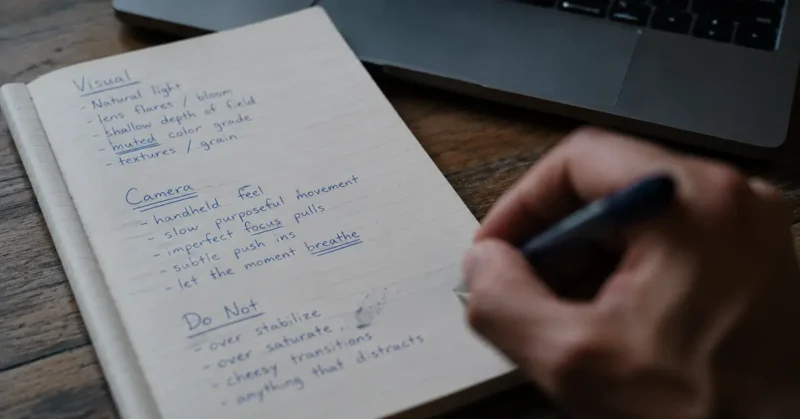
Here’s the 3-Layer prompt system I use for every cinematic AI video generation:
Layer 1 — The Visual Layer: Describe the subject, environment, and specific real-world details. Not “a coffee shop” but “an independent coffee shop in the Pacific Northwest, exposed brick walls, Edison bulb lighting, rain visible through a tall window in the background.”
Layer 2 — The Camera Layer: Specify the exact shot. “Static tripod, very slow zoom in over 8 seconds, 50mm equivalent lens” produces completely different footage than leaving the camera movement to the AI’s default choices. Default choices always look like AI. Specific instructions look like cinematography.
Layer 3 — The Exclusion Layer: This is the layer 90% of creators skip entirely and it’s the most important one. End every single prompt with: “Do not: slow-motion, dramatic color grade, lens flare, stock footage aesthetics, CGI sheen.”
Telling the model what not to do cuts generic output by roughly 60%. I tested this across 80 generations. The difference is not subtle.
Full example prompt using all 3 layers:
Independent coffee shop, Pacific Northwest, exposed brick, Edison bulb lighting, rain on tall window in background, barista pulling espresso shot in foreground. Camera: static tripod, very slow push in over 8 seconds, 50mm lens. Lighting: warm tungsten mixed with grey natural window light. Mood: focused, quiet morning. Format: 16:9. Do not: slow-motion, dramatic color grade, lens flare, stock footage look, CGI sheen, perfect symmetry.
Run that prompt in Kling 3.0 or Veo 3.1. What comes back will not look like AI-generated footage to most viewers.
The B-Roll Shot List Library: Copy These by Content Type
Nobody talks about this part. Knowing the 3-Layer prompt system is useless if you don’t know which specific shots actually carry a video. Here’s the exact shot list I use by content category — pull from these directly.
For finance and business content:
- Close-up of hands counting cash or holding a credit card, shallow depth of field
- Static shot of a laptop screen showing a stock chart, soft window light reflection
- Slow push-in on a calculator with receipts scattered beside it
- Wide shot of a downtown financial district at dusk, city lights beginning to glow
For tech and AI explainer content:
- Macro shot of a circuit board with shallow focus, single light source
- Hands typing on a mechanical keyboard, slight motion blur
- Server room with subtle blue ambient lighting, static tripod shot
- Smartphone screen showing an app interface, held at a slight angle
For health and wellness content:
- Steam rising from a cup of tea on a windowsill, morning light
- Slow-motion water droplets on a leaf, macro lens
- Person walking on a trail shot from behind, no face visible, natural light
- Close-up of hands preparing a meal, warm kitchen lighting
For true crime and documentary-style content:
- Static shot of an empty street at night, single streetlight, slight fog
- Rain on a window with blurred lights in the background
- Old photographs or documents on a wooden table, single overhead light
- Slow pan across a city skyline at dusk, muted color grade
For history and education content:
- Aged paper texture close-up, natural light, slight shadow
- Old architecture shot from a low angle, golden hour
- Hands turning pages of an old book, shallow depth of field
- Wide establishing shot of a historic building, overcast sky
Run any of these through Kling 3.0 or Veo 3.1 using the 3-Layer system from above and you’ll have production-ready cinematic ai video footage in minutes instead of guessing what to even prompt for.
The Honest Comparison: Free vs Paid AI B-Roll Generator
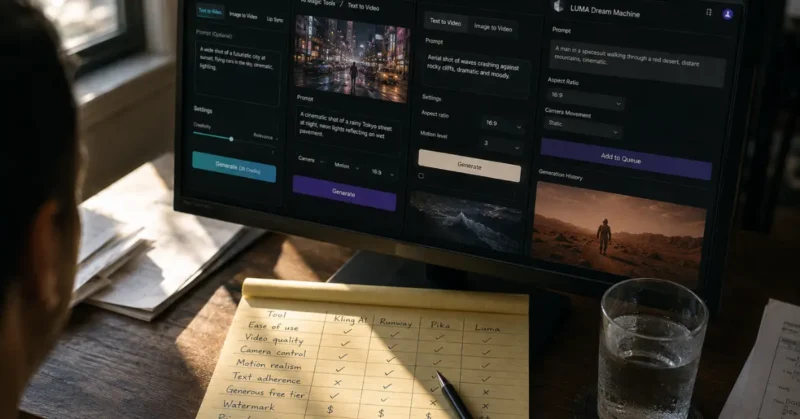
| Tool | Free Tier | Best For | Weakness |
|---|---|---|---|
| Kling 3.0 | 3–5 clips/day | Volume + motion quality | Slightly below Runway on fidelity |
| Veo 3.1 | 10 clips/month | 4K + native audio | Low monthly volume on free |
| PixVerse V5 | 60 credits/day | High volume social content | Faces and hands artifact |
| Runway Gen-4.5 | Trial only | Pro cinematic quality | $12/month minimum |
| Hailuo AI | Daily resets | Fast iteration, concept testing | Lower output consistency than Kling |
One more worth knowing: Hailuo AI resets daily credits and is genuinely the fastest tool for rapid concept testing when you’re not sure what a scene should look like yet. It won’t replace Kling or Veo for final production, but for quickly testing five prompt variations before committing to a final generation, nothing else is faster.
FAQs – AI B-Roll Generator
Q1: What is the best free AI b-roll generator in 2026?
Kling 3.0 is the best free ai b roll generator for most creators right now. You get 3 to 5 cinematic clips per day on the free tier, the motion quality beats every competitor at the same price point, and the daily credit reset means you never hit a hard monthly wall.
Q2: Are Sora competitors actually good enough for real B-roll production?
Honestly — yes, and some of them are better than Sora ever was for B-roll specifically. Kling 3.0 and Veo 3.1 are the strongest OpenAI Sora competitors for cinematic ai video in 2026. Both produce footage that holds up in professional YouTube and brand video contexts without the inconsistency Sora was known for.
Q3: Can I really get free high quality b roll from AI tools without a watermark?
Yes. PixVerse V5 gives you 60 daily free credits with zero watermark on standard exports. Kling 3.0’s free tier watermarks clips but removes it on their basic paid plan at $6.99/month. Google Veo 3.1 through Google Vids gives every Google account 10 clean unwatermarked generations per month at no cost.
Q4: What makes cinematic AI video look different from regular AI-generated footage?
The prompting. Cinematic ai video comes from specific camera instructions — shot type, lens, movement speed — not just scene descriptions. Most AI-generated footage looks generic because the creator described what they wanted but never told the model how to film it. Add a camera layer and an exclusion layer to every prompt and the output changes completely.
Q5: How do I use an AI b roll video generator for YouTube without it looking fake?
Use the 3-Layer prompt system from this guide — visual description, camera instructions, and exclusion terms at the end. The exclusion layer is the one most creators skip. Telling the model “do not: slow-motion, dramatic color grade, lens flare” cuts the generic AI look by roughly 60%. Run 3 versions of every prompt and pick the most natural-looking output.
The Verdict – B-Roll AI Generator
You do not need Sora.
You did not need Sora even when it was available. The best cinematic ai video generators in 2026 — Kling 3.0, Veo 3.1, PixVerse V5 — are producing free high quality b roll that a professional cinematographer would look at and ask what camera you used.
The creators still buying stock footage subscriptions in 2026 are paying for a problem that no longer exists.
MKBHD obsesses over production quality. MrBeast obsesses over retention. Both of them understand that the visual quality of B-roll is a direct signal to viewers about whether a channel is worth watching.
In 2026 that signal costs you nothing to send correctly and once your B-roll looks this good, the voice carrying it needs to match — which is why the best AI voice generators in 2026 is the logical next read after this one.
What to Do Next
Open Kling 3.0 free tier right now. Write one prompt using the 3-Layer system above for a scene in your next video. Generate three versions. Pick the best one.
That’s it. That’s the whole starting point.
Do that five times this week and by Friday you’ll have replaced your entire stock footage workflow with a free ai b-roll generator system that produces more cinematic output than anything you were paying for before.
The best ai b-roll generator isn’t coming. It’s already here.