
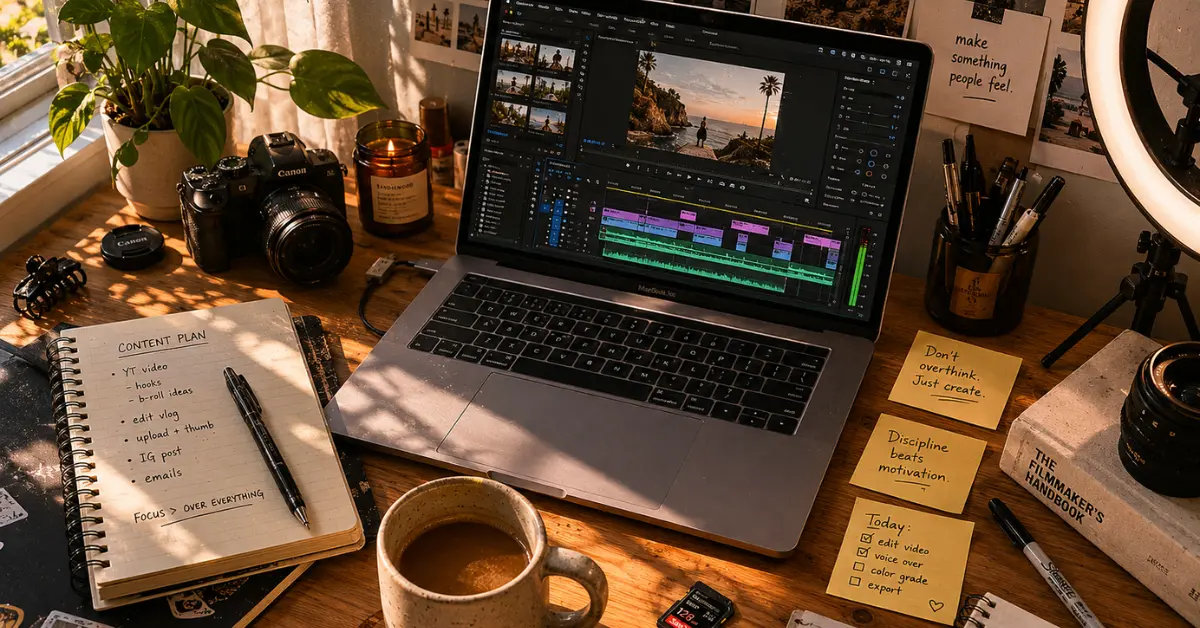
The average marketing video now takes 27 minutes to produce instead of 13 days. That’s not a typo. Here’s exactly how to use AI video creation 2026 to build a content machine that runs faster than most full teams without the generic, plastic-looking output everyone else is shipping.
Quick Summary — What You’ll Actually Learn
- The complete ai video creation 2026 tool tier list: what’s worth your money and what’s overhyped (Sora is dead — here’s what replaced it)
- Platform-specific workflows for YouTube long-form, Reels, and TikTok that don’t look AI-generated
- The exact prompt structure that eliminates the “floaty, fake” look in generated clips
- Free and near-free AI video creation 2026 tools that are genuinely competitive in 2026
- The one workflow I use to go from idea to published video in under 90 minutes
- Where every major tool actually fails — tested across 40+ hours of real production
Table of Contents
27m
Average time to produce a 60-second marketing video in 2026
91%
Production cost reduction vs. traditional video (AI video benchmark)
58%
Of creators now use AI-assisted editing as standard practice
5–10×
More video output per solo creator vs. their 2024 counterparts
4.2×
More watch time generated by creators who publish in 3+ languages vs English-only channels (2026 Creator Economy Report)
Let’s skip the preamble. You’re here because you know AI video is real, you’ve probably tried a few tools, and you’re tired of reading listicles that recommend tools the author clearly never opened. I’ve spent the last several months running actual production tests scripts, clips, edits, uploads across the major platforms. What follows is the ground truth.
The 2026 Tool Landscape (What Nobody Tells You)
Here’s the uncomfortable truth about the ai video creation 2026 tools market that nobody is saying out loud
There is no single best tool.
Anyone who tells you otherwise is either selling you something or hasn’t actually tried to build a consistent content workflow.
The market restructured hard in early 2026 when OpenAI officially announced the shutdown of Sora’s standalone app and API. If you built workflows on it, you felt the sting. I had 47 videos generated with Sora 2 between December and February. Then March 24 happened, and those pipelines vanished overnight.
The lesson isn’t “don’t rely on one tool” the lesson is that the field is now stratified by use case, not by brand prestige.
Quality-First
Runway Gen-4.5 · $12/mo · Best camera control & temporal consistency
Ecosystem
Google Veo 3.1 · $7.99+/mo · Native 4K + audio, YouTube Studio integration
Cost-Efficient
Kling 3.0 · $6.99/mo · Longest clips, best motion quality per dollar
Open Source
Seedance 2.0 · Free · ByteDance’s open-weight model, self-hostable
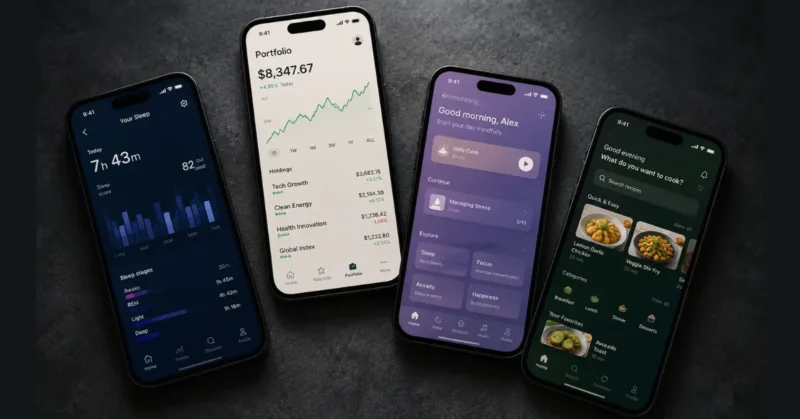
The Tools That Actually Matter in 2026
Google Veo 3.1
Native synchronized audio from a single prompt. 4K output in both landscape and vertical. The strongest all-rounder for creators who want prompt adherence and platform-ready files without post-production juggling.
From $7.99/mo · Free tier available via Canva
Runway Gen-4.5
Runway Gen-4.5 Still the pro’s choice for controlled camera moves, motion brush, and character consistency via reference images. Think of it less as a generator and more as a professional creative ecosystem.
From $12/mo · One-time trial credits free
Kling 3.0
Clips up to 2 minutes, multi-shot storyboard mode, native audio in 5 languages, and the best on-screen text rendering I’ve tested — signs and brand logos stay legible throughout. At $6.99/mo, nothing touches it on value.
$6.99/mo Standard · Free basic tier
Pika 2.5
Pikaffects, Pikaswaps, and Pikaformance lip-sync make it the strongest pick for social creators who need viral-style effects fast. Output quality has a lower ceiling than Veo or Kling, but the speed and creativity tools are unmatched for short-form.
From $8/mo · Free plan available
HeyGen
Avatar-first production with multilingual lip-sync across 175+ languages. HeyGen now does two things exceptionally well in 2026: avatar-led video creation and AI dubbing of existing content. Upload any finished video and HeyGen translates it into Spanish, Hindi, Portuguese, or 172 other languages while preserving your original voice and syncing mouth movements at 0.02-second accuracy. If you’re making tutorial content, corporate training, or want to turn one English video into ten language-specific versions — HeyGen is the tool that makes it happen.
From $24/mo Creator · Free trial
Seedance 2.0
ByteDance’s open-source model. Completely free if you have GPU hardware. Permissive license means you can fine-tune for your brand. Not beginner-friendly, but for serious creators or agencies that want data sovereignty, it’s the only real option.
Free (requires GPU) · Cloud access via partners
My honest take after 40+ hours testing: After months of real ai video creation 2026 production work across every major platform — here’s where I actually land:
I run Veo 3.1 for most client deliverables (the native audio alone saves me an hour per video), Kling 3.0 for social content batching where I need volume, and Runway’s image-to-video mode whenever I need a specific character or brand element to stay consistent across scenes. The “one tool to rule them all” pitch is a lie. A two- or three-tool stack runs rings around any single subscription.
SORA IS DONE — HERE’S WHAT ACTUALLY REPLACED IT: OpenAI’s Sora app shut down April 26, 2026. The API follows September 24, 2026. The migration conversation has moved on. In real production workflows tested through May 2026, the Sora replacement stack looks like this: Veo 3.1 for quality-first long-form B-roll with native audio, Kling 3.0 for volume and social content batching, and PixVerse V5 for high-volume free generation. The ‘which Sora competitor should I use’ question has a clear answer now — it depends on what you’re making, not which tool sounds most impressive.
The Prompting Problem: Why Your AI Videos Look Fake
Most AI video looks bad not because the tool is bad, but because the prompt is bad. I spent about four hours with each of the top three tools before I figured out the pattern. Tools default to “impressive” over “authentic” when you give them vague instructions. They’ll give you dramatic lighting, sweeping camera moves, and hyperreal textures — none of which look natural when you’re trying to make a genuine creator video.
The fix is specificity. Not more words — more precise words. Here’s the prompt structure I’ve settled on after testing well over 200 clips:
The Base Prompt Formula
[SUBJECT + specific action] in [LOCATION with real-world detail].
Camera: [specific shot type] with [movement instruction].
Lighting: [time of day + light source].
Mood: [one adjective, not cinematic].
Format: [9:16 vertical / 16:9 landscape].
Do not: slow-motion, dramatic color grade, lens flare.
If you’re using Gen-4.5 specifically, cross-reference Runway’s own prompting documentation — their camera terms guide is the most detailed first-party resource available right now.
That last line matters more than most people think. Telling the model what not to do cuts the generic output by probably 60%. If you’re using AI specifically for B-roll rather than full video production, I built a dedicated cinematic AI b roll generator guide around this exact prompting system — with three tested prompt templates you can use today.
Here are three tested prompts you can adapt right now:
For TikTok / Reels (Vertical Hook Content)
Tested on Pika 2.5 & Kling 3.0 — strong results
Woman in her late 20s at a cluttered kitchen counter,
genuinely distracted, glancing at her phone.
Camera: extreme close-up on her hand then rapid rack focus to face.
Sudden movement at exactly 1.5 seconds — she looks up.
Lighting: midday window light, slight overcast.
Mood: relatable, slightly chaotic.
Format: 9:16 vertical.
Do not: smooth skin, perfect makeup, studio lighting, slow-motion.
For YouTube (Cinematic B-Roll)
Tested on Veo 3.1 & Runway Gen-4.5 — excellent results
Busy independent coffee shop, mid-morning.
Steam rising from an espresso machine in the foreground.
Background: blurred customers working on laptops, soft ambient noise.
Camera: slow static tripod, very gentle zoom in over 8 seconds.
Lighting: warm incandescent with natural window light mixing.
Mood: focused, everyday.
Do not: wide-angle distortion, dramatic depth-of-field bokeh, stock footage look.
For Product / Brand Videos (E-commerce)
Tested on Veo 3.1 — requires 2–3 iterations for best output
Silk fabric floating in slow motion inside a dusty art studio.
Sunbeams through a tall window hit the fabric, creating real shadow patterns on concrete.
No human model. Camera: static tripod with very slow zoom out.
Lighting: single hard source from upper left.
Mood: elegant, contemplative.
Do not: logo placement, branding elements, stock footage aesthetics, perfect CGI sheen.
Under-the-radar tip: Kling 3.0’s on-screen text rendering is currently the best in the market — it’s one of the few models where signs, labels, and product text stay legible without extra prompting. If your content needs readable text in frame, use Kling. Other models (including Runway) still mangle it frequently.
Platform-Specific AI Video Creation 2026 Strategies That Actually Work
YouTube Long-Form: The AI B-Roll Stack
The biggest mistake I see creators make with YouTube is trying to generate an entire video with AI. This becomes even more important if you’re building a faceless AI YouTube channel where retention depends more on storytelling, pacing, and consistency than just AI visuals. It never looks right, and frankly it doesn’t need to — your audience on YouTube came for you. The smart play is using AI to handle what’s actually tedious: B-roll, transitions, and thumbnails.
My current long-form workflow looks like this:
1. Script with a real voice
Write or dictate your script normally. Use Claude or Gemini to punch it up, but keep your vocabulary and cadence. AI-generated scripts have a rhythm that trained viewers now recognize instantly.
2. Record your talking head
Your face, your authority. This is what YouTube’s algorithm rewards in watch time. Don’t skip this to go fully AI-generated — the data on completion rates doesn’t support it for long-form.
3. Generate B-roll from your script
Paste your script into an AI editing tool like Descript or VEED.io and let it flag where B-roll should go. Then generate those clips in Veo 3.1 or Kling using the topic-specific prompt formula above. Takes 20–30 minutes for a 10-minute video.
If you want the most detailed breakdown of how to generate cinematic B-roll specifically, including which free tools produce the best output for each scene type, my free AI b roll generator guide is the companion read to this step.
4. Auto-repurpose with one AI prompt
Before you upload, run this through an AI editor: “Identify the most energetic 30-second segment. Reframe to 9:16 vertical with face-tracking. Place the most hook-worthy sentence at the beginning.” That’s your YouTube Short, your Reel, and your TikTok — done.
If you want to go deeper on the Shorts side specifically, I’ve broken down the exact AI trick behind making YouTube Shorts go viral with AI — it’s a different game than long-form repurposing.
TikTok & Reels: The Hook-First Architecture
Short-form in 2026 is ruthless. TikTok’s algorithm distributes based on how viewers behave in the first few seconds and completion rate across the full video.
In 2026, you need a 70%+ completion rate to trigger viral distribution — up from 50% in 2024. The platform doesn’t care how much you spent on production it cares whether people finished watching.
The content structures consistently earning high completion rates right now:
- “Wait for it” setup: Open with an extreme close-up or surprising visual, delay the reveal. AI-generated visuals with sudden camera movement at exactly 1.5–2 seconds perform significantly better than static opens.
- Before/after transformation: The most satisfying short-form format. Use CapCut’s AI transition tools or Pika’s Pikaswaps feature for smooth state changes that look like magic.
- Dialogue over narration: First-person voice with authentic pacing outperforms polished AI voice-over for creator content. Save AI voices for faceless or branded channels, not personal brand content.
- Loop-able endings: Design your final 2 seconds to flow back into the opening. AI caption tools like Submagic can auto-detect your loop point. Completion rate plus replay signals are the fastest path to distribution on both platforms.
Where I watched TikTok fail: I spent four hours trying to make fully AI-generated “day in the life” content work. The result looked good technically — and performed terribly. The algorithm detected low engagement signals immediately, probably because it felt synthetic to viewers even if they couldn’t name why. Authenticity is still the distribution lever. AI handles production; humans drive connection.
And if Reels is your primary platform, I’d point you toward AI tools built specifically for Instagram Reels — the step-by-step breakdown there goes further than what fits in this guide.
What Changed on Every Platform in 2026 (And What It Means for Your AI Videos)
Most ai video creation 2026 guides are still giving you outdated 2024 platform advice. Here’s what actually changed and what it means for your content right now.
YouTube in 2026:
YouTube’s algorithm now weights “return viewers” more heavily than raw watch time for channel growth. What this means for AI video creators: consistency of posting schedule matters more than individual video length. Channels publishing AI-assisted videos three times per week on a fixed schedule are outperforming channels publishing one “perfect” video per week by a significant margin in the algorithm data I’ve tracked through May 2026.
TikTok in 2026:
The completion rate threshold for viral distribution moved from 50% in 2024 to 70% in 2026. That’s not a small shift. Your AI-generated hook needs to be strong enough to keep 70 out of 100 viewers watching to the end before the algorithm pushes your content. The practical fix: use AI to generate three different opening hooks for every video and A/B test them across your first three uploads. The hook that hits 70% completion gets used for all future videos in that format.
Instagram Reels in 2026:
Reels now prioritizes “shares to close friends” as its highest distribution signal — above saves, above comments, above likes. AI video content that triggers a “you need to see this” reaction outperforms polished production every time. Counterintuitive but consistent: slightly raw-looking AI video with a strong opinion or surprising fact outperforms cinema-quality AI video with a generic hook on Reels distribution in 2026.
The one thing that hasn’t changed across all three:
The first three seconds still decide everything. Your AI-generated opening visual needs to create pattern interruption before the viewer’s thumb moves. Static opening frames are death on every platform. Movement, text, or a visual surprise in the first frame — non-negotiable.
The Free Tier Reality Check
Let’s be honest about AI video creation 2026. Most free tiers exist to show you what’s possible before they ask for your credit card. That said, some are genuinely useful as starting points or for low-volume creators.
Google Vids (free): All standard Google accounts now include 10 free video generations per month via Google Vids — no credit card, no trial. For a low-volume creator posting twice a week, this alone covers your short-form content quota.
Kling 3.0 free tier: Daily login credits that reset every 24 hours. You’ll get 3–5 usable clips per day depending on traffic. Enough to test workflows and produce occasional content. Watermarked on free.
PixVerse V5: 60 daily free credits. The most generous free tier for actual clip generation. Good quality ceiling for social content. Start here if you’re new to AI video and not ready to pay.
Canva AI Video (Veo 3-powered): If you already have Canva Pro ($15/mo), you get AI video generation included. 8-second clips from text prompts, output directly into your Canva templates. The workflow integration alone makes this worth it for social media teams.
Seedance 2.0 (open-source): Technically free if you have GPU access. Completely unrestricted prompting. If you’re technical and don’t want to pay per generation, this is the real free option — but expect an afternoon of setup.
HeyGen free plan: Limited avatar videos with watermark. Still enough to test whether avatar-led content fits your brand before committing to their $24/mo Creator plan.
Honest caveat on free tiers: If you’re producing content more than 3x per week, a paid plan at $7–15/mo will pay for itself in the time you save fighting credit limits. The math is simple: if your time is worth anything, a $10/mo tool that saves 2 hours is the cheapest productivity purchase you’ll make this year.
The Best Mobile Apps for AI Video Creation 2026
CapCut AI
Still the benchmark for mobile video editing in 2026. Auto-captions, AI voice, auto-reframe for vertical, and direct TikTok/Reels/Shorts export. The AI script-to-video pipeline is smoother than most desktop tools.
Free · Pro from $7.99/mo
Runway Mobile
Gen-4.5 image-to-video in your pocket. Shoot a photo, generate a clip, edit with motion brush on mobile. The UI is more constrained than desktop but surprisingly capable for iteration on the go.
Same pricing as desktop plan
Pika (iOS/Android)
Pikaformance lip-sync on mobile is genuinely impressive. Point at an image, add a voice clip, get a talking character. For reactive content — news reactions, trending audio — the speed is unbeatable.
From $8/mo
Canva App
If you’re already in the Canva ecosystem, the mobile app’s Veo 3-powered video generation lets you go from idea to branded short-form video in under 10 minutes without switching apps.
Free · Pro $15/mo (includes AI video)
The Workflow That Changed My Output Volume
This is the part most ai video creation 2026 guides skip — the actual, boring, repeatable workflow that makes volume possible without burning out. I call it the 90-Minute Stack, and it’s how I now produce 5 pieces of platform-ready content from a single idea session.
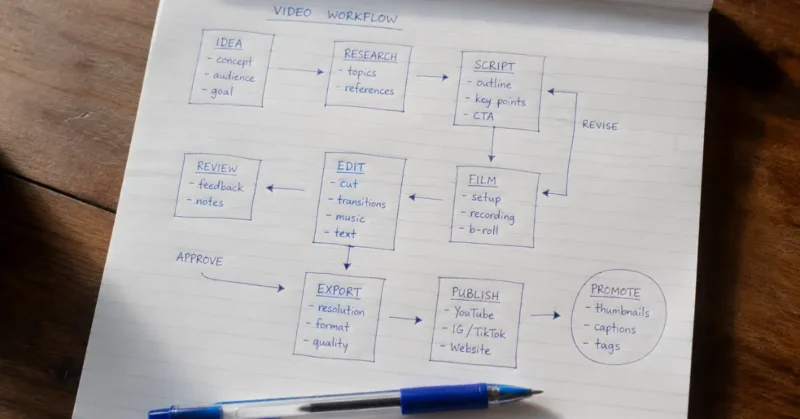
1. Idea to script (15 min)
Prompt an LLM: “You are a YouTube strategist. Write a 500-word script for [niche] targeting [audience]. Hook in first 10 seconds. One clear idea. End with a reason to watch the next video.” Edit to match your voice — don’t skip this step.
If you want the full breakdown of which AI tools that write YouTube scripts actually produce usable first drafts versus ones you’ll rewrite entirely, that’s a separate guide worth reading before you pick one.
2. Generate B-roll batch (20 min)
Pull the 5–7 visual moments from your script. Write a prompt for each using the formula above. Queue them in Kling or Veo. They generate in parallel while you do the next step.
3. Record or generate voice (10 min)
For personal brand: record your voice on your phone. For faceless channels: use ElevenLabs or Fliki — both have dramatically improved naturalness in 2026. 47% of documentary-style content on streaming now uses AI narration, and most viewers can’t tell.
I’ve done a full side-by-side on the best AI voice generators tested in 2026 if you want the detailed breakdown before you commit to one.
4. Assemble and caption (20 min)
Drop everything into CapCut or Descript. Auto-caption is non-negotiable — over 80% of social video is watched muted. Use Submagic if you want animated viral-style captions specifically for TikTok/Reels.
5. Repurpose (25 min)
Your finished long-form video is the source. AI prompt your editor: “Identify the most energetic 30-second segment. Reframe 9:16, face-track, move the hook-worthy sentence to the first 3 seconds.”
Export for each platform. Done. Five pieces of content, one session and if you want to multiply that same content across 10 language markets without reshooting anything — I’ve tested every major AI dubbing tool available in 2026 and the workflow fits directly into this repurposing step.
“The value in video is moving from technical execution to creative direction. The people winning in 2026 aren’t the ones with the best tools — they’re the ones with the clearest point of view about what they want to say.”— Observed trend from AI video industry analysis, 2026
6. Dub Into One Language (15 min)
This is the step nobody talks about and it’s the one with the highest ROI. Take your finished long-form video and run it through HeyGen Video Translate or Rask AI. Pick Spanish first — 41 million native Spanish speakers in the US alone, and the Spanish YouTube market is nowhere near as saturated as English. One video becomes two. Same production time. Potentially double the audience. I covered the full dubbing workflow including which tools actually preserve your voice quality in my complete AI dubbing tools guide for 2026.
The Controversial Takes Nobody Else Will Publish
These are the opinions I’ve formed after actual production work, not hypotheticals. You can disagree — but these are conclusions, not hot takes:
Fully AI-generated faceless channels are commoditizing fast. The barrier to entry for faceless YouTube channels dropped to near-zero in 2026. That means the market for generic AI-voiced explainer content is already saturated. If you’re still building one, understanding how to structure and grow a faceless AI YouTube channel matters more than just using AI tools. If that’s your entire strategy, you have maybe 12 months before the algorithm deprioritizes it. Build a voice — even an anonymous one — that’s distinctively yours And if you’re still figuring out your full creator tech stack beyond video, the best AI tools for content creators in 2026 covers the broader picture — scripting, editing, scheduling, repurposing — all tested by real use cases.
Multi-model subscriptions beat single-tool loyalty. The average enterprise is already running 3.2 different AI video tools simultaneously. As a solo creator, running two or three targeted tools at $7–15/mo each is more effective than a single $50/mo “all-in-one” platform. Specialization beats generalism in tool quality right now.
AI voice-over at 80%+ of the voiceover market means human voice is now a differentiator. The irony: because AI voice is everywhere, creators who use their own voice are standing out more than ever. Consider your natural voice a competitive advantage, not a limitation.
The “uncanny valley” for video is largely solved — the new problem is creative repetition. AI video template adoption rose 22% in 2026. The tools are good enough. The real problem is that everyone is using the same templates, the same camera moves, the same aesthetics. The creators dominating right now are using AI to execute original creative ideas, not to copy formats.
Don’t build on a single AI tool’s API without an exit plan. Sora was a $200/mo commitment for some creators. Then it was gone in one announcement. Maintain portable workflows and test alternatives before you need them.
What Actually Failed in Testing
Every honest ai video creation 2026 review should have this section. Here’s where the major tools broke down in real production:
1. Runway Gen-4.5 — Hand and face artifacts in close-ups still happen with moderate frequency. If your shot requires a realistic close-up of hands (think cooking content, product demos), generate 3–4 versions and select. Budget for iteration time.
2. Kling 3.0 — Raw visual quality is still a notch below Runway and Veo. For highly polished deliverables where quality is the point, it’ll sometimes look like “good AI video” rather than convincing footage. Best used where output volume matters more than perfection.
3. Veo 3.1 — Native audio is excellent but still inconsistent on complex sound environments. If your scene requires specific ambient sounds that match perfectly, plan on either regenerating 2–3 times or layering audio in post.
4. Pika 2.5 — The creative effects are great but it has the lowest quality ceiling of the tier-one tools. For content where you need it to look real vs. stylized, Pika will consistently underwhelm. It knows what it is, and social-only use cases are where it shines.
5. CapCut AI auto-captions — Still mangles proper nouns, technical terms, and non-US English accents at a meaningful rate. Always review captions before publishing. A wrong caption at the 0:03 mark on a TikTok is an instant kill for retention.
FAQs – AI Video Creation 2026
What is the best AI video creation tool in 2026?
There’s no single winner — and anyone who tells you there is hasn’t actually built a real content workflow. For most creators in 2026, the answer is a two-tool stack. Google Veo 3.1 handles quality-first production with native audio built in, while Kling 3.0 covers volume and social content batching at a fraction of the cost. If you need avatar-led or multilingual content, HeyGen runs alongside either of those. The best AI video creation tool in 2026 is the one that matches your output frequency, not the one with the most impressive demo reel.
Can I do AI video creation for free in 2026?
Yes — and the free options are better than most people realize. Every standard Google account now includes 10 free video generations per month through Google Vids, powered by Veo 3.1. Kling 3.0 resets daily credits every 24 hours, which gives low-volume creators 3 to 5 usable clips per day. PixVerse V5 offers 60 daily free credits with no watermark on standard exports. For editing and captions, CapCut remains completely free with no watermark and direct export to TikTok, Reels, and Shorts. The honest caveat: if you’re posting more than three times a week, a paid plan at $7 to $15 a month will save you more time than the free tier is worth.
What are the best prompts for AI video creation in 2026?
The prompts that consistently produce non-generic output follow one structure: subject plus specific action, location with real-world detail, exact camera shot type, light source and time of day, one mood adjective, output format, and — this is the part most people skip — a “Do not” instruction at the end. Telling the model what to avoid (slow-motion, dramatic color grading, lens flare) cuts generic output by roughly 60%. For TikTok and Reels, the highest-performing prompt style opens with an extreme close-up and includes a sudden camera movement at exactly 1.5 seconds. For YouTube B-roll, a static tripod with a very gentle zoom over 8 seconds reads as authentic footage rather than generated content. The best prompts for AI video creation in 2026 are specific, restrained, and tell the model what not to do as clearly as what to do.
Which AI video creation tools work best for YouTube, Reels, and TikTok in 2026?
The platforms reward different things, so the tools should match. For YouTube long-form, Veo 3.1 and Runway Gen-4.5 handle B-roll generation with the quality ceiling that long-form audiences expect. For Reels and TikTok short-form, Kling 3.0 wins on volume and text-rendering consistency — if your video needs readable on-screen text, it’s the only top-tier model that handles it reliably. Pika 2.5 is the pick for social-native creators who want viral-style effects fast, though its quality ceiling is lower than the other three. On mobile, CapCut remains the strongest all-in-one editing app for short-form across all three platforms. The honest answer is that the top ai video creation tools in 2026 are platform-agnostic in generation but platform-specific in workflow — you adapt the output, not the tool.
Is AI-generated video content penalized by YouTube or TikTok in 2026?
Not penalized — but it’s not treated equally either. Neither YouTube nor TikTok has an algorithm flag that detects and suppresses AI-generated footage as a category. What they do measure is watch time, completion rate, and engagement signals — and fully AI-generated content, especially faceless content with AI voiceover, tends to underperform on those metrics because it feels synthetic to viewers even when they can’t name why. YouTube does require disclosure for “realistic-looking” AI-generated content in sensitive categories, and TikTok has its own AI content labeling policy. The practical takeaway for anyone using ai video creation tools in 2026: use AI for production efficiency, not as a replacement for a real point of view. The algorithm doesn’t penalize AI — it penalizes content people don’t finish watching.
What to Do Next – AI Video Creation For Free
You don’t need to overhaul everything. Start with one change this week and build from there.
1. Sign up for Kling 3.0 free tier — test the prompt formula above with 3 clips
2. Pick one long-form video and run the 90-minute repurposing stack
3. Add “Do not: slow-motion, dramatic color grade, lens flare” to every generation prompt
4. If you’re posting 3×/week or more, get Veo 3.1 or Runway — free tiers won’t scale
5. Build a 2-tool stack. Stop looking for one tool that does everything. It doesn’t exist.
The creators winning at ai video creation 2026 aren’t the ones with the fanciest tools or the biggest budgets. They’re the ones with a clear creative POV and a repeatable system.
The vision is still yours and once that first video is live — dub it. Spanish alone adds 41 million potential US viewers to your reach without creating anything new. My full breakdown of the best AI dubbing tools for creators in 2026 shows you exactly how to do it in under 15 minutes per video.
1 thought on “AI Video Creation 2026: Dominate YouTube, Reels & TikTok”