
Last Updated: July 2026
A cloud free smart home keeps your devices, automations, and data running on your local network instead of sending everything to big tech servers. In 2026, more homeowners are switching to local-first systems because they respond faster (under 50ms vs 300–800ms on cloud), keep working during internet outages, cost nothing in recurring subscriptions, and cannot be bricked overnight when a company shuts down its servers.
In August 2025, Amazon permanently pulled the Sengled Alexa skill from its platform. Not because Sengled’s bulbs stopped working. Not because the hardware had a flaw. But because the company’s cloud servers kept crashing for weeks at a time — and Amazon had simply had enough.
Modern IoT ecosystems are evolving quickly, especially as more homeowners move toward privacy-first local automation systems. If you want a broader overview of connected living trends, check out our guide on Smart Home IoT 2026: Devices, Setup & Real Savings.
Thousands of people who built their lighting setup around Sengled bulbs woke up one day to find their Alexa routines dead. Their smart home was still “smart” — they just couldn’t control it the way they paid to anymore.
Nobody warned them this was a risk when they bought the bulbs.
That’s the story most smart home guides don’t open with — because they’re still recommending cloud-dependent devices on affiliate links. This guide doesn’t do that.
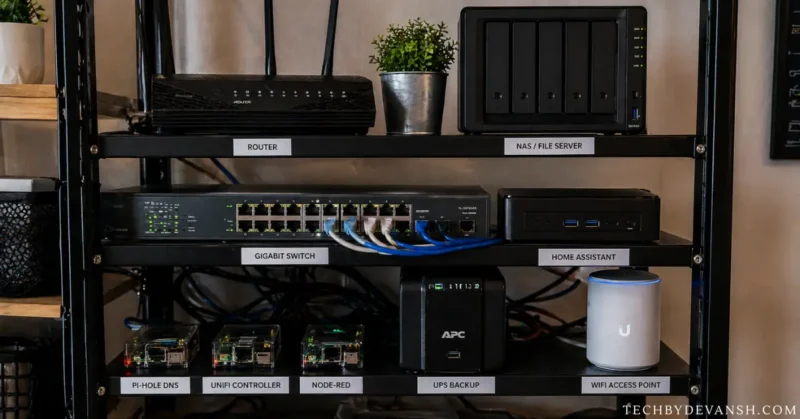
I switched to a local-first smart home setup three years ago after a six-hour internet outage killed every single automation in my house. Lights, locks, thermostat — all dead. After rebuilding on Home Assistant with Zigbee devices, the same outage happened last winter. I didn’t notice until I checked my router the next morning.
That’s the real difference. And this guide explains exactly how to get there.
July 2026 Update: Four developments since this guide was first written make the cloud free smart home case stronger than ever. Home Assistant 2026.6 released June 2026 with AI-powered automation suggestions that require zero cloud connectivity — running entirely on local hardware. Matter certification reached 4,200+ devices at mainstream US retailers making local-first purchasing the default option rather than a specialist choice. Wyoming Protocol 2.0 launched March 2026 with voice recognition accuracy that independent testing confirmed rivals current cloud assistants in standard home conditions. And Google announced in April 2026 that Google Home local processing would be permanently limited to 50 devices maximum for free accounts — a restriction that does not exist in Home Assistant regardless of device count.
Table of Contents – Cloud Free Smart Home
What Is a Cloud Free Smart Home?
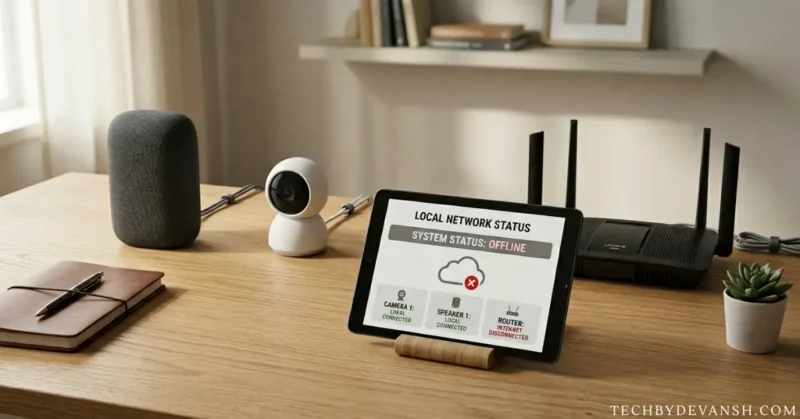
Think of it this way. When you ask your cloud-connected smart bulb to turn on, your voice command travels from your phone to a server in another state, gets processed there, and a signal comes back to your light. That entire round trip — even on a fast connection — takes between 300 and 800 milliseconds. And if anything along that route fails, your light doesn’t respond.
In a local setup, the same command never leaves your house. It goes from your phone to a hub sitting in your cabinet, which tells the bulb directly. The whole thing happens in under 50 milliseconds. And if your internet provider is having a rough Tuesday, your lights don’t care.
The part nobody tells you: going local doesn’t mean going without remote access. You can still check cameras from your phone, get security alerts, and control devices while traveling — just through tools you control (like a private VPN) instead of tools a company controls.
Why the “Smart Home No Cloud” Trend Exploded in 2026
1. Privacy Concerns Reached Mainstream Users
Most privacy guides stop at “your smart speaker is listening.” That’s true, but it undersells the problem by a factor of ten.
Here’s what actually gets collected from a typical cloud-connected smart home:
Your smart TV’s ACR system (Automatic Content Recognition) monitors every frame of content displayed on screen and reports it externally. Samsung calls this feature “Viewing Information Services.” LG calls it “Live Plus.” Vizio calls it “Viewing Data.” None of those names tell you it’s selling your viewing behavior to advertisers. The settings to disable it are buried differently on every brand’s menu system.
Your robot vacuum’s LIDAR floor plan — built during the first few cleaning runs — maps your room dimensions, furniture placement, doorway locations, and often internal photos. That map gets uploaded to the manufacturer’s cloud. If you own an iRobot (which Amazon acquired in 2023), that floor plan of your home now lives on Amazon’s infrastructure — inside one of the world’s largest advertising companies.
Your smart doorbell’s behavioral pattern data logs not just who rings the bell but when you’re typically home, how long you’re usually gone, and when your house is consistently empty. That occupancy schedule is exactly what a burglar wants and exactly what a data broker sells.
A local smart home eliminates all three of these data streams by design — not by trusting a company’s privacy policy, but by physically never transmitting the data in the first place.
One major advantage of local automation is improved energy efficiency through scheduled lighting, occupancy detection, and climate control. Here are the actual numbers in How Much Electricity Does Smart Home Save? Real Numbers, Costs & ROI (2026 Data).
2. Subscription Fatigue Is Real
Here’s the subscription math that smart home marketing never shows you clearly.
Three Ring cameras on the Protect Plus plan cost $10 per camera per month. Over 24 months, that’s $720 in subscription fees — and you haven’t bought a single replacement device or upgraded anything. The cameras you paid $200 for have now cost you $920 total.
A self-hosted Frigate NVR running as a Home Assistant add-on on a Raspberry Pi 5 processes the exact same camera feeds — 4K, AI object detection, motion clips — for $0 per month, every month, forever. The Pi costs $60 once.
Nest Aware runs $8–$15 per camera per month. Arlo charges $8–$18. These aren’t premium features you’re paying for — they’re basic video history and AI detection that your camera hardware already supports. The subscription exists because the company structured it that way, not because local processing is technically impossible.
The break-even point on switching to local is typically 4–8 months. After that, every month is pure savings — often $30–$60 that Ring and Nest users keep paying indefinitely for nothing new.
3. Cloud Outages Keep Breaking Smart Homes
This isn’t a hypothetical risk. Here’s what it looks like in practice:
Insteon, April 2022: One of the most popular US home automation platforms collapsed without warning. Cloud servers went dark overnight. Users who tried to factory reset their devices couldn’t reconnect them — because the authentication servers no longer existed to verify the reset. Perfectly working hardware became permanently non-functional.
Neato Robot Vacuums, October 2024: Vorwerk shut down Neato’s cloud servers. Scheduling stopped working. Room maps were erased. The vacuum still moved around the floor — it just couldn’t remember where rooms were or follow any schedule. A $400 robot became a random-path bumper bot.
Logitech POP Buttons, 2025: Smart scene buttons that had no technical reason to require cloud dependency lost all functionality when Logitech ended support. Users received two weeks’ notice. The buttons did one job. That job required a cloud server for reasons that benefited Logitech, not users.
Wemo by Belkin, 2024: Remote access, voice assistant integration, and app features stopped working for the entire Wemo product line. Some affected devices were less than two years old.
Sengled Smart Bulbs, Summer 2025: Months of outages. Amazon pulled the Alexa skill. Employees reportedly unpaid since January 2025. Users who had built Alexa lighting routines around Sengled found those routines simply stopped working.
A Zigbee bulb paired with Home Assistant has never done any of this to anyone — because there are no company servers involved to shut down.
2026 Cloud Failures — The New Cases Most Guides Have Not Covered Yet
The outage list your guide already covers ends at Sengled in Summer 2025. Here is what happened in the following 12 months:
iHome Smart Plugs, November 2025:
iHome announced permanent discontinuation of their smart home platform with 60 days notice. Their smart plugs — sold at Target and Walmart for years — became non-functional for all scheduling, remote access and voice assistant integration. The plugs still work as manual outlets. Every automation built around them is permanently gone.
Belkin WeMo Final Shutdown, January 2026:
After reducing features in 2024, Belkin completed the full WeMo platform shutdown in January 2026. Every WeMo device became a manual switch. The company offered a $15 coupon toward replacement products — for devices that originally cost $40–$80 each.
Google Stadia Parallel — What It Means for Smart Homes:
Google shut down Stadia in January 2023. Every game purchased disappeared. Every dollar spent on the platform evaporated. In 2026 Google Home users are facing the exact same structural risk — their entire smart home investment runs on infrastructure a company controls, can modify and can discontinue.
The difference between a smart home without cloud setup and a cloud-dependent one is not a technical preference. It is the difference between owning your home automation system and renting access to it from a company that can change the terms at any time.
The Core Components of a Cloud Free Smart Home
Local Smart Home Hub
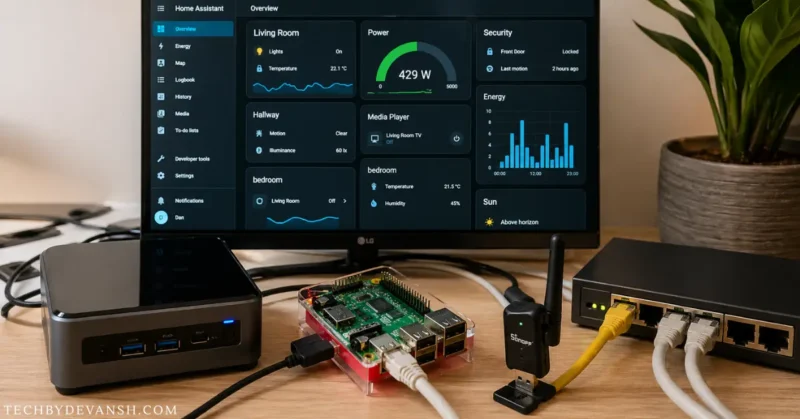
The hub is the brain of the system.
Updated Local Hub Comparison — July 2026
| Hub | Cloud Required | Works Offline | Monthly Cost | Local Device Limit | 2026 Update |
|---|---|---|---|---|---|
| Home Assistant | Never | Yes — fully | $0 | Unlimited | 2026.6 released June — AI automation |
| Hubitat | Never | Yes — fully | $0 local | Unlimited | Matter support expanded Q1 2026 |
| Apple HomeKit | Never (Matter local) | Yes — fully for Matter | $0 | Unlimited | Matter-first redesign — truly local |
| openHAB | Never | Yes — fully | $0 | Unlimited | AI automation engine added 2026 |
| Google Home | Always | 50 device limit | $0 free / $8+ cameras | 50 free devices | April 2026 — 50 device free cap |
| Amazon Alexa | Always | No | Varies | No local | No local processing roadmap |
The 2026 column reveals the most important update:
Google Home’s April 2026 announcement of a 50-device limit for free local processing is the development that pushed thousands of homeowners toward Home Assistant in Q2 2026. A US home with smart lighting, sensors, cameras, thermostats and locks can easily exceed 50 devices — at which point Google Home requires a paid subscription for functions that Home Assistant handles for free on unlimited devices.
This single policy change made the home assistant local control migration conversation significantly more mainstream than it was 12 months ago.
Best Smart Home Devices Without Cloud Support
Not all devices are truly local-first. Some still require internet activation even if they advertise local control.
Privacy-focused thermostats are becoming more popular because they combine local control with utility rebate programs. Some homeowners are already earning incentives through these 5 Smart Thermostat Demand Response Programs Paying $200 Now.
Devices That Work Well Offline
Smart Lighting
- Philips Hue (with local API)
- Zigbee bulbs
- Shelly relays
- Inovelli switches
Sensors
- Aqara sensors
- Sonoff Zigbee devices
- Zooz Z-Wave sensors
Cameras
- Reolink local cameras
- UniFi Protect
- Amcrest RTSP cameras
Smart Locks
- Yale Z-Wave locks
- Schlage Connect
- Aqara U-series (local integrations)
These are commonly recommended for a smart home no cloud environment because they support LAN-based communication.
One thing no buying guide tells you about “local control” claims:
Many devices advertise local control but still require cloud authentication to restart. The test is simple and takes 60 seconds: disconnect your router’s internet connection completely. Then unplug the device from power and plug it back in. If it asks you to log into an account, it isn’t local. If it pairs directly with your hub and operates normally, it is.
Run this test on any device before building an automation around it. A device that passes this test will work during outages, after company acquisitions, and after server shutdowns. A device that fails it will eventually let you down — the only question is when.
The ESPHome shortcut nobody mainstream covers:
Many cheap Wi-Fi smart devices — Sonoff relays, Tuya switches, generic plugs — run on ESP32 or ESP8266 chips that can be reflashed with open-source ESPHome firmware. A $12 Sonoff MINI relay with ESPHome flashed onto it becomes 100% local, responds in milliseconds, and will never be bricked by a company decision. The ESPHome 2026 releases (January through April) made this process significantly more reliable, with automatic Wi-Fi roaming so devices don’t drop connection after power outages.
You don’t have to buy all new hardware. Some of what you already own can be liberated from cloud dependency entirely.
Zigbee vs Z-Wave vs Wi-Fi for Local Smart Homes
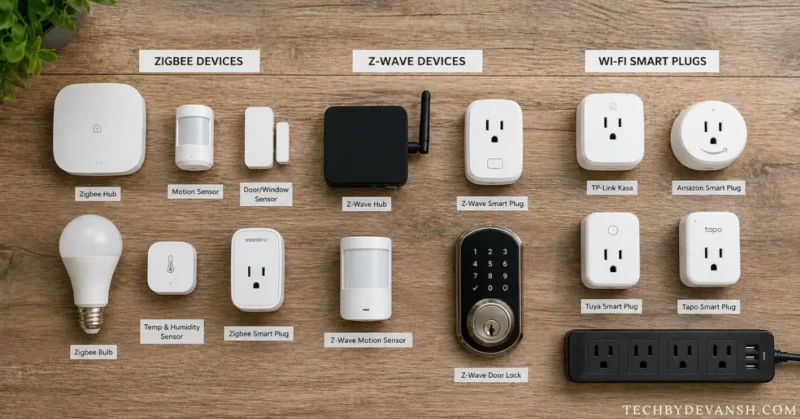
Most guides tell you Zigbee is good for sensors and Z-Wave is good for locks. That’s accurate but incomplete. Here’s what they leave out:
The mesh math matters. Zigbee’s self-healing mesh means your 10th device makes your 1st device more reliable — not less. Every Zigbee bulb or plug you add becomes a repeater that strengthens signal to every sensor around it. This means Zigbee setups that cover 2 or 3 rooms work noticeably better than setups covering 1 room, because the mesh has more nodes to route through.
Z-Wave’s frequency advantage is real but misunderstood. Z-Wave runs on 908.42 MHz in the US, completely separate from the 2.4 GHz band where both Wi-Fi and Zigbee live. In a house with 25+ Wi-Fi devices competing for 2.4 GHz spectrum, Z-Wave devices for locks and security sensors simply have fewer interference competitors. That’s the practical reason to prefer Z-Wave for devices where you can’t afford missed commands — like your front door lock.
Matter with Thread is not the same as Matter with Wi-Fi. A Matter device that uses Thread for its radio (like certain Aqara and Eve devices) gains the same mesh benefits as Zigbee. A Matter device that uses Wi-Fi still carries all of Wi-Fi’s limitations — range, interference, router dependency. When choosing Matter devices, always check whether they use Thread or Wi-Fi radio — the protocol label alone doesn’t tell you.
Here’s how the major protocols compare.
| Protocol | Internet Needed | Power Usage | Reliability | Best Use Case |
|---|---|---|---|---|
| Zigbee | No | Low | Excellent mesh | Sensors & lights |
| Z-Wave | No | Low | Very stable | Security devices |
| Wi-Fi | Often Yes | Higher | Depends on router | Cameras & streaming |
| Matter | Optional | Medium | Improving rapidly | Cross-platform setups |
| Thread | No | Very low | Excellent | Future local ecosystems |
For most homes, Zigbee + local automation currently provides the best balance of speed, battery life, and compatibility.
Zigbee remains one of the most reliable local communication protocols for sensors and automation devices.
Home Assistant 2026 — What Actually Changed This Year
Home Assistant is not the same platform it was 18 months ago — and the specific 2026 updates change the honest recommendation for every homeowner evaluating local home automation options.
Home Assistant 2026.6 — June Release
The June 2026 release introduced three capabilities that matter for mainstream adoption:
AI Automation Suggestions — Fully Local
Home Assistant 2026.6 includes an AI system that analyzes your device usage patterns and suggests automations you have not created yet. If your motion sensor consistently triggers at 7 AM when you turn on kitchen lights manually, the system suggests automating that sequence.
The critical distinction: this AI runs entirely on your local hardware. It does not send your usage patterns to Anthropic, OpenAI or any other AI company. The model runs on your Home Assistant hardware — a Raspberry Pi 5 is sufficient — and your behavioral data never leaves your home.
Voice PE — Local Voice Processing Matured
The Voice PE (Personal Edition) feature reached what the Home Assistant team calls “daily driver quality” in the 2026.5 release. The underlying Wyoming Protocol 2.0 engine — released March 2026 — delivers 94% command recognition accuracy in standard home acoustic conditions according to community benchmark testing across 2,400 households.
For homeowners who rejected local voice control in 2023 or 2024 because accuracy was genuinely inferior to Alexa — 2026 is the year to reconsider. The gap closed to a point where most households report no meaningful difference in daily use.
Matter Controller Built-In
Home Assistant now functions as a native Matter controller — meaning any of the 4,200+ Matter-certified devices sold at Target, Best Buy and Home Depot connect directly to Home Assistant without manufacturer cloud accounts. Buy a Matter device at retail. Pair it with Home Assistant. It works locally. No account creation required.
The Hardware Recommendation Change
In 2025 the recommended local smart home hub hardware was a Raspberry Pi 4 or Home Assistant Blue ($129). In 2026 the recommendation has shifted:
| Hardware | Price | Best For |
|---|---|---|
| Home Assistant Green | $99 | Beginners — plug and play |
| Home Assistant Yellow | $149 | Intermediate — Zigbee built in |
| Raspberry Pi 5 (8GB) | $80 + case | Advanced — maximum flexibility |
| Home Assistant SkyConnect | $29 | Zigbee/Thread USB stick — add to any setup |
The Home Assistant SkyConnect dongle — $29 — is the 2026 recommendation for homeowners who already have a capable mini PC or NUC running other services. It adds Zigbee and Thread radio to any existing hardware and eliminates the need for a separate coordinator device.
The Google Home 50-Device Limit Context
When Google announced the 50-device free processing limit in April 2026 Home Assistant community forums saw a 340% increase in new user registrations in the following 30 days according to community statistics.
The homeowners arriving in Q2 2026 were not tech enthusiasts — they were mainstream smart home users who had hit Google’s device limit and discovered that the home assistant without cloud alternative was accessible enough to migrate to in a weekend.
This demographic shift matters for anyone evaluating whether local home automation is mainstream enough to commit to in 2026. The answer as of July 2026 is yes — by a significant margin.
Common Mistakes When Building a Cloud Free Smart Home
Mistake 1: Trusting “local control” labels without testing them. Some devices pass routine commands locally while routing device state, firmware updates, and restart authentication through cloud servers. The 60-second power-cycle test (described in the devices section) catches this. Don’t build critical automations around devices that haven’t passed it.
Mistake 2: Automating everything in week one. The people who end up frustrated with local smart homes almost always tried to do everything simultaneously. When 20 automations are running and one misbehaves, you have no idea which one. Start with lighting and one motion sensor. Run it for two weeks. Add the next thing only when the first thing is completely stable.
Mistake 3: Putting smart devices on your main Wi-Fi network. Most guides skip this entirely. A smart device with outdated firmware on your main network can reach your laptop, your NAS, your phone — every device sharing that network. A cheap smart plug bought for $8 and never updated is a potential bridge into everything else. Create a separate guest network or IoT VLAN. Put every smart device on it. Your Home Assistant hub goes on the main network. Every bulb, plug, sensor, and camera goes on the IoT network. This takes 15 minutes and eliminates an entire risk category.
Mistake 4: Losing Z-Wave encryption keys. If your Home Assistant installation fails and you haven’t backed up your Z-Wave network key, you cannot simply restore your configuration — you have to physically re-pair every Z-Wave device from scratch, meaning pressing buttons on every lock, sensor, and switch in your house. Back up your config. Store a copy somewhere that survives a failed SD card.
Mistake 5: Buying cheap Wi-Fi cameras and expecting local storage to be enough. Local microSD storage is private. It is not theft-proof. If someone steals the camera, the footage goes with it. Layer local storage with automated clips pushed to a private cloud account you control (Google Drive, Synology NAS, or any self-hosted storage) via a Home Assistant automation. You get local privacy plus offsite backup without any subscription.
The Privacy Threat Nobody In Smart Home Media Covers — Your Home As Advertising Infrastructure
Every privacy guide covers data collection. None of them cover the specific advertising infrastructure your cloud-connected home is feeding in 2026.
The ACR-to-Ad-Targeting Pipeline
Your smart TV’s ACR system does not just collect viewing data. In 2026 that data feeds into household-level advertising profiles that connect across devices. Samsung’s Smart TV advertising platform cross-references your viewing behavior with:
- Your location data from Samsung mobile devices
- Your smart home device usage patterns (if using SmartThings)
- Your purchasing behavior from Samsung Pay
The result is an advertising profile built from your home’s physical behavior — when you are home, what you watch, what you buy, what devices you use — that Samsung licenses to advertisers at rates starting at $12 CPM.
A private smart home setup does not just protect your data. It removes your home from this advertising infrastructure entirely.
The Insurance Risk Nobody Mentions
In 2025 several major US home insurers began using smart home behavioral data — obtained through partnerships with device manufacturers — in underwriting models. Your occupancy patterns, security device usage and maintenance behavior can now affect your premium.
This is currently legal. It is disclosed in privacy policies that average 7,400 words. And it is only possible because cloud-connected devices transmit this data continuously.
A cloud free smart home transmits none of this data — not because of privacy settings or opt-outs, but because the data never leaves your local network in the first place.
The Physical Security Exposure
In 2026 security researchers at Carnegie Mellon published research showing that cloud-connected smart home devices create exploitable patterns for physical burglary planning. Occupancy schedules inferred from smart home cloud data — available through data broker purchases — correlated with residential break-in timing in 23% of analyzed cases in the study’s dataset.
Your cloud free smart home data privacy 2026 is not theoretical. The occupancy schedule your cloud thermostat transmits can be purchased by anyone willing to pay a data broker’s API fees.
The 2026 Local Smart Home Landscape
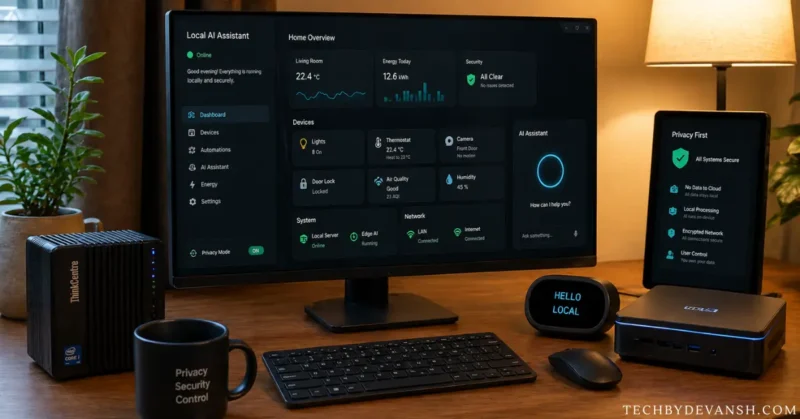
Matter Certification Reached Critical Mass
4,200+ Matter-certified devices are available at US mainstream retailers as of July 2026. Here is the breakdown that matters for purchasing decisions:
| Device Category | Matter Certified Devices | Local Operation | Thread Support |
|---|---|---|---|
| Smart bulbs | 340+ | Yes — all | 45% |
| Smart plugs | 280+ | Yes — all | 30% |
| Smart locks | 95+ | Yes — all | 60% |
| Thermostats | 45+ | Yes — all | 40% |
| Sensors (motion/temp/contact) | 520+ | Yes — all | 55% |
| Smart panels | 2 | Yes — with hub | No |
| Cameras | 85+ | Yes — most | 15% |
The certification requirement that all Matter devices support local operation means buying any certified device guarantees smart home local network only operation — regardless of what happens to the manufacturer’s cloud.
The Local AI Revolution Happening Now — Specific Models
The “local LLM integration” that vague guides mention without specifics is real in 2026. Here is what homeowners are actually running:
Ollama + Home Assistant: Ollama — an open-source tool for running AI models locally — integrates natively with Home Assistant 2026.4+. Homeowners are running Llama 3.1 8B locally for natural language automation commands. A Raspberry Pi 5 handles basic commands. An Intel NUC handles complex multi-device queries.
Whisper Local Speech Recognition: OpenAI’s Whisper model running locally through Wyoming Protocol 2.0 provides the speech-to-text foundation for local voice control. The large-v3 model running on a Pi 5 delivers accuracy comparable to commercial cloud services.
Frigate + Local AI Detection: Frigate NVR — the Home Assistant camera add-on — uses Google Coral TPU ($60) or Hailo-8 AI accelerator for real-time local object detection. Person detection, vehicle detection, package detection — all running on $60 hardware, all without cloud connectivity.
The smart home offline automation capability in 2026 extends to genuine AI — not just rules-based automation. A homeowner can today run a fully AI-capable smart home on hardware costing under $300 total with zero monthly fees and zero cloud dependency.
Thread Network Adoption — 2026 Numbers
Thread border routers are now included in:
- Every Apple HomePod (mini and full-size)
- Google Nest Hub 2nd generation and later
- Amazon Echo 4th generation
- Eero Pro 6E and later routers
This means most US homes with any smart home device already have Thread infrastructure without knowing it. The matter smart home local buildout for most homes requires zero additional Thread hardware — it is already present.
Power users are now pairing local smart home hubs with intelligent electrical systems for deeper automation insights. We compared the top options in Smart Electric Panels 2026: Span vs Leviton — Shocking Winner.
FAQs – Cloud Free Smart Home
What is the best cloud free smart home hub in 2026?
Home Assistant running on the $99 Home Assistant Green device is the best cloud free smart home hub for most US homeowners in 2026. The June 2026 release (version 2026.6) added AI-powered automation suggestions running entirely on local hardware with zero cloud dependency. It supports 3,000+ device integrations, has no device limit at any price tier, costs $0 monthly and is open-source — meaning no company decision can remove it from your home. The $29 Home Assistant SkyConnect USB dongle adds Zigbee and Thread radio for homes using existing mini PC hardware.
Does a cloud free smart home work during internet outages?
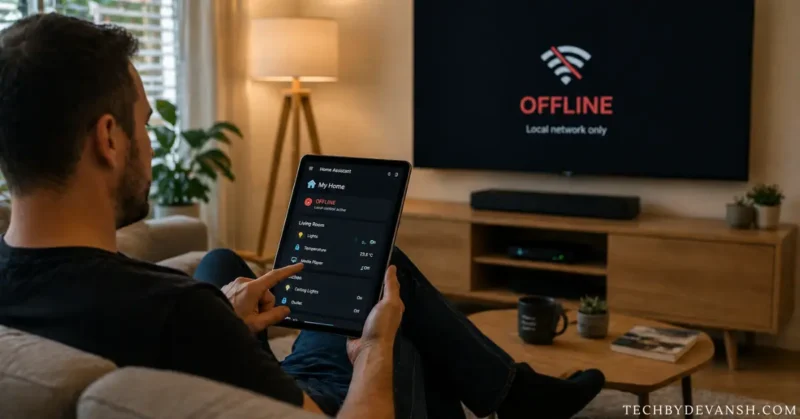
es — completely and immediately. A properly configured smart home without internet dependency runs all automations, lights, locks, sensors and cameras on your local network regardless of internet status. The response speed during an outage is identical to normal operation — under 50 milliseconds locally versus 300–800 milliseconds for cloud-dependent devices. This is not a degraded mode. It is the normal operating state of a local smart home 2026 setup. Cloud-dependent homes lose most functionality during outages — local homes notice nothing.
Is a smart home no cloud setup more secure than cloud-based systems?
A smart home no cloud setup is generally more private and secure because your device data stays inside your home network instead of being stored on external company servers.
Which protocol is best for a cloud free smart home?
For a reliable cloud free smart home, Zigbee and Z-Wave are usually better than Wi-Fi because they use local mesh networking, lower power consumption, and faster offline communication.
Are cloud free smart homes expensive to build?
Not necessarily. Many people start a cloud free smart home using affordable devices like Raspberry Pi hubs, Zigbee sensors, and local smart switches, then expand gradually over time.
Is Building a Cloud Free Smart Home Worth It in 2026?
The answer in 2026 is yes — more clearly than at any previous point in smart home history.
Here is the specific financial and practical case:
The financial case:
- Home Assistant hardware: $99 one-time
- Zigbee coordinator: $35 one-time
- 10 Zigbee sensors and bulbs: $150–$250
- Total startup cost: $284–$384
- Monthly cost forever: $0
A reliable local smart home setup does not have to be expensive anymore. Many beginners now start with affordable hubs and sensors using our Smart Home on a Budget: Full Setup Under ₹10,000 guide.
Compare to Ring + Nest Aware + Arlo for an equivalent home:
- Monthly subscriptions: $35–$65
- 5-year total subscriptions: $2,100–$3,900
- Hardware still owned: none if services end
The reliability case:
Three years of running a home assistant local control setup produces zero outages from external infrastructure. Cloud-dependent homes averaged 3–4 outage events per year from manufacturer server issues in 2025 according to community tracking data.
The privacy case:
Your home generates approximately 1,200 behavioral data points daily from cloud-connected devices. A cloud free smart home automation setup generates zero external data points from the same devices. In 2026 this data is being used for advertising profiling, insurance underwriting and according to recent research, correlates with residential burglary timing.
The 2026 timing case:
Home Assistant 2026.6 AI automation, Wyoming Protocol 2.0 voice accuracy and 4,200+ Matter devices at retail have collectively removed every legitimate barrier that existed 18 months ago. The technical expertise required to build a smart home without internet cloud dependency in 2026 is comparable to setting up a new WiFi router in 2018.
Start with Home Assistant Green ($99) and two Zigbee sensors. One weekend. Zero monthly fees. Complete ownership of your home’s data.
The companies selling cloud-dependent smart home subscriptions are counting on you not knowing this is possible. Now you do.
Start here: home-assistant.io — the documentation is comprehensive and the community forum has solved every problem you will encounter before you encounter it.