

Most office work isn’t difficult.
It’s repetitive.
Writing emails.
Creating document summaries.
Making reports.
Updating spreadsheets.
That’s the reason I started looking for free AI tools to automate daily office work. I was tired of doing the same things again and again. Anyone would be. When work doesn’t change, you don’t just get tired — you get bored.
I also noticed something else.
Most people don’t want complex tools or paid subscriptions. They want results. And if the work can be done for free, even better. I felt the same way.
This article is written for beginners, small teams, and normal office employees who want to use AI to work faster without stress.
No hype.
No fancy words.
Only tools that actually help.
Table of Contents
Why Free AI Tools to Automate daily office work are Important
On many platforms, people keep talking about expensive AI software. For beginners or small teams, that’s not realistic.
Free office automation tools are useful when:
- You work daily with emails and documents
- You want to save time, not learn coding
- You use an old or low-configuration PC or laptop
- You only need simple automation
You don’t need 20 tools.
You only need 2 to 5 AI tools that do their job properly.
Business owners looking for faster growth can also explore these Best AI tools for business owners designed to scale work without hiring more staff.
1. ChatGPT (Free Version)
Almost everyone knows ChatGPT. And honestly, it’s still one of the most useful AI tools for daily office tasks.
I personally use it for:
- Writing email drafts
- Creating document summaries
- Understanding tasks in simple language
Why it helps:
It saves thinking time. Especially when your mind is already tired.
If you want better AI search and research results, Perplexity AI is another useful option.
Limitations:
- The free version has usage limits
- Sometimes responses feel generic
- Sharing personal or confidential data is risky
I never share sensitive information with it. You shouldn’t either.
2. Google Docs AI (Smart Features)
Google Docs helps with writing, editing, and correcting documents. Many people don’t even realize that Google Docs already has built-in AI features.
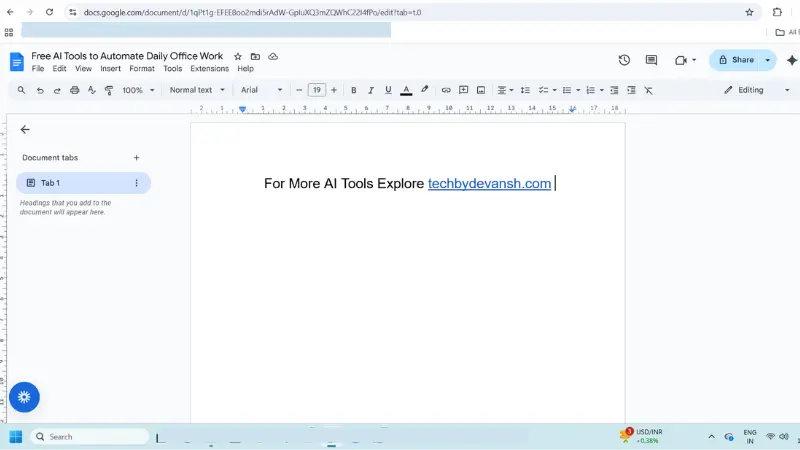
It offers:
- Grammar suggestions
- Smart writing (Smart Compose)
- Auto formatting
For basic writing and document editing, Google Docs already provides smart features that work well for daily office tasks.
Why I like it:
There’s nothing new to learn. It just works. Other tools need time to understand, but Google Docs feels natural.
Limitations:
- Not very advanced AI
- Internet connection is required
Still, for daily work, it’s more than enough.
3. Grammarly (Free Version)
Grammarly is very helpful for email writing and professional communication.
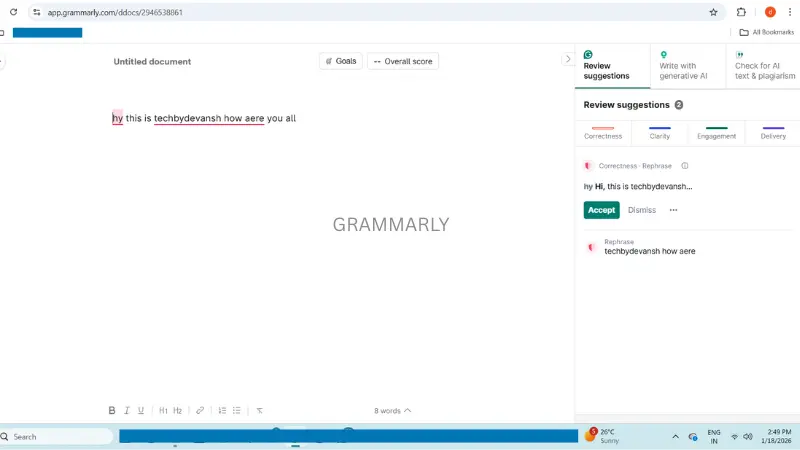
It quietly fixes:
- Grammar mistakes
- Spelling errors
- Basic sentence issues
Best used for:
Client emails and internal office messages.
Tools like Grammarly help fix grammar mistakes quietly while you focus on your work.
Why it helps:
You sound more professional without extra effort.
Limitations: Free version only covers basic corrections
4. Notion AI (Free Trial / Limited Use)
Notion AI is useful for task planning and notes.
It can:
- Create meeting summaries
- Prepare to-do lists
- Improve written text
Why it helps:
Everything stays in one place.
Limitations:
- Free usage is limited
- Can feel heavy on slow computers
5. Microsoft Copilot (Free Access in Some Tools)
If you use Microsoft Word or Excel, Copilot can help with:
- Writing drafts
- Understanding Excel formulas
- Formatting documents
Why it helps:
It works inside tools people already use.
How I Would Use These Tools in a Normal Office Day
This is how it looks in real life:
Morning
Email drafts and tone fixing — ChatGPT and Grammarly
Afternoon
Reading long documents and task planning — Google Docs and Notion
Evening
Preparing next-day task lists and cleaning notes — Notion AI
Simple. Practical. Effective.
Who Should NOT Use Free AI Tools
This part is important.
Avoid free AI tools if:
- You handle sensitive or legal data
- Your company doesn’t allow external tools
- You expect 100% perfect results every time
AI helps you.
But after AI finishes the work, you still need to recheck it. AI can make mistakes. It doesn’t replace human thinking.
FAQs – Free AI tools to automate daily office work
Are free AI tools safe for daily office work?
Free AI tools are safe for basic tasks like email drafts and document summaries, but avoid using them for sensitive or confidential data.
Can free AI tools really automate office work?
They don’t replace humans, but they automate repetitive tasks like writing, summarizing, and planning, which saves time daily.
Do these AI tools work on low-end PCs?
Yes. Most free AI tools work in a browser and run fine on low-configuration laptops and older systems.
Do I need technical knowledge to use AI tools?
No. These AI tools for daily office tasks are beginner-friendly and don’t require coding or technical skills.
How many AI tools should I use for office work?
You only need 2–5 tools. Using too many tools usually creates confusion instead of productivity.
Final Thoughts
You don’t need advanced AI or expensive subscriptions to automate daily office work.
Just choose free AI tools to automate daily office work based on your actual needs. Learn to use them properly. Even one or two tools can save several hours every week.
Big companies like Meta are already planning future AI systems, which shows how important automation will become.
Start small.
Test what works for you.
Only move to advanced tools when you really need them.
That’s the smart way.