
1. Introduction
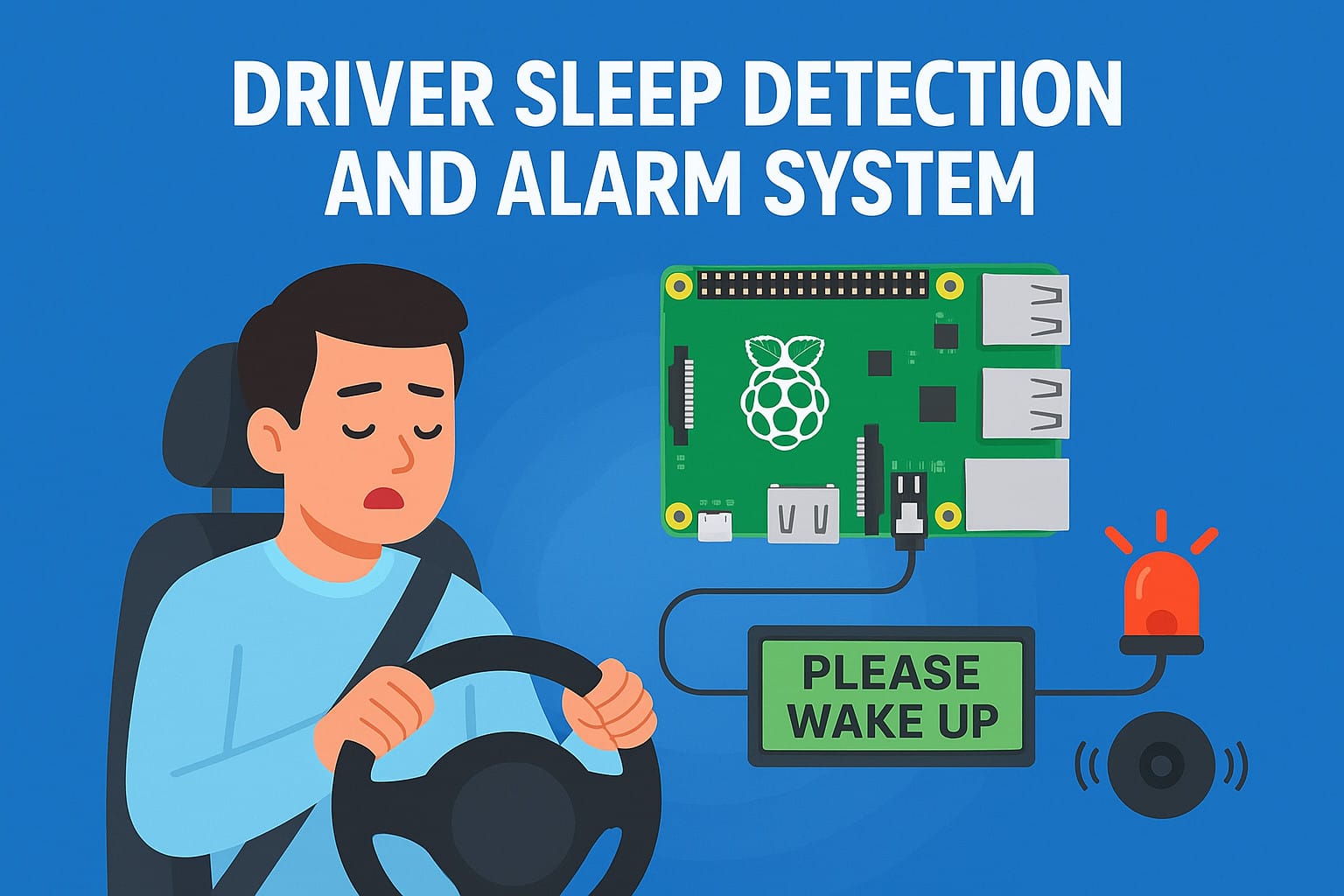
The IoT-based Driver Drowsiness Detection System is a project designed to help reduce road accidents caused by driver drowsiness.
Many accidents happen when drivers fall asleep during long drives or late-night trips.
To solve this issue, I created this project during my college days — a Driver Sleep Detection and Alarm System using Raspberry Pi that detects a driver’s eye blinks.
If the driver doesn’t blink for a few seconds, the system activates an alarm to wake them up.
In this blog, I’ll explain the entire project step by step — from components to working, testing, and future improvements.
Table of Contents
2. Objective of the Project
The main goal of this project is to reduce road accidents caused by sleepy drivers.
This system detects the driver’s eyes in real-time, identifies whether they are blinking, and triggers an alarm if the eyes remain closed for a few seconds.
According to a report by the World Health Organization, driver fatigue contributes to a large percentage of road accidents worldwide. See Here
Many affordable cars still lack such safety features — they’re mostly available only in luxury vehicles.
My objective was to make a low-cost system that can be implemented in any car, so that all drivers and passengers stay safe, regardless of the car model.
3. Hardware Components Used
| Component | Description |
| Raspberry Pi 3B+ | Main processing unit |
| Web Camera | Captures driver’s face |
| Buzzer | Gives alarm when driver sleeps |
| LCD Display | Shows messages like “Please Wake Up” |
| Red LED | Glows during alert |
| Power Supply 5V 3A | Provides stable power |
| Breadboard & Jumper Wires | Circuit connections |
| Micro SD Card 32GB | Stores Raspberry pi OS and program |
a) Raspberry Pi 3B+ :- Acts as the main processor (like a mini-CPU). It takes video input from the webcam, processes it, and controls the output devices like the LCD and buzzer.
b) Web Camera :- Captures real-time video of the driver’s face. The system analyzes eye movements to detect sleepiness.
c) Buzzer :- Produces a loud sound whenever the system detects that the driver is sleeping.
d) LCD Display :- Displays real-time messages such as “All OK – Drive Safe” or “Please Wake Up!”
e) Red LED :- Turns ON during alerts to give a visual warning.
f) Power Supply (5V 3A) :- Powers the Raspberry Pi and other components.
g) Breadboard & Jumper Wires :- Used for circuit connections between the components.
h) Micro SD Card (32GB) :- Stores the operating system, code, and required libraries.
4. Software and Libraries Used
a) Operating System:
Raspberry Pi OS — installed to make the Raspberry Pi a fully functional system capable of interacting with hardware and software.
b) Programming Language:
Python — used to build and run the detection logic easily with the help of libraries.
c) Libraries Used:
- OpenCV : For image and video processing; detects the driver’s eyes and blinks.
- NumPy : Handles mathematical operations and multi-dimensional arrays, useful in calculating eye aspect ratio.
- RPi.GPIO : Controls GPIO pins for external hardware like the buzzer, LED, and LCD.
- dlib : Detects the driver’s face and eye landmarks accurately.
- time : Used to measure time intervals and manage alarm delays.
d) Other Tools:
VNC Viewer : Used for remote access to the Raspberry Pi system.
5. Testing & Results
a) Software Testing – Laptop Screen
For testing, I opened VNC Viewer on my laptop and ran the Python code on Raspberry Pi.
The webcam started detecting my face and tracking my eyes in real time.
When I blinked normally, the laptop screen showed “Active.”
But when I closed my eyes for a few seconds, it laptop screen displayed “Sleeping” and triggered the buzzer. (Face blurred for privacy.)
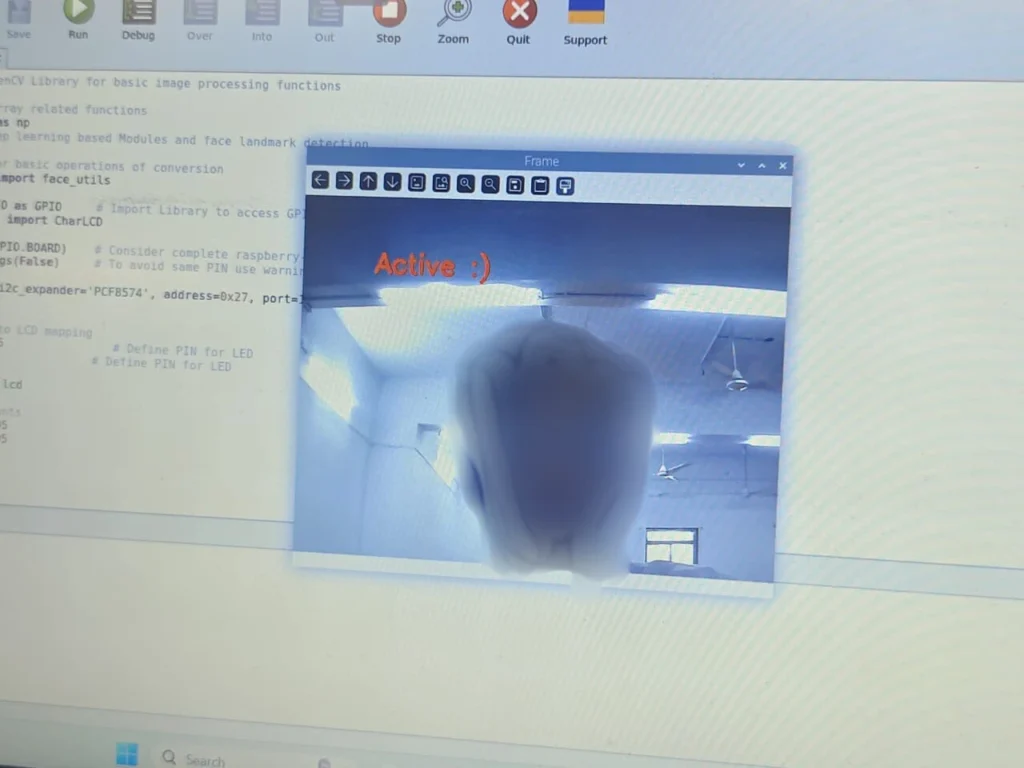
This image shows my laptop screen during testing when the system detected normal eye blinks. The Laptop screen displayed “Active,” and no alarm was triggered.
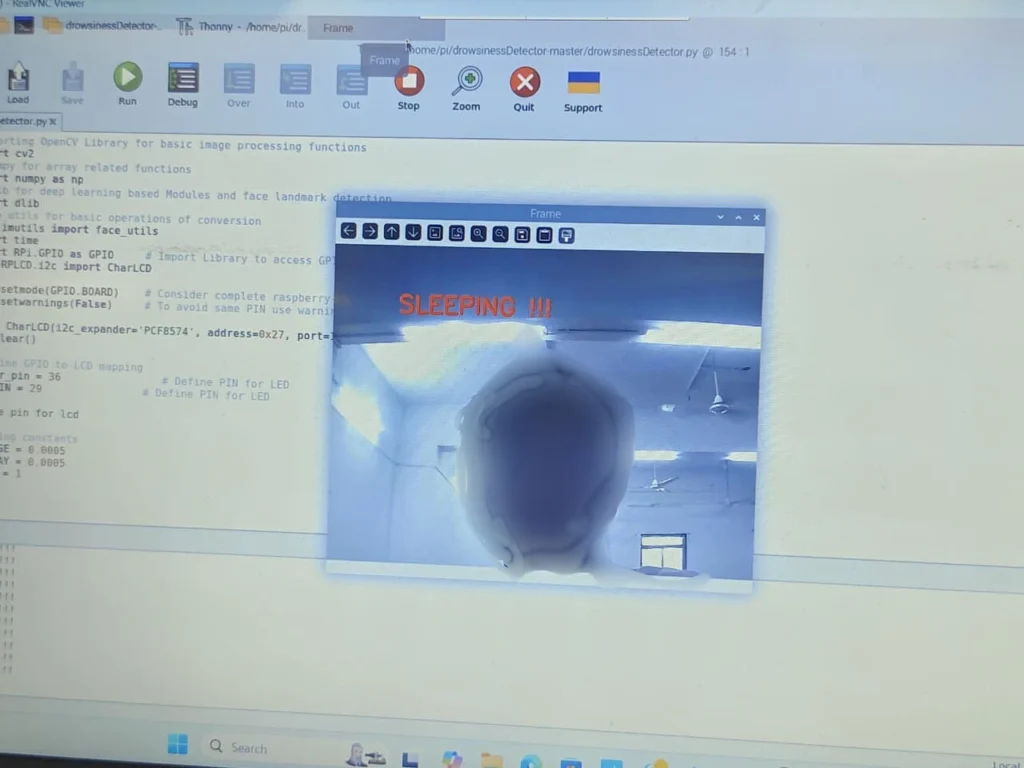
Here, the system detected that my eyes were closed for a few seconds. The laptop screen displayed “Sleeping” and the buzzer activated to alert the driver. (Face blurred for privacy.)
b) Hardware Output – LCD and Buzzer
After testing the software, I checked the physical hardware response.
The LCD ,LED and buzzer worked exactly as expected — showing different messages based on eye movement.
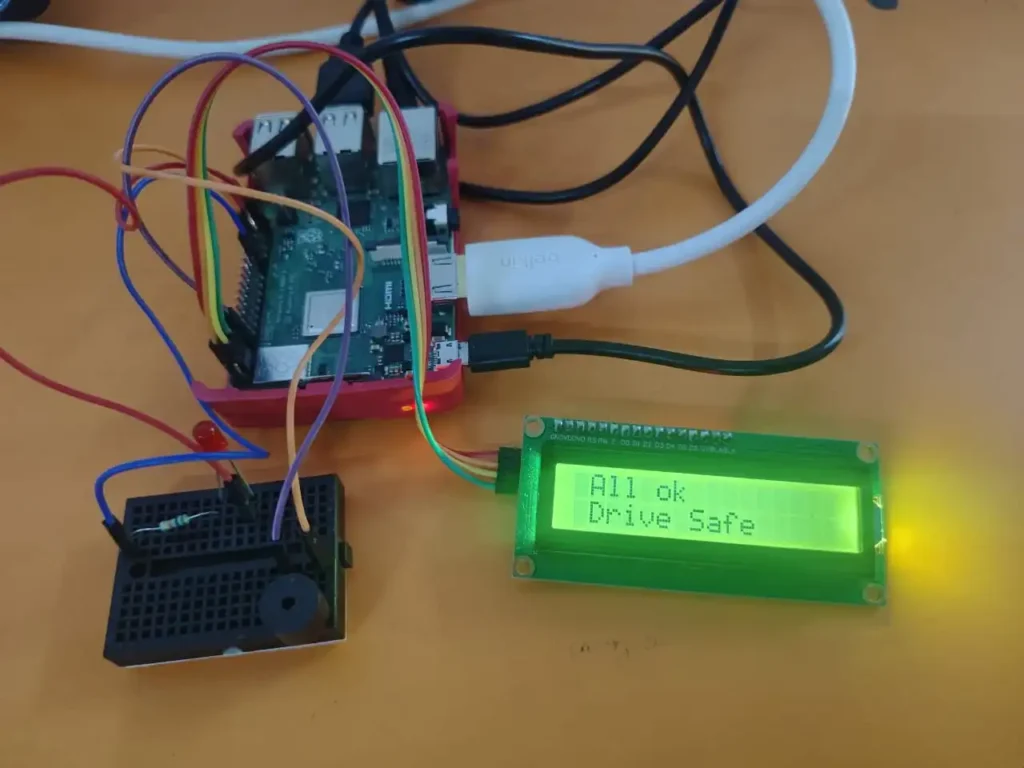
This is the hardware display showing “All OK Drive Safe.” The driver is alert, so the buzzer and LED remains off.
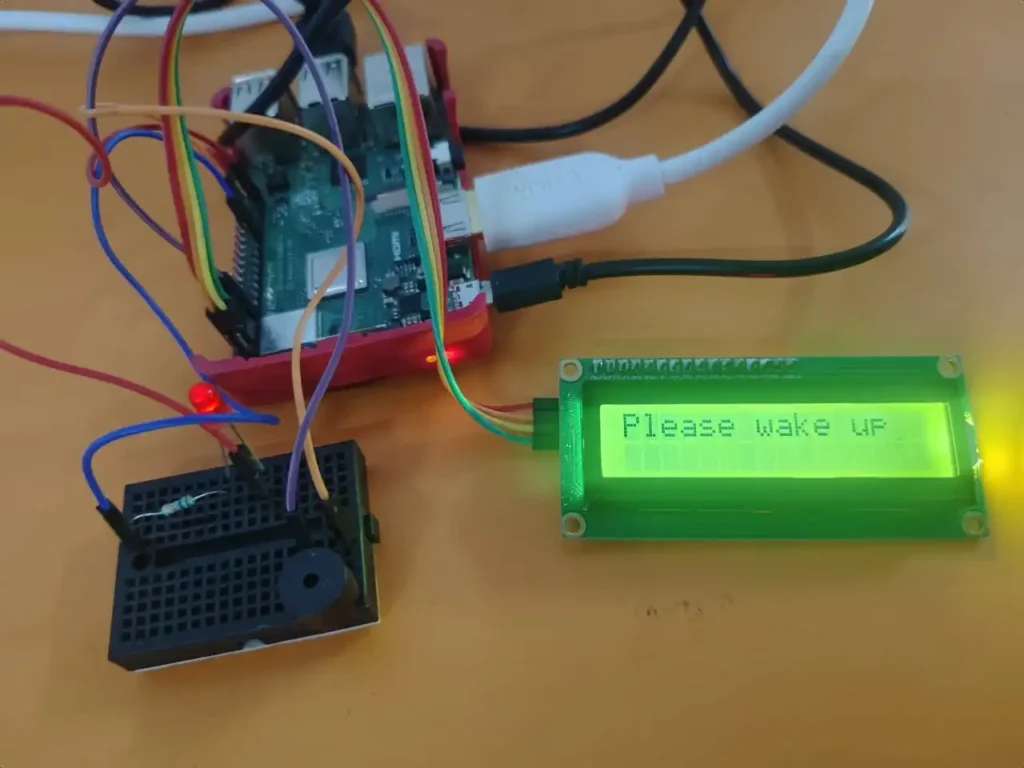
In this state, the LCD displays “Please Wake Up” and the buzzer & LED turns ON, alerting the driver to regain focus.
Final Testing Result :- After several tests, the system consistently detected whether the driver was active or drowsy.
Both the software output (on the laptop screen) and hardware output (on the LCD or LED) matched perfectly, showing that the detection algorithm and alert system are working in real time.
7. Outcome & Accuracy
The system worked well in most cases, but detection accuracy sometimes dropped with low-quality or blurry cameras.
Good lighting and a high-resolution camera greatly improved results.
For Best Performance :
- Use a stable camera mount.
- Ensure proper light inside the vehicle.
- Use HD or night-vision cameras for better accuracy.
8. Future Improvements / Scope
This system can be further enhanced in many ways :
- Improve detection accuracy with advanced AI models and more training data.
- Add a GPS module to send automatic emergency alerts with live location to hospitals and police stations.
- Integrate the system with the vehicle to auto-slow down or alert nearby vehicles.
- Connect the data to a smartphone IoT dashboard for real-time monitoring.
9. Conclusion
This project shows how AI and IoT can make driving safer by detecting drowsiness and preventing accidents.
It’s a simple yet powerful idea that can save lives if integrated into everyday cars.
In the future, I plan to improve accuracy and integrate GPS + AI for automatic emergency responses and smarter road safety.
Also Read :- 5 Free AI Tools you’ve never heard of that Save 5+ Hours in 2025
1. What is the main purpose of the Driver Sleep Detection System?
The goal of this driver sleep detection and alarm system using raspberry pi project is to detect when a driver feels sleepy and automatically trigger an alarm to prevent accidents.
2. Which technology is used in this project?
It uses IoT and Raspberry Pi technology with Python libraries such as OpenCV and dlib to detect the driver’s eyes and face in real time.
3. Can this system work in all lighting conditions?
It performs best in good lighting or with a high-quality camera. Low-light situations may reduce accuracy slightly.
4. How is this system different from commercial car alert systems?
This version is low-cost, open-source, and can be built by anyone. It brings smart safety technology to normal cars — not just luxury ones.
5. What improvements can be made in the future?
It can be upgraded with GPS tracking, automatic emergency alerts, and mobile app connectivity for real-time monitoring.
1 thought on “IoT-Based Driver Sleep Detection and Alarm System Using Raspberry Pi”