Last updated: July 2026. Every price and free-plan limit below was checked against the tool’s official pricing page this month
Last month I ran a personal experiment: replace every piece of paid productivity software I own with free AI tools for 30 straight days. No subscriptions, no trial cards, nothing that quietly charges me on day 31.
The result surprised me I got back roughly 12 hours in a single week, and the tools that saved the most time weren’t the ones everyone already talks about.
Most “best free AI tools” posts just list ChatGPT, Notion, and Canva. You already know those. This is a list of five genuinely underused free AI tools for students, creators, and small business owners in India that most people haven’t tried yet — and I’m including the exact free-plan limits, because that’s usually the part these posts get wrong (mine included, the first time I wrote this).
Table of Contents
Quick Comparison — 5 Underrated Free AI Tools (Updated 2026)
| Tool | Best For | Free Plan Reality | Replaces | My Rating |
|---|---|---|---|---|
| Gamma.app | Presentations & docs | 400 one-time credits, Gamma branding stays | PowerPoint + Designer | 4.6/5 |
| Notion AI | Notes & writing | 20 one-time AI replies, then paid add-on | Grammarly + Docs + Planner | 4.4/5 |
| Cleanvoice AI | Podcast & audio editing | 30-min one-time trial credit | Adobe Audition (basic use) | 4.3/5 |
| Durable.co | Website building | Free forever, capped at 3 pages | Hiring a web developer | 4.3/5 |
| Ideogram.ai | Image & text-in-image design | ~10 prompts/day, public gallery | Canva Pro + Photoshop | 4.6/5 |
Combine 2–3 of these tools together and you can automate an entire content workflow for ₹0/month.
If you’re curious about how far AI agents have come, I also reviewed one of the most talked-about AI agents of 2026 — Manus AI: Is This New AI Agent Better Than Devin? — worth reading before you pick your daily AI stack.
1. Gamma.app — The Best Free AI Tool for Presentations (No Design Skills Needed)
What It Actually Does
Gamma turns a plain text idea into a fully designed presentation, document, or webpage in a couple of minutes. You describe what you want, it handles fonts, layout, and spacing — no blank-canvas paralysis.
The Honest Free-Plan Limit
Here’s the part most posts skip: the free plan gives you 400 AI credits, once, not per month — these don’t refresh. And your exports carry Gamma’s branding until you upgrade. For a one-off project presentation or internship deck, 400 credits goes a long way. If you’re building decks weekly, you’ll hit the wall fast.
Why I Kept Using It Anyway
I used Gamma to build a project presentation that would’ve taken three hours in PowerPoint. It took under 20 minutes, and it looked cleaner than anything I’d made by hand — genuinely one of the best free AI tools for assignment presentations I’ve tried.
Who should use this: students building semester presentations or project reports, employees prepping quick client decks, marketers drafting pitch decks before final polish.
Free plan includes: one-time 400 AI credits, PDF/PPTX/PNG/Google Slides export, real-time collaboration.
Try it: https://gamma.app
2. Notion AI — Smartest Free Way to Organize Daily Work
What It Actually Does
Notion AI writes, summarizes, edits, and outlines content right inside your existing Notion workspace — no separate app to open.
The Honest Free-Plan Limit
Notion’s free workspace itself is genuinely free forever (unlimited pages and blocks for solo use). But Notion AI is different: you get 20 AI responses total, one time, not monthly — after that it’s a paid add-on (roughly $8–10/user/month). Use those 20 wisely; don’t burn them testing random prompts.
Why I Kept Using It
Even with limited AI credits, the base tool is what saved me the most time. I use it two ways: summarizing long research articles or lecture transcripts into 5 bullet takeaways, and generating a first-draft outline before I write anything. What used to take 20 minutes now takes under a minute — this is one of the better free AI tools for exam preparation and study notes precisely because the free structure (not just the AI) does the heavy lifting.
Who should use this: students organizing study notes, bloggers planning content, anyone drowning in long documents.
Free plan includes: unlimited pages/blocks for individual use, 20 one-time AI responses, mobile and desktop access.
Try it: https://www.notion.so/product/ai
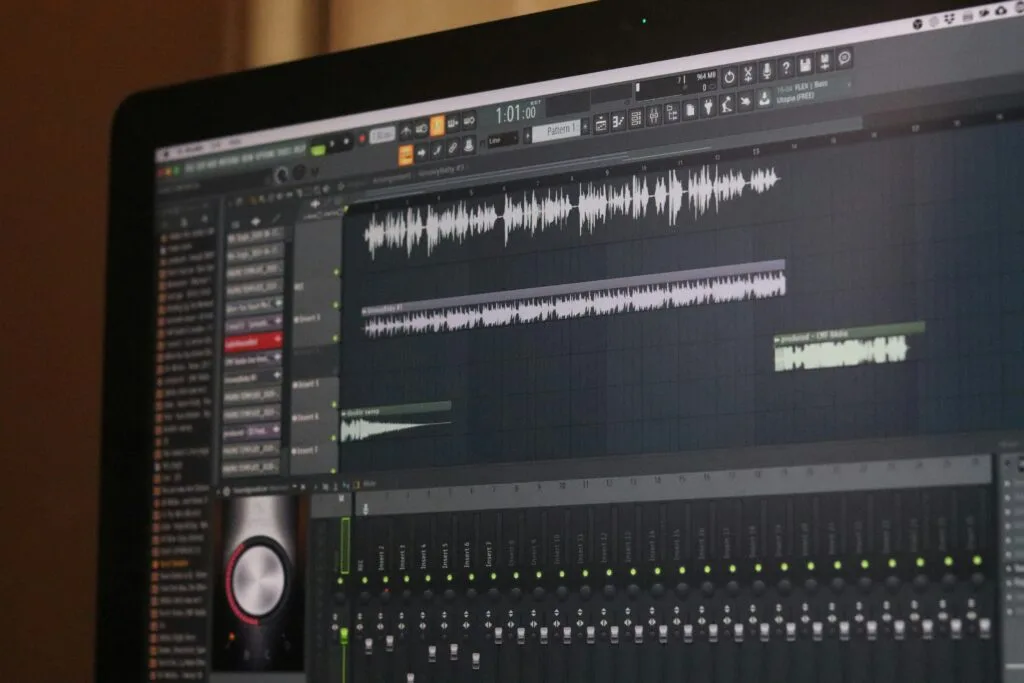
3. Cleanvoice AI — The Best Free AI Tool for Audio Editing (Podcasters, Listen Up)
What It Actually Does
Cleanvoice strips filler words (“um,” “uh,” “like”), long silences, and background noise out of any recording automatically, and generates a transcript alongside it.
The Honest Free-Plan Limit
This is a 30-minute one-time trial, not a monthly allowance — the credit is valid for two years, so you’re not rushed, but it’s not a recurring free tier. After that, paid plans start around $11/month for 10 hours of processing.
Why I Kept Using It
Before Cleanvoice, a 10-minute voiceover took me 45–60 minutes to clean up manually in Audacity. Now it’s a few minutes, and the transcript alone is worth it — I repurpose it into blog posts and captions. One recording, three content pieces.
Who should use this: podcasters and YouTubers who want cleaner audio without editing hours, course creators who need trustworthy-sounding recordings.
Free plan includes: one-time 30-minute processing credit, automatic transcript, filler-word and silence removal.
Try it: https://cleanvoice.ai
4. Durable.co — AI Website Builder That Built My Site in Under a Minute
What It Actually Does
Type your business type and location, and Durable’s AI generates a complete website — layout, images, copy, color scheme — in under a minute. No code, no drag-and-drop.
The Honest Free-Plan Limit
The free plan is genuinely free forever (not a trial), but it caps you at 3 pages and 5 CRM contacts, with no invoicing — those need a paid plan (roughly $22/month billed annually). For a simple portfolio or single-service landing page, the free cap is enough.
Why I Kept Using It
I built a test portfolio site for a freelance project — start to finish, under 20 minutes including customization. A freelance developer would’ve charged several thousand rupees for the same result. It’s not built for complex e-commerce, but as one of the more practical free AI tools for small business owners in India who just need a working site fast, it delivers.
Who should use this: freelancers needing an instant portfolio, local businesses (tutors, salons, small shops), students building a personal site for internship applications.
Free plan includes: AI-generated site, subdomain hosting, basic AI assistant, up to 3 pages.
Try it: https://durable.co
5. Ideogram.ai — The Free AI Image Tool That Finally Gets Text Right
What It Actually Does
Most AI image generators mangle text inside images — broken logos, garbled poster text. Ideogram actually renders clean, readable text inside generated images: posters, thumbnails, social graphics.
The Honest Free-Plan Limit
Free gives you roughly 10 prompts a day (about 40 images, since each prompt yields multiple variations) on a slower queue, and — this is the part worth knowing — free-tier images are posted to a public gallery, with limited commercial rights. If you need private, fully commercial images, that requires the paid Basic plan (~$8/month).
Why I Kept Using It
For public-facing content like blog thumbnails and social posts, the public-gallery limitation doesn’t matter much, and the quality is genuinely better than generic stock photos. For Indian creators, this is one of the more useful free AI tools for YouTube thumbnails and blog images because it replaces both Canva Pro and paid stock subscriptions for everyday use.
Who should use this: YouTubers needing thumbnails that stand out, bloggers wanting unique featured images, small brands drafting logo or promo concepts (before commercial-use images, upgrade first).
Free plan includes: ~10 prompts/day, most style options, public commercial-limited outputs.
Try it: https://ideogram.ai
Who Should Use These Free AI Tools for Students India?
If you’re an office employee: Notion AI for notes and reports, Gamma for decks. I also wrote a full guide on free AI tools to automate daily office work if you want more workplace-specific options.
Want to go deeper on office automation specifically? I wrote a full separate guide on this — 5 Free AI Tools to Automate Daily Office Work (That Really Help) — it covers different tools built specifically for workplace tasks.
If you’re a student: start with Notion AI for notes (use your 20 free responses on outlining, not random Q&A) and Gamma for presentations. Together they cut assignment and project time significantly.
If you’re a content creator or blogger: Ideogram for images, Cleanvoice for your one big audio cleanup pass, Notion AI for planning. A near-zero-cost content workflow, once you understand the credit limits.
If you’re a freelancer or small business owner: Durable gets a simple site live fast, Gamma handles client presentations. For a deeper toolkit, see my guide on AI tools for business owners who want faster growth without hiring more staff.
If you’re running a business and want a more complete AI toolkit, check out my detailed guide — Best AI Tools for Business Owners Who Want Faster Growth Without Hiring More Staff — it covers paid and free options built for business growth.
The Future of Free AI Tools (What’s Changing Heading Into Late 2026)
Free tiers in 2026 aren’t shrinking — but they are shifting from “unlimited light use” to “generous one-time credits, then pay for volume.” That’s a meaningfully different model than what most 2023–2024 roundups describe, which is exactly why so many older “best free AI tools” posts are quietly wrong today.
The direction things are heading: fewer single-purpose free tools, more AI stacks that chain a whole workflow — record a lecture, clean the audio, summarize it, turn it into a presentation. Early versions of that chaining already exist across the tools above.
Start with one tool. Use it daily for a week before adding a second. That’s when the actual time savings show up.
FAQs – free AI tools for students India
Which free AI tool is best for writing and study notes in 2026?
Notion AI is the strongest starting point — it outlines, summarizes, and edits inside your existing notes. Just budget your one-time 20 free responses toward outlining and summarizing rather than casual back-and-forth.
Can I use free AI tools for YouTube thumbnails without watermarks?
Ideogram’s free plan doesn’t add a watermark, but images are posted publicly and carry limited commercial rights — fine for a personal channel, not guaranteed clear for monetized commercial use without upgrading.
Which free AI tool works without login or signup?
Gamma.app lets you generate a basic presentation without creating an account. Ideogram also allows guest generations. However, creating a free account unlocks more features on all platforms.
Do these free AI tools work on mobile in India?
All 5 tools work on mobile browsers. Notion has a dedicated Android and iOS app. Gamma and Ideogram work well on Chrome mobile. Cleanvoice is best used on desktop for file uploads.
Are these tools safe to use for student assignments?
Yes, these tools are safe to use. However, always add your own words, personal examples, and original thinking on top of any AI-generated content — especially for academic submissions.
My Final Verdict – free AI tools for students India
Thirty days of testing taught me this: you don’t need expensive software to be productive — you need the right free tools, used consistently, with realistic expectations about their limits.
If I had to pick two to start with today, it’s Notion AI for daily work and Ideogram for visuals. Master those first, understand exactly where their free tiers end, then add the others as your workflow grows.
The biggest mistake I see people make with AI tools isn’t picking the wrong one — it’s downloading ten and using none of them regularly. Pick one. Use it daily for a week. That’s when it actually starts saving you time.
Visit TechByDevansh for more AI tools, tutorials, and productivity guides.