

Last month, I ran a personal experiment.
I challenged myself to replace all my paid productivity software with free AI tools for students india only for 30 straight days. No subscriptions, no trials, no credit card required. Just tools with solid free plans that actually work.
The result? I saved 12+ hours of work in a single week. And honestly, I was surprised by which tools made the biggest difference.
Here’s the truth — most blog posts about free AI tools for productivity just list ChatGPT, Notion, and Canva. You already know those. This guide is different.
I’m sharing 5 genuinely underrated free AI tools for students india that most people in India haven’t tried yet — tools that are beginner-friendly, work without a paid plan, and can completely change how you study, create content, or run your work day.
Whether you’re a student drowning in assignments, a content creator making YouTube videos, or a small business owner doing everything yourself — these free AI tools for students india, creators, and professionals in India (2026) will save you real time starting today.
Let’s get into it. 👇
Table of Contents
Quick Comparison — 5 Underrated Free AI Tools (2026)
| Tool | Best For | What It Replaces | My Rating |
|---|---|---|---|
| Gamma.app | Presentations & Docs | PowerPoint + Designer | 4.8/5 |
| Notion AI | Notes & Writing | Grammarly + Docs + Planner | 4.6/5 |
| Cleanvoice AI | Audio & Podcast Editing | Adobe Audition (basic use) | 4.5/5 |
| Durable.co | Website Building | Hiring a web developer | 4.3/5 |
| Ideogram.ai | Image & Graphic Design | Canva Pro + Photoshop | 4.7/5 |
Combine 2–3 of these tools together and you can automate an entire content workflow for ₹0/month.
If you’re curious about how far AI agents have come, I also reviewed one of the most talked-about AI agents of 2026 — Manus AI: Is This New AI Agent Better Than Devin? — worth reading before you pick your daily AI stack.

1. Gamma.app — The Best Free AI Tool for Presentations (No Design Skills Needed)
What Is It?
Okay, I’ll be honest — when I first heard about Gamma, I thought it was just another slideshow tool. I was wrong.
Gamma.app is an AI-powered tool that turns a plain text idea into a fully designed presentation, document, or webpage — in under 2 minutes. You type your content, pick a style, and it handles every single design decision automatically. Fonts, colors, layouts, spacing — all done.
You can export your finished work as a PDF, PowerPoint, or Google Slides format. And the free plan? It’s genuinely usable — not crippled like most free tiers.
Why I Kept Using It
I used Gamma to create a project presentation that would have taken me 3 hours in PowerPoint. It took 18 minutes. The slides looked more professional than anything I had made manually.
What makes it stand out is that it’s AI-first by design. There’s no blank canvas staring at you. You just describe what you want and it builds it. For someone who hates slide design (like me), it’s a game-changer.
Who Should Use This – free AI tools for students India
- Students — semester presentations, project reports, internship decks
- Employees — meeting decks, proposals, reports for clients
- Marketers — campaign presentations, pitch decks
Free Plan Includes
- Unlimited AI generations (with credits)
- PDF and PPT export
- No watermark on most exports
Try it: https://gamma.app
2. Notion AI — The Smartest Free AI Tool for Daily Work in 2026
What Is It?
Notion has been popular for years. But Notion AI is a different beast entirely.
It turns your Notion workspace into a personal AI assistant that writes, summarizes, edits, organizes, and plans — all inside your existing notes and documents. You don’t need to open a separate AI tool. It works right where you already work.
Why I Kept Using It
I use Notion AI in two specific ways that save me the most time:
First — summarizing long articles. I paste a research article or YouTube transcript and ask Notion AI to give me 5 bullet point takeaways. What used to take 20 minutes takes 45 seconds.
Second — content outlining. Before writing any blog post or article, I ask Notion AI to generate a full outline with headings. It gives me a clear structure immediately, and I just fill in my own words and experience.
For anyone dealing with information overload — students, bloggers, or office workers — this is one of the most practical free AI tools for daily work available right now.
Who Should Use This – free AI tools for students India
- Students — study notes, exam prep, research summaries
- Bloggers & creators — content planning, outlines, editing
- Team workers — meeting notes, task organization, SOPs
Free Plan Includes
- Limited AI responses per month (enough for light daily use)
- Full Notion workspace access
- Works on mobile and desktop
Try it: https://www.notion.so/product/ai
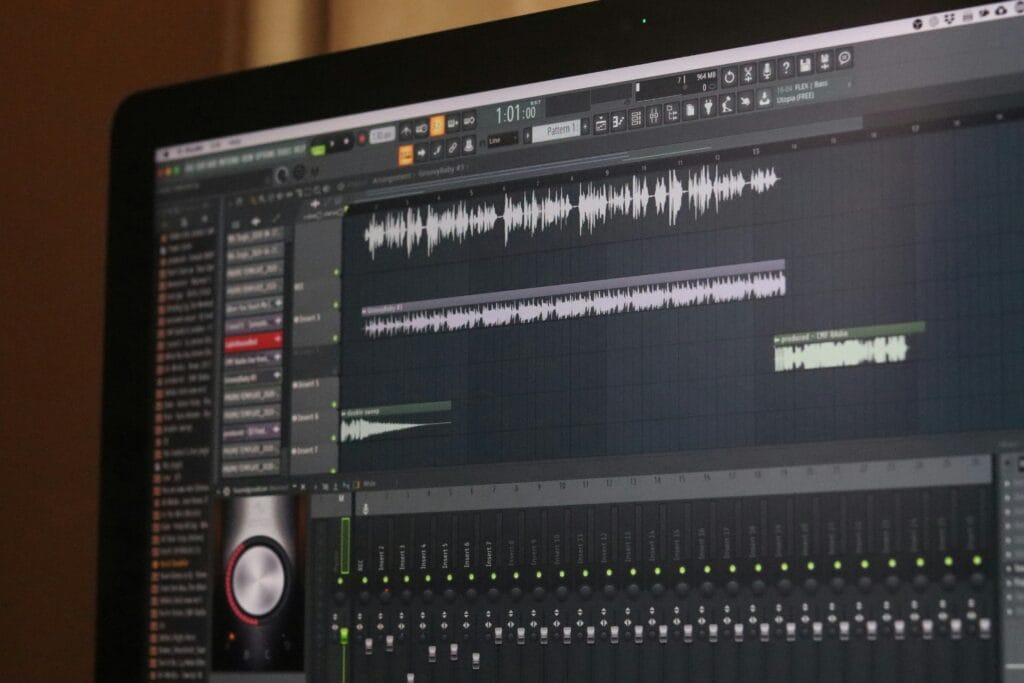
3. Cleanvoice AI — The Best Free AI Tool for Audio Editing (Podcasters, Creators, Listen Up)
What Is It?
This one is the most underrated tool on this entire list. Seriously, almost nobody talks about it.
Cleanvoice AI automatically removes filler words (“um”, “uh”, “like”, “basically”), long awkward silences, and background noise from any audio recording. It also generates a clean transcript of your audio. All automatically, without you touching a single audio timeline.
Why I Kept Using It
I record a lot of audio — tutorial voiceovers, notes, and occasional podcast-style content. Before Cleanvoice, I spent 45–60 minutes editing a 10-minute audio file in Audacity. With Cleanvoice, I upload the file and get a clean version back in minutes.
The transcript feature alone is worth it. I use the transcripts to write blog posts, create captions, and repurpose audio content into written articles. One recording, multiple content pieces — that’s the real time-saver.
Who Should Use This – free AI tools for students India
- Podcasters — publish faster, sound more professional
- YouTubers & video creators — cleaner voiceovers without editing hours
- Online coaches and course creators — clean audio = more trust from students
Free Plan Includes
- Basic transcript generation
- 30 minutes of audio processing per month
- Filler word removal + silence trimming
Try it: https://cleanvoice.ai
4. Durable.co — AI Website Builder That Built My Site in 30 Seconds
What Is It?
I know what you’re thinking — “A website in 30 seconds? That sounds fake.”
I thought the same thing. Then I tried it.
Durable.co is an AI website builder where you type your business type and location, and the AI generates a complete, real website — with layout, images, text, and color scheme — in literally 30 seconds. No coding. No drag-and-drop. No hiring a developer.
It also comes with a built-in CRM, invoicing tool, and blog — making it a surprisingly complete toolkit for small businesses and freelancers.
Why I Kept Using It
I built a test portfolio site for a freelance project using Durable. Start to finish, including some customization, it took under 20 minutes. A developer would have charged ₹5,000–₹15,000 for the same result.
Is it perfect for large businesses with complex requirements? No. But for freelancers, local businesses, or anyone who just needs a clean, functional website fast — it’s one of the best free AI tools that replace paid software in 2026.
Who Should Use This – free AI tools for students India
- Freelancers — instant portfolio or service page
- Local businesses — bakeries, tutors, salons, repair shops
- Startups — MVP landing page in minutes
Free Plan Includes
- Subdomain hosting included
- Full AI website generation
- Basic CRM and invoicing
Try it: https://durable.co
5. Ideogram.ai — The Free AI Image Tool That Finally Gets Text Right
What Is It?
Every AI image tool has the same fatal flaw — they can’t render text properly inside images. Logos come out broken. Poster text looks like random symbols.
Ideogram.ai solves this problem. It’s a free AI image generator that actually produces clean, readable text inside images. Posters, thumbnails, logos, social media graphics — it handles all of them with sharp, usable results.
You just type a prompt describing what you want, choose a style (realistic, 3D, minimal, cinematic), and download your image. Free. No watermark on most outputs.
Why I Kept Using It
I use Ideogram to create featured images and blog thumbnails. The quality is genuinely better than generic stock photos, and since I create them with specific prompts, they’re unique to my content.
For Indian creators — this is one of the best free AI tools for content creators right now because it replaces both Canva Pro and paid stock photo subscriptions for many use cases.
Who Should Use This – free AI tools for students India
- YouTubers — thumbnails that stand out
- Bloggers — unique featured images for every post
- Social media creators — Instagram posts, reels covers, story graphics
- Small brands — logo drafts, product mockups, promotional banners
Free Plan Includes
- Commercial use allowed on most plans
- 25 free image generations per day
- Multiple style options
Try it: https://ideogram.ai
Who Should Use These Free AI Tools for Students India?
Here’s a simple breakdown based on who you are:
If you’re a student — Start with Notion AI for notes and summaries, and Gamma for presentations. These two alone will cut your assignment time in half.
If you’re a content creator or blogger — Use Ideogram for images, Cleanvoice if you record audio, and Notion AI for content planning. This is a full content workflow for ₹0.
If you’re a small business owner or freelancer — Durable gets you a website fast, and Gamma handles any client presentations you need.
If you’re running a business and want a more complete AI toolkit, check out my detailed guide — Best AI Tools for Business Owners Who Want Faster Growth Without Hiring More Staff — it covers paid and free options built for business growth.
If you’re an office employee — Notion AI for notes and reports, Gamma for presentations. Two tools, massive time savings.
Want to go deeper on office automation specifically? I wrote a full separate guide on this — 5 Free AI Tools to Automate Daily Office Work (That Really Help) — it covers different tools built specifically for workplace tasks.
The Future of Free AI Tools (What’s Coming in 2026)
We’re at a point in 2026 where free AI tools for beginners are doing things that cost thousands of rupees per month just two years ago. The gap between free and paid is closing faster than most people realize.
What’s coming next is AI tools that handle entire workflows — not just single tasks. Imagine one tool that records your meeting, cleans the audio, writes the summary, creates a presentation, and sends follow-up emails. That’s not science fiction — early versions of that already exist.
The people who start learning and experimenting with these tools today will have a massive advantage in productivity, income, and career growth over the next 2–3 years.
Start now. Even with one tool. Build the habit.
FAQs – free AI tools for students India
Which free AI tool is best for writing blog posts in 2026?
Notion AI is the best starting point for bloggers. It helps with outlining, editing, summarizing research, and even fixing grammar — all inside your writing workspace without switching tabs.
Are these free AI tools available in India without VPN?
Yes, all 5 tools — Gamma, Notion AI, Cleanvoice, Durable, and Ideogram — are fully accessible in India without any VPN. They work on any browser and most have mobile apps too.
Can I use free AI tools for YouTube thumbnails without watermarks?
Yes. Ideogram.ai’s free plan generates images without watermarks, making it perfect for YouTube thumbnails, blog featured images, and social media posts.
Which free AI tool works without login or signup?
Gamma.app lets you generate a basic presentation without creating an account. Ideogram also allows guest generations. However, creating a free account unlocks more features on all platforms.
Do these free AI tools work on mobile in India?
All 5 tools work on mobile browsers. Notion has a dedicated Android and iOS app. Gamma and Ideogram work well on Chrome mobile. Cleanvoice is best used on desktop for file uploads.
Are these tools safe to use for student assignments?
Yes, these tools are safe to use. However, always add your own words, personal examples, and original thinking on top of any AI-generated content — especially for academic submissions.
My Final Verdict – free AI tools for students India
Here’s what 30 days of testing taught me:
You don’t need expensive software to be productive. You need the right free tools used consistently.
If I had to pick just two to start with today — I’d say Notion AI for daily work and Ideogram for visuals. Master those first, then add the others as your workflow grows.
The biggest mistake people make with AI tools is downloading 10 apps and using none of them regularly. Pick one. Use it every day for a week. That’s when the real time savings kick in.
Visit TechByDevansh for more AI tools, tutorials, and productivity guides.
