
Last updated: August 2, 2026
In 2026, content creation is no longer about working harder it’s about working smarter with AI. Whether you are a YouTuber, blogger, Instagram creator, freelancer, or solopreneur, using the Best AI Tools for Content Creators can help you produce high-quality content faster, without burnout.
The truth is simple: Creators who understand AI workflows grow faster than those who ignore them.
But here is the real problem most articles miss. Search behavior itself has changed. Recent clickstream data from SparkToro and Bain & Company shows roughly 68% of U.S. Google searches now end without a single click — and that number jumps to about 83% the moment an AI Overview appears on the page.
Pew Research has gone further, finding that only around 1% of people who see an AI Overview ever click through to the source it cited. If your content is not built to be understood and cited by AI systems, you are becoming invisible in the fastest-growing part of search.
This guide covers both sides — the best AI tools for content creators and how to make your content visible everywhere people search in 2026.
I am a blogger who actively uses AI in my daily content workflow. Every tool mentioned here is connected to a real use case so you know exactly which AI tool to use, when to use it, and why.
Follow us for the latest AI tools, tech gadgets, DevOps, and buying guides to stay ahead in technology.
Table of Contents – Best AI Tools for Content Creators
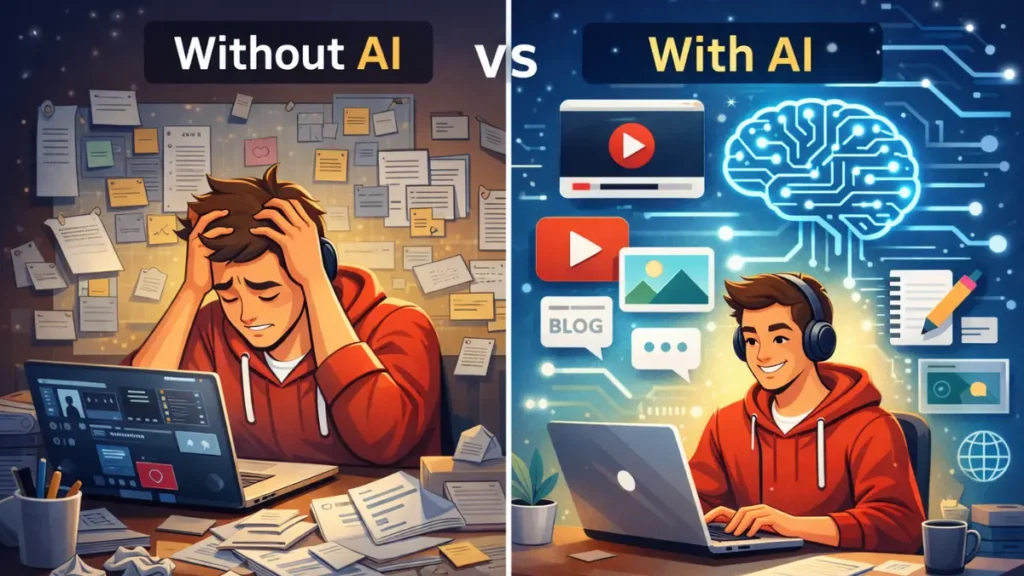
Why Content Creators Need AI Tools in 2026
The creator economy has become extremely competitive. Well over 200 million people now call themselves content creators. Algorithms change frequently, audience attention is shorter than ever, and platforms expect consistent, high-quality content across multiple channels simultaneously.
That’s exactly why AI tools for content creators 2026 are no longer optional — they’re essential.
According to industry research, creators who adopt AI workflows are able to publish more consistently without sacrificing quality.
AI tools help creators to:
- Generate content ideas faster using real search data
- Write scripts and captions that sound human, not robotic
- Design thumbnails and visuals without design experience
- Repurpose one piece of content into 10 platform-specific pieces
- Save 5 to 10 hours every single week
When used correctly, AI content creation tools do not kill creativity — they enhance it. AI handles repetitive tasks so creators can focus on storytelling, originality, and audience connection.
How I Tested These Best AI Tools for Content Creators
To make this guide trustworthy and experience-based — which is what Google’s EEAT (Experience, Expertise, Authoritativeness, Trustworthiness) standards actually reward — here is exactly how I approached this:
I built this list specifically around the best AI tools for content creators — not generic productivity apps, not enterprise software.
- I tested AI tools using real creator use cases not demo screenshots
- I focused on ease of use for solo creators, not enterprise teams
- I included honest limitations alongside benefits no paid promotions here
- I prioritized tools that are still actively updated and maintained in 2026
- I added unique and lesser-known tools that most other guides completely ignore, like what’s genuinely different in each tool this year, not just what it does
This approach ensures this guide reflects real-world AI workflows for content creators, not just theory recycled from other blogs.
Best AI Tools for Content Creators by Use Case (2026)
Instead of listing random tools, I have organized the best AI tools for content creators based on actual creator tasks the same way I think about them in my own workflow.
The best AI tools for content creators always start with research, because a great tool can’t fix a bad topic idea.
1. Best AI Tools for Content Ideas & Research
Many creators stop creating not because they lack motivation, but because they run out of ideas. The real problem is not creativity it is not having a system to find what your audience is already searching for.
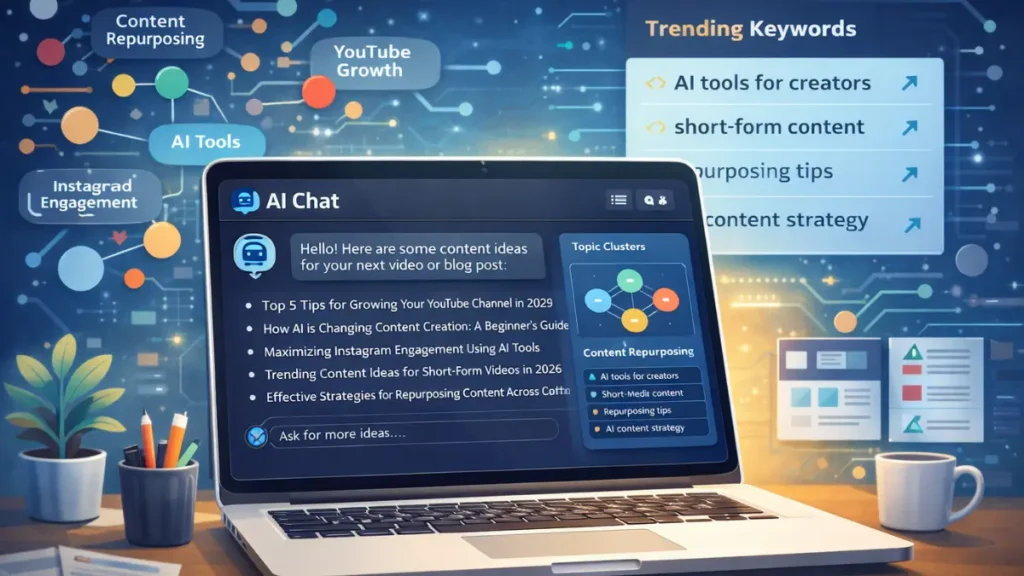
What to Look For
- Idea expansion
- Trend understanding
- Topic clustering
- Platform-specific suggestions
Best Fit For
- Bloggers
- YouTubers
- Short-form creators
ChatGPT: best for idea expansion, content angles, and brainstorming, now running on GPT-5.5 Instant. Use specific prompts, vague prompts still produce vague, generic output. Advanced Voice Mode is free for every ChatGPT user now, so you can literally talk through an idea out loud on a walk and get a structured outline back.
Perplexity (Comet Browser): this is the single biggest research upgrade of 2026, and most creator guides still haven’t caught up. Perplexity’s Comet browser was a $200/month product last year. It’s now free on Mac, Windows, Android, and iOS, and it dropped ads from its answers entirely in February 2026 in favor of a subscription-first model, which means fewer sponsored results skewing your research.
Comet reads the tab you’re on, so you can highlight a competitor’s article and ask it to pull the stats, or ask it to compare three articles open in three tabs at once. The “Related Questions” section still gives you 8 to 10 content ideas per search that your competitors haven’t covered yet, and Max subscribers now get a “Model Council” feature that runs a query through multiple frontier models at once and shows you where they agree and disagree, which is genuinely useful for fact-checking before you publish.
Notion AI: best for organizing ideas into structured content calendars and publishing systems.
AnswerThePublic: best for discovering the exact questions your audience types into Google. Build your FAQ section directly from this data this is the foundation of AEO (Answer Engine Optimization).
For a deeper dive into research workflows, read our full guide on AI Tools for Content Ideas & Research so you never run out of ideas again.
AirOps: AirOps is an agentic AI platform that automates full content research and production pipelines. Instead of prompting one tool at a time, AirOps chains multiple AI steps together research, outline, draft, optimize automatically. Serious content teams are calling it the biggest efficiency unlock of 2026. Worth testing if you publish more than three pieces of content per week.
If you are a blogger specifically, this guide shows you exactly how one AI tool generates 100 blog ideas in under an hour — a must-read before building your content calendar.
Pro Tip: Use AI only for idea angles and research direction. Final content must always include your own judgment, personal experience, and original opinion — that is what gets cited by AI search engines and ranked by Google.
2. Best AI Tools for Script Writing & Long-Form Content
Writing blogs, video scripts, or newsletters takes the most time in any creator’s week. AI writing tools give you a rough draft to react to and improve not a finished product to copy-paste.
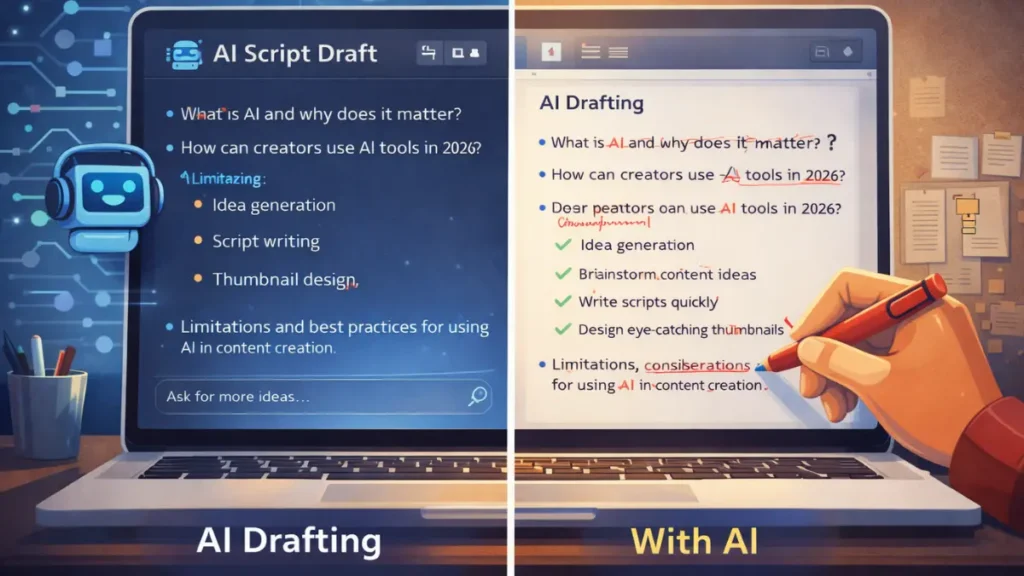
How AI Helps
- Creates outlines quickly
- Improves clarity and structure
- Helps overcome writer’s block
- Speeds up first drafts
Best Fit For
- YouTubers
- Bloggers
- Course creators
Claude AI: Claude AI: still the best AI writing tool for long-form content in 2026, and it just got another real upgrade. Claude Sonnet 5 became the default model for Free and Pro users on June 30, 2026, and it noticeably holds your tone and style instructions across much longer documents than earlier versions did, which matters if you’re drafting a 2,000-word article in one sitting.
Its output remains the most natural-sounding of any writing AI currently available, and it follows complex style guides without slipping into the robotic phrasing that makes other AI tools easy to spot. Best for blog posts, YouTube scripts, and newsletters.
Free tier available. Pro is still $20 per month, which is genuinely good value given the model upgrades have shipped without a price increase.
If you create YouTube content specifically, we put together a dedicated guide on the best AI tools for YouTube script writing in 2026 — it covers the exact 4-step workflow we tested on a real tech review channel, including which tools handle long-form scripts without losing your natural voice on camera.
Jasper AI: best for structured marketing content and brand-consistent copy at scale. Jasper’s Brand Voice feature is the most advanced in the market for creators managing sponsored content or business writing.
Grammarly AI: best for clarity, tone, and grammar refinement after your first draft is complete.
Writesonic: handles long-form SEO articles and integrates directly with Surfer SEO for real-time optimization as you write. If you run a blog that depends on search traffic, this combination is still one of the most efficient writing-to-ranking workflows available.
New-generation AI writing systems are evolving rapidly, especially agent-based tools designed for creators.
Using AI writing tools for content creators and AI script writing tools can save hours, but AI drafts are never perfect.
Honest Limitation: content becomes powerful only after you edit it with your personal voice and real opinions. AI gives you speed. You provide the quality.
3. Best AI Tools for Thumbnails, Images & Visuals
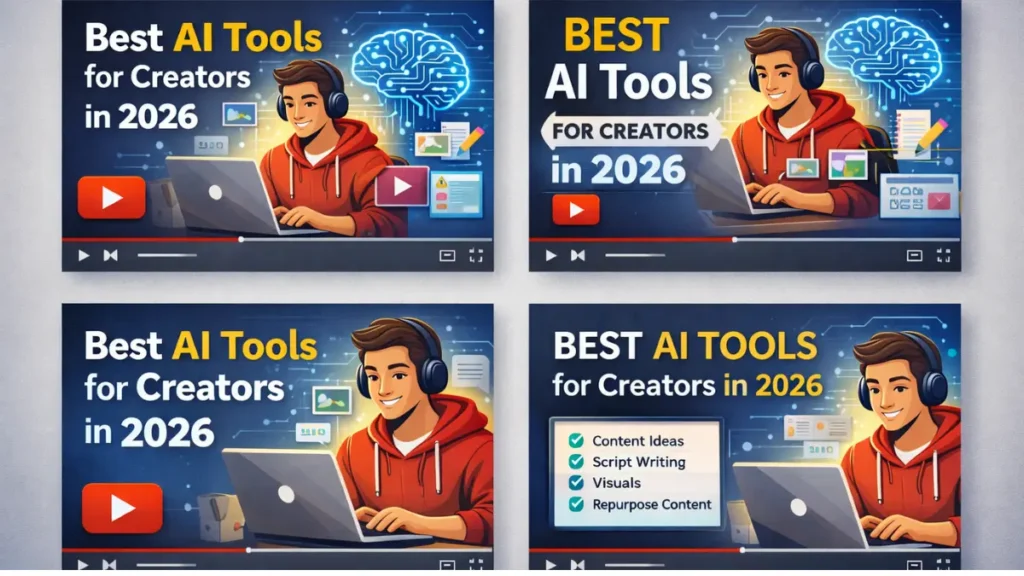
In 2026, visuals decide click-through rate, watch time, and reach before a single word is read. A strong thumbnail can double your YouTube click-through rate. Most creators know this but still use generic templates that look identical to every other channel in their niche.
What AI Does Well
- Generates base visuals
- Improves design speed
- Creates multiple variations quickly
Midjourney V7: still the best AI image generator for high-quality, creative thumbnails and visuals. Generate the background in Midjourney, add your text overlay in Canva, this is the workflow most successful YouTubers use, because Midjourney still leads on photorealism and faces while Canva handles layout and text.
ChatGPT Images (gpt-image-2): the best free AI thumbnail generator for quick visuals without extra accounts or setup, and it got a real overhaul in April 2026. The new Images 2.0 model can generate up to eight coherent images from a single prompt while keeping the same character or product consistent across all of them, which used to require elaborate prompt-chaining tricks.
Canva AI: the best all-in-one design tool for creators who are not professional designers, and 2026 has been its biggest year yet. Canva AI 2.0 introduced “Creative Agents” that can adapt an entire campaign from one platform to another (say, reshaping an Instagram post into a TikTok-ready format) with minimal input.
Dream Lab, Canva’s image generator built on Leonardo AI’s Phoenix model, picked up a genuine quality bump in April 2026, including much better text rendering inside generated images, plus a Style Transfer feature that matches a reference image’s look across new visuals.
Canva also made its full Affinity design suite (a real Photoshop and Illustrator alternative) free in 2026. All of this still sits under Canva Pro at roughly $15/month, which remains one of the best value bundles in creator tools.
Adobe Firefly: best for commercial-safe AI images. Firefly is trained only on licensed content, making every image legally safe for brand deals, sponsorships, and commercial content.
Leonardo AI: gaining serious traction for its level of customization, which now also powers Canva’s Dream Lab under the hood. You can train it on your own visual style, maintain brand consistency across images, and control artistic parameters in ways general-purpose generators don’t allow. Ideal for creators building a strong, consistent visual identity.
As a blogger, I use AI to generate visual concepts and thumbnail backgrounds, then apply my own creative decisions on top. AI handles the generation. I handle the judgment.
4. Best AI Tools for Short-Form Video & Repurposing
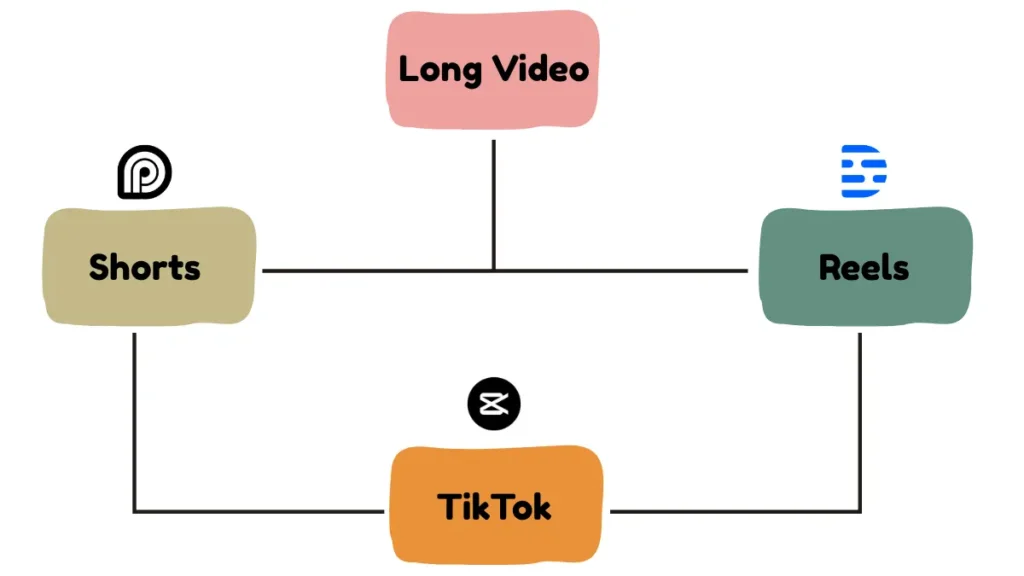
Content repurposing is the highest-leverage activity most creators ignore. One long video becomes multiple short clips, LinkedIn posts, Twitter threads, and newsletter sections — from work you already did.
AI Helps With
- Auto captions
- Highlight detection
- Platform formatting
- Faster editing
Best Fit For
- Reels creators
- Shorts creators
- TikTok creators
Opus Clip: still the best AI content repurposing tool available in 2026, and it’s grown into more than a clipper. It now passes 16 million users, and its newer “ClipAnything” and generative B-roll features let it insert contextually relevant footage to cover visual gaps instead of just cutting straight cuts. It analyzes your long video, finds the most engaging moments using its Virality Score, adds captions, and exports vertical clips for TikTok, Reels, and Shorts automatically. One 20-minute video still becomes 5 to 8 short clips. Free tier available; the Pro plan now runs closer to $29/month, up from where it sat a year ago, reflecting the added AI compute behind these newer features.
We tested one specific AI trick that consistently pushes Shorts into the viral feed — here is exactly how it works if you create short-form video.
Descript: the best AI video editing tool for talking-head and podcast content. Edit your video by editing the text transcript — delete a word from the script and it disappears from the video. Cuts editing time by more than half for non-technical creators.
CapCut AI: the best free AI tool for short form content. Auto-captions, auto-cut to remove silences and filler words, trending templates — all free with no watermark.
CapCut is also one of the top picks in our full breakdown of powerful AI tools for Instagram Reels — where we go deeper into its AI Script Generator feature that most creators never discover.
VEED AI: best for subtitles and international reach. Auto-translated subtitles in 100-plus languages can expand your content to non-English audiences with zero extra production effort.
Pictory AI: Pictory converts your existing blog posts and articles directly into polished videos automatically. It selects relevant visuals from over 3 million stock assets, adds AI voiceover via ElevenLabs integration, generates captions, and formats for social platforms. For bloggers who want to enter video without filming anything, this is the most direct path available. Starts at $19 per month with a 7-day free trial.
ElevenLabs: still the most realistic AI voice tool in 2026, and it keeps shipping. Its expressive Eleven v3 model handles audio tags and multi-speaker dialogue across 70-plus languages, while the faster Flash v2.5 model is built for real-time voice agents. A newer Dubbing v2 workflow covers 90-plus languages, and Studio 3.0 now combines narration, video, captions, music, and sound effects on one timeline. For creators building international audiences, ElevenLabs is a genuine growth unlock that a surprising number of creators still haven’t discovered.
If you want a complete breakdown of ElevenLabs alongside every other serious AI voice tool available right now, we tested them all in our dedicated guide — Best AI Voice Generators in 2026 That Sound 100% Real — including honest limitations, free tier comparisons, and two tools most roundups completely miss.
This is where AI video tools for creators, Best AI tools for youtube creators, and AI content repurposing tools help creators grow faster on algorithm-driven platforms.
5. Best AI Tools for Captions, Hooks & Engagement
If your hook fails, your content fails. The first three seconds of a video or the first line of a caption decides whether the algorithm distributes your content or buries it — and most creators spend almost no time on it.
AI Helps With
- Caption rewriting
- Hook generation
- CTA suggestions
- Emoji balance
Best Fit For
- Instagram creators
- LinkedIn creators
- Twitter/X creators
ChatGPT: best for generating hook variations fast.
Use this prompt: “Write 5 hooks for a post about [topic] using these formats: surprising statistic, bold opinion, curiosity question, relatable problem, short story setup. Keep each under 20 words.”
Test all five. Pick the one that would make you stop scrolling.
Hypefury: best for Twitter/X hook generation, optimal scheduling, and the Autoplugs feature that automatically adds a promotional tweet to your best-performing posts.
Taplio: best for LinkedIn content and hooks. It analyzes top-performing LinkedIn posts in your niche and helps you model what is actually working — not what sounds good in theory.
Copy.ai: best for fast short-form social copy variations when you need to batch-produce captions across multiple platforms quickly.
These AI caption generators for creators help improve engagement across Instagram, LinkedIn, and Twitter/X consistently.
Free vs Paid AI Tools: What Should Creators Choose?
Free AI Tools for Content Creation Are Best For:
- Beginners
- Testing workflows
- Low publishing volume
Paid AI Tools Are Better For:
- Consistency
- Serious time savings
- Monetized creators
Smart strategy: start with free AI tools for content creators, ChatGPT, Claude’s free tier, Canva free, CapCut, and Perplexity’s now-free Comet browser for research. Total cost: $0. These five tools cover ideas, writing, visuals, video editing, and research for any beginner, and that free-tier stack is stronger this year than it has ever been.
Upgrade only when AI clearly saves you more time or money than the tool costs. The minimum effective paid stack for a monetized creator is Claude Pro ($20), Canva Pro (about $15), and Opus Clip’s paid plan (about $29), around $64 per month total, roughly what a single freelance edit or one hour of a designer’s time would cost.
AI Workflow for Content Creators (Real Example)
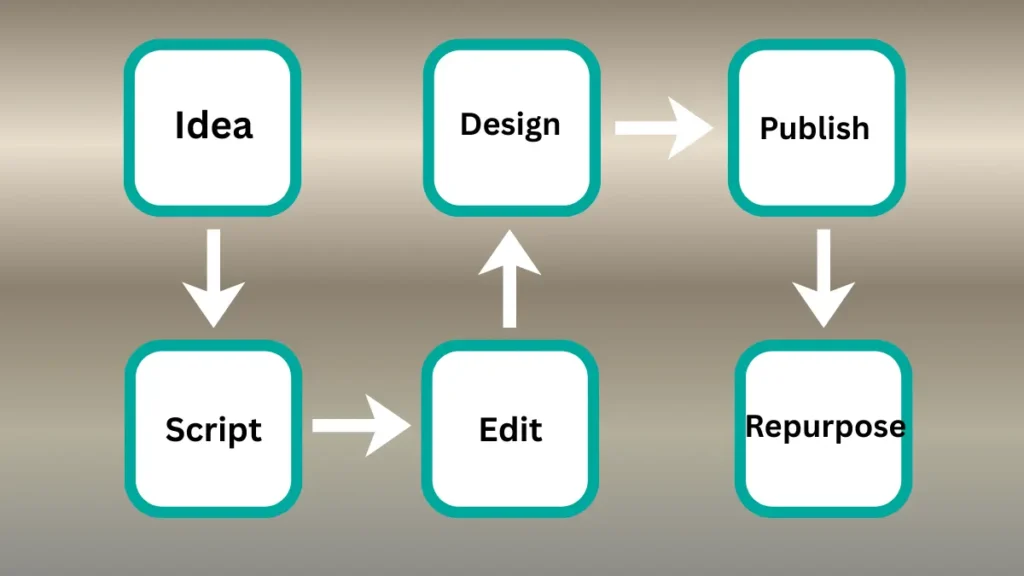
Here’s a simple AI workflow for content creators used by many in 2026:
Step 1 — Find your topic using Perplexity’s Comet browser or AnswerThePublic. 10 minutes.
Step 2 — Build your outline in Claude. 10 minutes.
Step 3 — Write your draft section by section in Claude. Add one personal example per section. 45 minutes.
Step 4 — Write 5 hook variations using ChatGPT. Pick the strongest. 10 minutes.
Step 5 — Create your thumbnail or featured image in Canva or Midjourney. 20 minutes.
Step 6 — Read the whole piece out loud. Fix anything robotic. Publish. 20 minutes.
Step 7 — Repurpose using Opus Clip (video) or ChatGPT (social copy). 30 minutes.
Total: under 2.5 hours from blank page to published and repurposed. Without AI, the same process takes a creator 5 to 7 hours.
This workflow alone can save 5–10 hours every week.
If you want to go deeper into building smarter AI workflows, learning agent-based AI systems can give you a long-term advantage.
How to Make Your Content Rank in 2026 — SEO, AEO, GEO, and LLMO
This is the section most creator blogs completely skip, and it is the biggest competitive advantage available right now, especially since the numbers behind it have gotten more extreme this year, not less.
Getting ranked on Google still matters. But getting cited inside ChatGPT, Perplexity, and Google AI Overviews is now the bigger prize, and it’s harder to fake. Here is how to do both:
SEO (Search Engine Optimization): use your primary and secondary keywords naturally in your title, first paragraph, H2 headings, and meta description. Write content that is genuinely more useful than the top 10 results for your target keyword.
AEO (Answer Engine Optimization): start every major section with a direct answer to the question it covers, do not make readers scroll for it. Include a formal FAQ section with question-format headings. The “Quick Answer” block at the top of this guide is a direct AEO technique.
GEO (Generative Engine Optimization): publish content with unique insights, original data, or first-person experience, AI systems like ChatGPT and Perplexity cite content with genuine “Information Gain.” Use clear H2 and H3 headings with one topic per section. Make sure your site does not block AI crawlers in your robots.txt file.
LLMO (Large Language Model Optimization): use consistent entity names throughout, do not call the same tool “Claude,” “Claude AI,” and “Anthropic’s Claude” interchangeably in the same article. Add FAQ schema markup. Include specific, verifiable facts, LLMs cite sources with concrete data over vague claims.
Google Discover: your headline should create genuine curiosity without being clickbait. Include at least one high-quality image (minimum 1200px wide). Publish consistently — Discover rewards regular publishing patterns. Make your author bio and photo visible on every post.
What’s Actually New in 2026 (And Why It Matters More Than the Tool List)
This is the section other roundups skip, and it’s arguably more important than which tool you pick.
The zero-click reality is worse than most creators realize. Multiple 2026 studies (SparkToro, Bain & Company, Similarweb) now put the overall U.S. zero-click search rate at roughly 65–68%. When an AI Overview appears on the page, that rate jumps to about 83%. In Google’s newer AI Mode, it climbs to around 93%. Pew Research found that when an AI Overview cites a source, users click through to that source only about 1% of the time.
In plain terms: your traffic strategy can no longer be built entirely on “rank and hope for a click.” Being the source an AI names, even without a click, is now part of your actual reach.
Being named beats being clicked. Since so few people click through even when you’re cited, the practical GEO move in 2026 is to make sure your brand and tool recommendations are unambiguous and repeatable, so an AI system can lift them cleanly into an answer. Vague, hedge-everything writing doesn’t get cited. Specific, confidently stated, well-sourced claims do.
Research tools became browsers. The most underrated shift of the year isn’t a new chatbot, it’s that Perplexity’s Comet turned “AI research” into “AI browsing.” Reading a competitor’s article, summarizing it, and pulling a citable stat now happens in the same tab instead of across five tools. Expect more of your research workflow to move into the browser itself over the next year.
Image generation solved consistency. Both Canva’s Dream Lab 2.0 and ChatGPT’s Images 2.0 model shipped fixes for the two biggest complaints creators had about AI images: garbled text-in-image and inconsistent characters across a batch. If you tried AI thumbnails in 2024 or 2025 and gave up, it’s genuinely worth trying again.
Pricing is creeping up on the tools that added the most capability. Opus Clip’s Pro tier moved up as it added generative B-roll and better moment detection. Claude and Canva, by contrast, added major upgrades without raising their core subscription price. Worth factoring in if you’re building a monthly tool budget.
Are AI Tools Safe for Content Creators?
Yes — when used responsibly.
Best Practices: Best AI Tools for Content Creators
- Always add personal insights and opinions that AI cannot generate
- Never copy-paste AI output without editing for your voice
- Use AI as your production assistant, not your ghostwriter
- Verify any statistics or facts AI produces before publishing — especially from ChatGPT, which can hallucinate sources
Google has clearly stated that AI-assisted content is allowed as long as it is helpful, original, and created for users — not just search engines
This keeps your content:
- Human
- Helpful
- Algorithm-friendly
FAQs – Top AI Tools For Content Creators
Are AI tools allowed on YouTube and Google?
Yes. Both platforms allow AI-assisted content as long as it provides real value to the audience. YouTube requires disclosure for synthetic media like AI-generated faces or voices intended to appear real.
Can beginners use Best AI tools for content creation?
Absolutely. Most AI tools covered in this guide require zero technical experience. If you can type a sentence, you can use ChatGPT, Claude, Canva, and CapCut today.
Will AI replace content creators?
No. AI replaces repetitive execution tasks — drafting, formatting, captioning, editing. It cannot replace your lived experience, original opinions, personal stories, or audience relationships. Those are your competitive advantage. AI just helps you produce more content without burnout.
What is the difference between SEO, AEO, GEO, and LLMO?
SEO gets you ranked in Google search results. AEO gets your content featured as a direct answer in search or voice assistants. GEO gets your content cited inside AI-generated answers from ChatGPT, Perplexity, or Google AI Overviews. LLMO ensures AI language models can accurately understand and retrieve your content. In 2026, you need all four simultaneously — they are not competing strategies, they are complementary layers of the same goal.
Why does it matter if an AI Overview cites me but nobody clicks?
Because visibility inside the answer is becoming its own channel. Studies show branded queries with AI Overviews present actually see a click-through increase, while non-branded queries see a decline. Getting named builds the brand recognition that later turns into a direct, branded search, even if this particular answer never sends a click.
What are the best AI tools for content creators just starting out?
Beginners should start with the free tier of ChatGPT, Claude, Canva, and CapCut — these four cover ideas, writing, design, and video editing at zero cost before you ever need to pay for a tool.
Final Thoughts: AI Is a Tool, Not a Shortcut
The Best AI Tools for Content Creators in 2026 don’t make you lazy — they make you focused.
Creators who succeed are those who:
- Learn AI
- Build smart workflows
- Protect their human voice
Creators who succeed are the ones who learn their AI tools deeply, build consistent workflows around them, and protect the one thing AI cannot replicate: their human voice, their genuine experiences, and their real relationship with their audience.
Start with the free stack. Use it every day. Improve every week. The creators building the biggest audiences in 2026 are not the ones with the most tools — they are the ones with the most intentional systems.
If you use AI with intention, it becomes your creative partner. And that partnership is what grows a content creator in 2026.